Want more mods for Cities: Skylines II? Explore our entire collection!
Cash Printer
"When the budget bites, print your way out of it."
How do I install Cash Printer?
Download the free ProjectMods desktop app, then install Cash Printer for Cities: Skylines II in one click.
</>What does Cash Printer do?
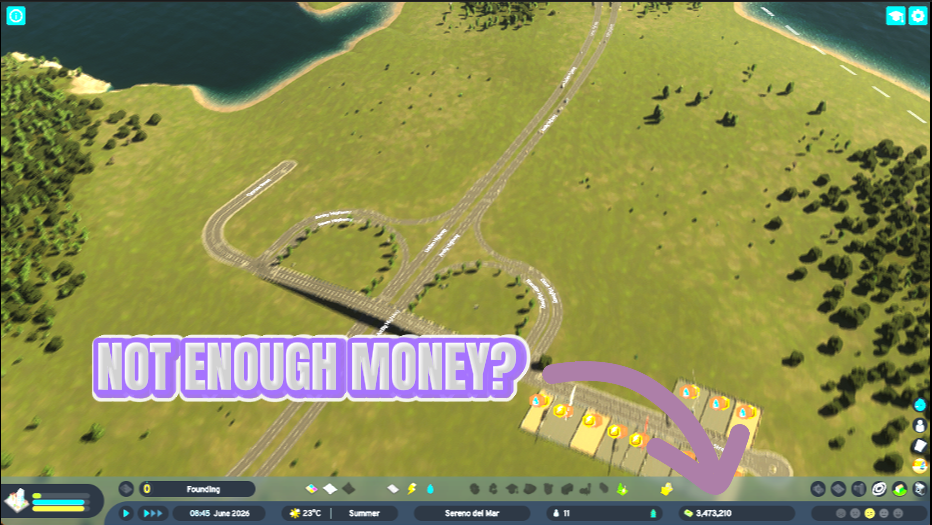
Tired of watching your city go broke every time you lay down a new district? Cash Printer puts your budget back in the green whenever you want. • Pick an amount and hit Print Cash to drop it straight into the treasury. • Need to go big? Fill the Vault maxes out your funds instantly for pure sandbox freedom. • Flip on Bottomless Budget and forget about money entirely — your treasury stays topped up so you can never go broke, no matter how much you spend. • Build the city you actually want — dream districts, huge transit, sprawling parks — without the money screen holding you back. Great for creative builders, testing new layouts, or rescuing a city that overspent on that fifth highway interchange. Turn it on when you need a boost, leave it alone when you want the challenge.
</>What is Cash Printer?
Cash Printer lets you top up your Cities: Skylines II treasury on demand, so a broke budget never stops your build. Print any amount, fill the vault instantly, or keep funds bottomless while you lay down dream districts, huge transit, and sprawling parks. Free to download from ProjectMods, the community-first game modding platform. Toggle it off any time you want the money challenge back.
</>Common questions about Cash Printer
What does Cash Printer do in Cities: Skylines II?
Cash Printer tops up your city treasury in Cities: Skylines II whenever you want, so you never get stuck because the budget went red. Pick an amount and drop it straight into your funds, or fill the vault to go all-in on sandbox freedom. It's built for players who'd rather design a city than babysit a balance sheet. You stay in control the whole time, so you decide when the money matters and when it doesn't. Cash Printer is free to download from ProjectMods, the community-first game modding platform and desktop app for PC gamers. Flip it off any time you want the budget challenge back.
What's the difference between Print Cash and Fill the Vault?
In Cash Printer, Print Cash and Fill the Vault are two ways to fund your Cities: Skylines II city. Print Cash lets you pick an amount and drop exactly that into your treasury, so it's perfect for a quick boost when you're a little short for the next district. Fill the Vault skips the number entirely and maxes out your funds instantly, so you're set for pure sandbox building with zero money worries. Use Print Cash for measured top-ups when you still want some budgeting; use Fill the Vault when you just want unlimited runway. Both are one-click and reversible, so you can go back to a normal economy whenever you like.
Can I keep my treasury topped up automatically instead of clicking each time?
Yes. Alongside the on-demand Print Cash and Fill the Vault buttons, Cash Printer has a Bottomless Budget option in Cities: Skylines II. Flip it on and your treasury stays full no matter how much you spend, so you can never go broke while it's active. That means you can drop a fifth highway interchange, a giant metro loop, and a park district back-to-back without ever seeing a red number. It's the hands-off choice when you don't want to keep tapping a button. Prefer manual control? Leave Bottomless Budget off and just use Print Cash or Fill the Vault when you need a boost. Turn it off any time to bring real spending limits back.
Does using Cash Printer break my city's economy or normal money features?
No. Cash Printer just adds money to your Cities: Skylines II treasury, so taxes, upkeep, loans, and service costs all still work the way the game intends. Your budget screen keeps tracking income and expenses normally, so you can watch how your city would perform even while you top up. Nothing about your city layout or services is changed, and it's fully reversible, so the moment you switch Cash Printer off, your economy runs on its own again. That makes it safe for testing a bold layout, then flipping the mod off to see if the design actually pays for itself under normal rules.
Why would I use Cash Printer instead of just playing the economy?
Cash Printer is for the moments when money is the only thing standing between you and the Cities: Skylines II city you actually want to build. Creative builders use it to lay down dream districts, sprawling transit, and huge parks without stopping to grind income. It's great for testing new layouts fast, since you can build the whole thing, then flip the mod off and see if it survives on real revenue. It's also a lifesaver for rescuing a city that overspent on one interchange too many. Turn it on when you want a boost, leave it off when you want the challenge. It's free from ProjectMods, the community-first game modding platform, so trying it costs nothing.
What options does Cash Printer include?
Fill the Vault
Instantly max out your funds for full sandbox freedom. Load a city first.
Amount
How much cash each Print Cash press adds to the treasury.
Bottomless Budget
Set-and-forget: keeps your treasury topped up so the city can never go broke. Spend freely.
Print Cash
Add the chosen amount to your city treasury. Load a city first.
Cash Printer is a ProjectMods mod for Cities: Skylines II that drops money straight into your city treasury on demand, so you never have to stop building because the budget went red.
What features does Cash Printer include?
- Pick an amount and hit Print Cash to drop it straight into your city treasury whenever you want a boost
- Hit Fill the Vault to max out your funds instantly for full sandbox freedom
- Flip on Bottomless Budget and your treasury stays topped up, so you can never go broke no matter how much you spend
- Build dream districts, huge transit lines, and sprawling parks without the money screen holding you back
- Turn it on when you need a top-up, leave it off when you want the money to matter again
Best For
- Creative builders who want to lay down that fifth highway interchange without watching the budget dip into the red
- Players testing a bold new district layout who don't want a bankruptcy warning cutting the experiment short
- Anyone rescuing a city that overspent and is one paycheck away from going under
- Streamers building on camera who'd rather focus on the skyline than the balance sheet mid-broadcast