Want more mods for House Flipper 2? Explore our entire collection!
Time Warp
"Bend the clock to your schedule."
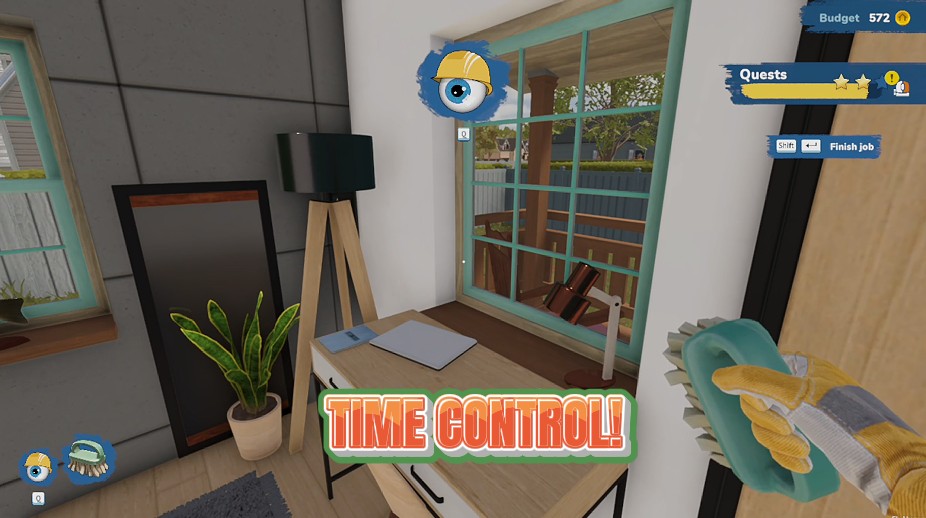
How do I install Time Warp?
Download the free ProjectMods desktop app, then install Time Warp for House Flipper 2 in one click.
</>What does Time Warp do?
Take full command of the day-night cycle in House Flipper 2. Speed up time to rush through the night, slow it down to soak in golden-hour lighting, or freeze the clock entirely. Jump straight to any hour of the day for the perfect photo op or to meet a deadline on your terms. Whether you want perpetual daylight for a renovation marathon or moody evening ambiance for showcase screenshots, Time Warp puts the sun on your schedule.
</>What is Time Warp?
Time Warp by ProjectMods gives you full control of the day-night cycle in House Flipper 2. Speed up the clock, slow it to a crawl, freeze time entirely, or jump to any hour for perfect lighting. Ideal for golden-hour showcase photos or perpetual daylight during a renovation marathon.
</>Common questions about Time Warp
What does Time Warp do in House Flipper 2?
Time Warp from ProjectMods gives you full control over the day-night cycle in House Flipper 2. Speed up time to rush through nightfall, slow it down to extend golden-hour lighting, freeze the clock entirely to keep the sun exactly where you want it, or jump directly to any hour of the day. Four separate controls — cycle speed, hour selection, apply speed, and jump to time — let you dial in exactly the lighting you want for renovations, photos, or locking your favourite time of day in place.
How does freezing time work in Time Warp for House Flipper 2?
Time Warp for House Flipper 2 lets you freeze the day-night cycle by setting the cycle speed to zero. When frozen, the sun stays exactly where it is — no movement, no light changes, no transition from day to night. This is perfect for extended renovation sessions where you want consistent lighting throughout your work, or when you've found the ideal natural light angle for photographing a finished property. The freeze holds until you adjust the speed back to a positive number, giving you unlimited time at your chosen moment.
Can I jump to a specific time of day with Time Warp?
Yes. Time Warp for House Flipper 2 includes a Set Hour control that lets you pick any hour, paired with a Jump To Time button that instantly moves the clock there. Want early morning light streaming through east-facing windows? Jump to 7 AM. Need dramatic sunset colours for a listing photo? Jump to golden hour. Prefer harsh midday sun to spot imperfections? Jump to noon. The transition is instant — no waiting for the clock to advance. Combine it with the freeze function to lock in that exact lighting indefinitely.
What do the four controls in Time Warp do?
Time Warp for House Flipper 2 provides four distinct controls through ProjectMods. Cycle Speed sets how fast the day-night cycle runs — from slow motion to rapid time-lapse, or zero to freeze. Set Hour selects the target hour you want to jump to. Apply Speed activates your chosen cycle speed setting. Jump To Time instantly moves the clock to your selected hour. The separation between applying speed and jumping to time lets you nail your preferred lighting in two quick moves — pick your hour, jump there, then choose whether time flows or stays frozen.
What lighting scenarios work best with Time Warp in House Flipper 2?
Time Warp from ProjectMods opens up several useful lighting setups in House Flipper 2. Golden hour in the early morning or late afternoon creates warm, flattering light that's perfect for showing off finished renovations. Midday sun provides even, bright illumination that helps you spot paint inconsistencies and missed cleaning spots. Night time lets you test how interior lighting looks after dark, which matters for properties with statement light fixtures. Overcast periods soften shadows for a more neutral assessment of colour choices. Freezing time at any of these moments lets you work indefinitely under perfect conditions.
What options does Time Warp include?
Apply Speed
Set the day-night cycle to the speed above.
Cycle Speed
How fast the day-night cycle runs. Pick Frozen to stop time.
Jump To Time
Jump straight to the hour above.
Set Hour
The time of day to jump to.
Time Warp from ProjectMods lets you speed up, slow down, freeze, or jump to any hour of the day-night cycle in House Flipper 2.
System Requirements
What features does Time Warp include?
- Speed up, slow down, or completely freeze the day-night cycle with a simple slider
- Jump to any hour of the day instantly for perfect lighting on demand
- Lock in golden-hour glow for photos or keep perpetual daylight during long sessions
- Set the cycle speed to zero and work in frozen time for as long as you need
Best For
- Screenshot enthusiasts who need golden-hour or blue-hour lighting for the perfect property showcase
- Players on marathon renovation sessions who don't want to lose visibility working in the dark
- Content creators filming walkthroughs who need consistent lighting across every room
- Flippers racing a deadline who want to freeze the clock and work without time pressure
More Mods for House Flipper 2

Cash Injection
Instantly add a fat stack of cash to your renovation budget whenever you need it.
/HouseFlipper2MasterRenovator1.png)
Master Renovator (Max Skills)
Instantly master every renovation skill and unlock all perks so you can tackle any project from the start.
/HouseFlipper2OpenHouse1.png)
Open House (All Properties)
Unlock every property for sale so you can browse, buy, and flip any house in the game right away.

















































































































