Want more mods for My Time at Portia? Explore our entire collection!
Chef's Menu
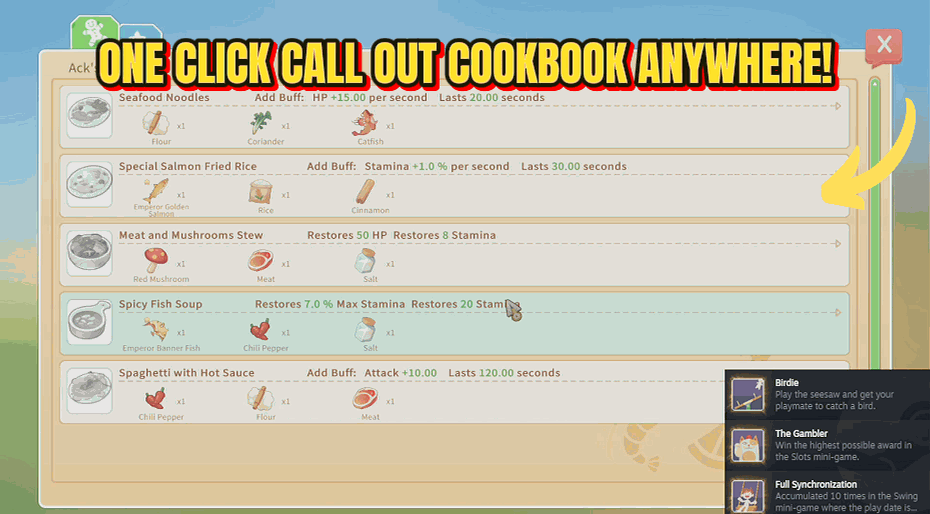
"Open the cookbook from anywhere, no kitchen needed."
How do I install Chef's Menu?
Download the free ProjectMods desktop app, then install Chef's Menu for My Time at Portia in one click.
</>What does Chef's Menu do?
Chef's Menu lets you browse the full cookbook without standing at a cooking station. Press the button and the recipe book pops up instantly, wherever you are. Handy for checking ingredient lists on the go, planning your next meal while gathering, or just browsing what recipes you still need to learn.
</>What is Chef's Menu?
Chef's Menu from ProjectMods lets you pull up the entire My Time at Portia cookbook from anywhere with a single button, no kitchen needed. Check ingredient lists while gathering, plan your next meal on the move, and see which recipes you still need to learn. Free to download via the ProjectMods desktop app for PC gamers.
</>Common questions about Chef's Menu
What does Chef's Menu do in My Time at Portia?
Chef's Menu lets you open the full My Time at Portia cookbook from anywhere, without standing at a cooking station. Press the button and the recipe book pops up instantly wherever you are, whether you are deep in the ruins, out fishing, or wandering town. You can browse every recipe, read ingredient lists, and see what you still need to learn. It is built for checking what to gather before you head out and planning meals on the go. Chef's Menu is a free mod from ProjectMods, the community-first game modding platform and desktop app, with one-click install across 400+ PC games.
What does the Show Cook Book option do?
The Show Cook Book option is the single action that powers Chef's Menu in My Time at Portia. Turn it on and the game's full cookbook opens immediately, exactly as it would at a cooking station, but from wherever you currently are. You get the same recipe pages, ingredient breakdowns, and learned-versus-unlearned tracking the normal cookbook shows. There is nothing else to set up: one option, one press, instant cookbook. It is the whole point of the mod, designed so you never have to walk back to your kitchen just to remember which ingredients a dish needs before a gathering trip.
Can I see which recipes I still need to learn with Chef's Menu?
Yes. Because Chef's Menu opens My Time at Portia's actual cookbook, it shows the same learned and unlearned recipe tracking the game normally displays. You can scan the full recipe list from anywhere and spot which dishes you have unlocked and which still need a recipe before you can cook them. That makes it easy to plan what to chase next without trekking back to a cooking station first. It is especially useful for cooking-focused players working toward a complete cookbook, since you can review your remaining recipes mid-adventure and gather the right ingredients along the way.
Does Chef's Menu let me actually cook from anywhere?
Chef's Menu opens the cookbook so you can browse recipes and ingredient lists from anywhere in My Time at Portia, which is perfect for planning and checking what to gather. Actual cooking still happens at a cooking station, since the mod brings up the recipe book rather than turning your whole map into a kitchen. Think of it as your reference manual on demand: read what a dish needs while you are out collecting, then cook it when you are back at your stove. It removes the annoying walk back home just to remember an ingredient, which is the real time sink for cooking players.
Why would a streamer or content creator use Chef's Menu?
Chef's Menu is handy for content creators and streamers covering My Time at Portia because it lets you pull up any recipe on screen instantly without walking to a kitchen first. When chat asks what goes into a dish or which recipes you still need, you press one button and show the cookbook right there, keeping the stream moving. It also helps tutorial makers reference recipes mid-explanation without breaking pacing. Chef's Menu is free from ProjectMods, the community-first modding platform and desktop app with one-click install, so it is quick to add to a recording setup and toggle off afterward.
What options does Chef's Menu include?
Show Cook Book
Open the cookbook UI from anywhere
Chef's Menu is a My Time at Portia mod from ProjectMods that opens the full cookbook from anywhere with one button press, no cooking station required.
System Requirements
What features does Chef's Menu include?
- Pops the full cookbook open with one button, no cooking station required
- Lets you scan ingredient lists while you're out gathering instead of memorizing them
- Shows you exactly which recipes you still haven't learned at a glance
- Works anywhere on the map, so meal planning never means a trip back to the kitchen
- Keeps the same cookbook layout you already know, just available on demand
Best For
- Players mid-forage who want to check what ingredients a dish needs before deciding what to pick
- Cooks planning the next meal while exploring instead of backtracking to a stove to look it up
- Completionists tracking which recipes are still missing from their book without standing in a kitchen
- Streamers answering chat questions about a recipe live without breaking from whatever they're doing
More Mods for My Time at Portia
/PortiaWaypointWarp1.png)
Waypoint Warp (Teleport to Map Marker)
Instantly teleport to the marker you placed on the map in My Time at Portia — no more long runs across the valley.
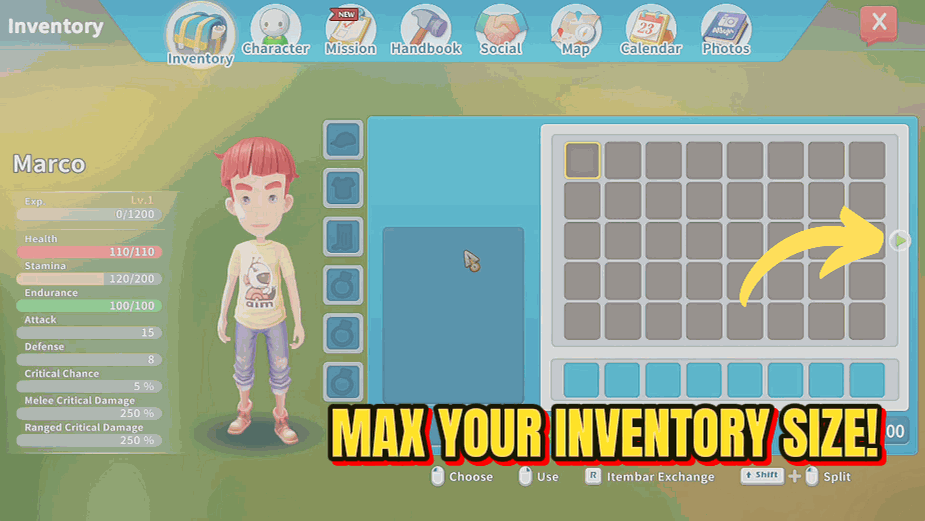
Bag of Holding
Maximize your inventory space to 75 slots instantly.
/PortiaBuilderOfTheYear1.png)
Builder of the Year (Unlock All Achievements)
Unlock every Steam achievement in My Time at Portia with one button press — no multi-year grind through commissions, friendships, and collectibles.







