Want more mods for Clothing Store Simulator? Explore our entire collection!
Bottomless Backroom
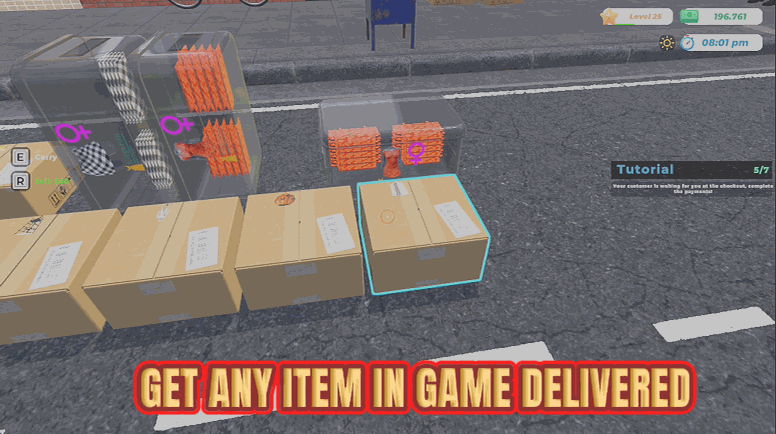
"Order any garment in the game and have it on your loading bay in seconds."
How do I install Bottomless Backroom?
Download the free ProjectMods desktop app, then install Bottomless Backroom for Clothing Store Simulator in one click.
</>What does Bottomless Backroom do?
Stocking a clothing shop the honest way means trawling the supplier screens, placing an order, paying for it and then waiting for the van. Bottomless Backroom skips all of it. Press Refresh Product List and the dropdown fills with every garment your game actually has, labelled by type so all the coats sit together and all the boots sit together. Pick one, choose how many boxes you want, and press Order Selected. Real boxes turn up on your loading bay, ready to open and put on the rails. In a hurry? Order One Of Everything sends a single box of every garment in one go, which is the fastest way to fill a brand-new shop or see what a product actually looks like before you commit shelf space to it. These are real deliveries through the game's own loading bay, so everything behaves exactly like stock you paid for. The difference is your shop balance never moves and there's no van to wait on.
</>What is Bottomless Backroom?
Stocking a shop the honest way means supplier screens, orders and waiting on a van. Bottomless Backroom lists every garment in your Clothing Store Simulator game, grouped by type, and delivers real boxes of whichever one you choose to the loading bay, or one box of everything in a single run. A premium mod from ProjectMods, the community-first PC mod manager for 400+ games.
</>Common questions about Bottomless Backroom
What does Bottomless Backroom do in Clothing Store Simulator?
Bottomless Backroom lets you order any garment in Clothing Store Simulator straight to your loading bay. It lists every item your game has in a searchable dropdown grouped by type, so all the coats sit together and all the boots sit together. Choose one, pick how many boxes you want, and press Order Selected, and real boxes turn up on the bay ready to open and put on the rails. There's also a button that sends one box of every garment in a single run. It's a premium mod from ProjectMods, the community-first PC mod manager for 400+ games.
How do I order a specific garment with Bottomless Backroom?
Three steps. Press Refresh Product List first, which fills the Product dropdown with every garment your copy of Clothing Store Simulator actually has, labelled by type. Pick the garment you want from that list. Set Boxes to the number you want, then press Order Selected. Bottomless Backroom sends the delivery immediately and the boxes arrive on your loading bay, exactly like stock you'd paid for and waited on. You can press Order Selected again for another batch, or change the garment and repeat. The list stays loaded, so you only need to refresh it once per session.
Why is the Product dropdown empty when I first load in?
Because the list hasn't been built yet. Bottomless Backroom builds the list from your own copy of Clothing Store Simulator rather than shipping a fixed one, so the dropdown starts empty until you press Refresh Product List. Do that once after you're loaded into your store and it fills with everything the game has, grouped by garment type so it's easy to scan. If the dropdown ever looks stale or an item is missing, press Refresh Product List again. It's a one-press step rather than a fault, and it's the reason the list always matches your game exactly.
What does the Boxes number do?
Boxes decides how many boxes of the chosen garment each order sends in Clothing Store Simulator. Set it to one for a quick top-up, or push it much higher when you want a whole section of the shop stocked from a single press. Every box lands on the loading bay together, so a big order means a big pile to unpack, and Pack Mule is worth having on if you'd rather not do six trips. The number only applies to Order Selected. Bottomless Backroom always sends exactly one box of each garment when you use Order One Of Everything, whatever Boxes is set to.
What does Order One Of Everything actually send?
One box of every garment in your game, delivered in a single run. It's the fastest way to fill a brand-new Clothing Store Simulator shop, or to see what a product actually looks like on a rail before you commit shelf space to it. Because Bottomless Backroom sends one box each rather than a full order, you get variety instead of depth, which is perfect for a scouting run and less useful when you're trying to keep one best-seller in stock. For that, pick the garment in the dropdown and raise the Boxes number instead. Everything still arrives through the normal loading bay.
What options does Bottomless Backroom include?
Order One Of Everything
Press to have one box of every garment delivered in a single run.
Refresh Product List
Press to load every garment in your game into the list above.
Order Selected
Press to have that many boxes of the chosen garment delivered right now.
Product
The garment to order. Press Refresh Product List first to fill this in.
Boxes
How many boxes of the chosen garment to order.
With Bottomless Backroom, a premium Clothing Store Simulator mod from ProjectMods, you can order any garment in the game straight to your loading bay as real boxes, or have one box of everything delivered in a single run.
System Requirements
What features does Bottomless Backroom include?
- Loads every garment your game actually has into one searchable list, grouped so coats sit with coats
- Orders as many boxes as you want of the garment you picked, delivered right now
- Sends one box of every product in a single run when you want variety on every rail
- Drops real boxes onto your loading bay, so they open and stock exactly like anything you paid for
Best For
- Opening week in a brand-new store when the rails are bare and the supplier screens are slow going
- Deciding whether a product deserves shelf space by having an actual box of it in front of you first
- Building a themed boutique - all denim, all winter coats - without hunting each item through the catalogue
- Restocking mid-afternoon when you sell out of the one thing every shopper walks in asking for
More Mods for Clothing Store Simulator
Pack Mule
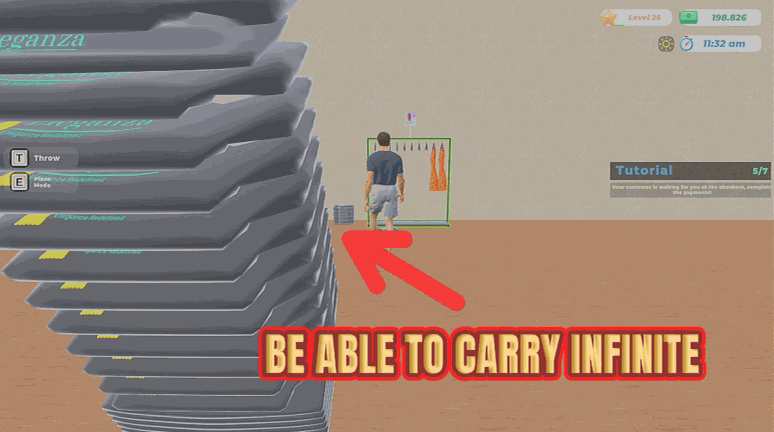
Massively increases how many garments you can carry at once, cutting restock trips to the back room.

Shop Floor Sprint
Cranks your movement speed up and stops you ever running out of puff.
Wall of Fame
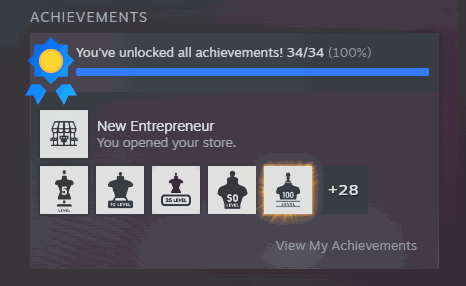
Unlocks all 34 achievements at once and reports back exactly how many actually landed.