Want more mods for Cuphead? Explore our entire collection!
Boss Health Bar
"Know exactly how close you are to a knockout."
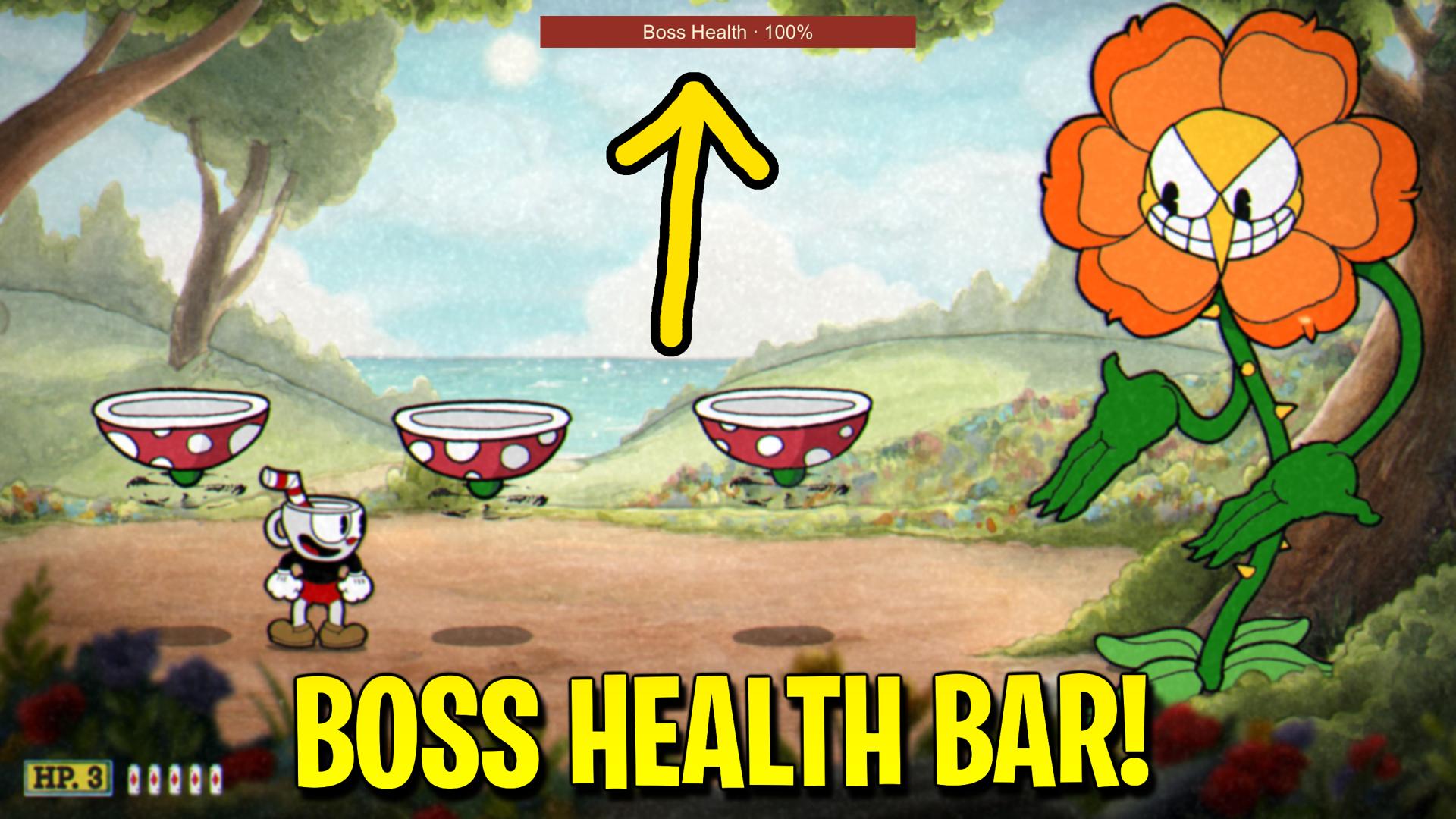
How do I install Boss Health Bar?
Download the free ProjectMods desktop app, then install Boss Health Bar for Cuphead in one click.
</>What does Boss Health Bar do?
Ever wondered how close you were to beating a Cuphead boss before losing your final hit point? Boss Health Bar removes the guesswork by displaying the encounter's remaining health directly on your screen throughout the fight. A visual health bar appears along the top of the screen, accompanied by a numerical percentage showing how much health remains. Quickly glance at the bar during intense encounters or check the percentage to see how much progress you've made toward a knockout. The display updates as the encounter progresses, helping you understand how much damage you've dealt and compare the effectiveness of different approaches. Whether you're learning attack patterns, experimenting with weapons, or repeatedly attempting a difficult boss, you can see how close each attempt gets to victory. Boss health should be read alongside Cuphead's existing visual cues. Enemies can change forms, enter new phases, or temporarily move out of reach as their health decreases. The percentage represents the encounter's remaining health rather than a countdown to the next phase. The health bar appears during active boss encounters with an available health total. It automatically clears when you pause and returns when you resume the fight. During regular platforming stages without a boss health total, the display stays hidden. Enable or disable the overlay whenever you prefer, giving you the choice between additional combat information and Cuphead's original interface. Boss Health Bar is ideal for learning difficult encounters, tracking improvements between attempts, and enjoying a more informative boss-fighting experience without changing the underlying combat mechanics.
</>What is Boss Health Bar?
The Boss Health Bar mod for Cuphead is a PC interface and quality-of-life mod that adds a visible boss HP bar and numerical health percentage during active boss encounters. Cuphead's original combat interface does not continuously display a conventional boss health bar. This mod provides an additional HUD element at the top of the screen, allowing players to monitor remaining encounter health throughout supported fights rather than relying entirely on animations and phase transitions. The combination of a visual progress bar and numerical percentage helps players assess damage dealt, compare weapon strategies, and understand how close they are to defeating a boss. The display represents remaining encounter health and should be interpreted alongside changing boss forms and attack patterns. The overlay automatically disappears when gameplay is paused and returns when the fight resumes. It remains hidden during platforming stages without an available boss health total and can be disabled whenever players prefer the original interface. Available through ProjectMods, Boss Health Bar is ideal for boss practice, difficult encounters, weapon experimentation, progress tracking, and players who want additional combat information without altering Cuphead's difficulty or boss health values.
</>Common questions about Boss Health Bar
What does the Boss Health Bar mod do in Cuphead?
It adds a live health bar and numerical health percentage at the top of the screen during supported boss fights, showing how much encounter health remains.
How do I see boss health in Cuphead?
Enable Boss Health Bar through ProjectMods and enter a supported boss fight. The health bar and remaining health percentage automatically appear at the top of the screen.
Does Cuphead have a boss health bar mod?
Yes. Boss Health Bar from ProjectMods adds a visible health indicator that lets you monitor remaining boss HP throughout active encounters.
Does the health bar update during the fight?
Yes. The health bar and numerical percentage update as the encounter's remaining health changes.
Does the mod show boss health as a percentage?
Yes. The overlay includes both a visual fill bar and a numerical percentage, allowing you to check remaining health at a glance.
Does Boss Health Bar work with every Cuphead boss?
The overlay appears during active boss encounters that have an available health total to display.
Does the health bar show when the next boss phase begins?
The bar displays remaining encounter health rather than a dedicated phase indicator. Bosses can change forms or become temporarily unreachable as their health decreases.
Does the health bar appear during Run and Gun levels?
The overlay remains hidden during platforming stages without an available boss health total, allowing you to play those levels with the regular interface.
What happens to the health bar when I pause the game?
The health bar automatically disappears when gameplay is paused and returns when you resume an active boss fight.
Can I turn off the boss health bar?
Yes. You can disable the overlay whenever you prefer to play with Cuphead's original interface.
Does Boss Health Bar reduce boss health or increase damage?
No. The mod displays remaining boss health without changing health values, weapon damage, or combat mechanics.
Is Boss Health Bar useful for learning difficult bosses?
Yes. The live health display helps you measure your progress, compare attempts, and understand how much damage remains while practising difficult encounters.
What options does Boss Health Bar include?
Boss Health Bar
Show the boss's remaining health as a bar and percentage at the top of the screen during active fights.
Boss Health Bar displays a live health bar and remaining health percentage at the top of the screen during Cuphead boss fights, letting you track your progress and see how close you are to defeating each boss.
System Requirements
What features does Boss Health Bar include?
- Display a live boss health bar at the top of the screen during active encounters.
- Show the remaining boss health as a numerical percentage.
- Track damage dealt and remaining encounter health throughout supported fights.
- See how close you are to defeating a boss before reaching a knockout.
- Automatically hide the health bar when gameplay is paused.
- Automatically restore the health display when the fight resumes.
- Keep the overlay hidden during platforming stages without a boss health total.
- Enable or disable the boss health display whenever you prefer.
- Monitor boss health without changing the underlying combat mechanics.
Best For
- See how close you are to defeating a difficult Cuphead boss.
- Track improvements across repeated attempts at challenging encounters.
- Compare the effectiveness of different weapons and combat strategies.
- Monitor remaining boss health while learning attack patterns.
- Understand how much damage remains after a boss changes forms.
- Assess combat progress without waiting until you lose an attempt.
- Practise difficult encounters with additional visual feedback.
- Reduce uncertainty during lengthy boss battles.
- Record gameplay videos with a visible boss health indicator.
- Enjoy a more informative combat HUD while retaining the original gameplay challenge.
More Mods for Cuphead
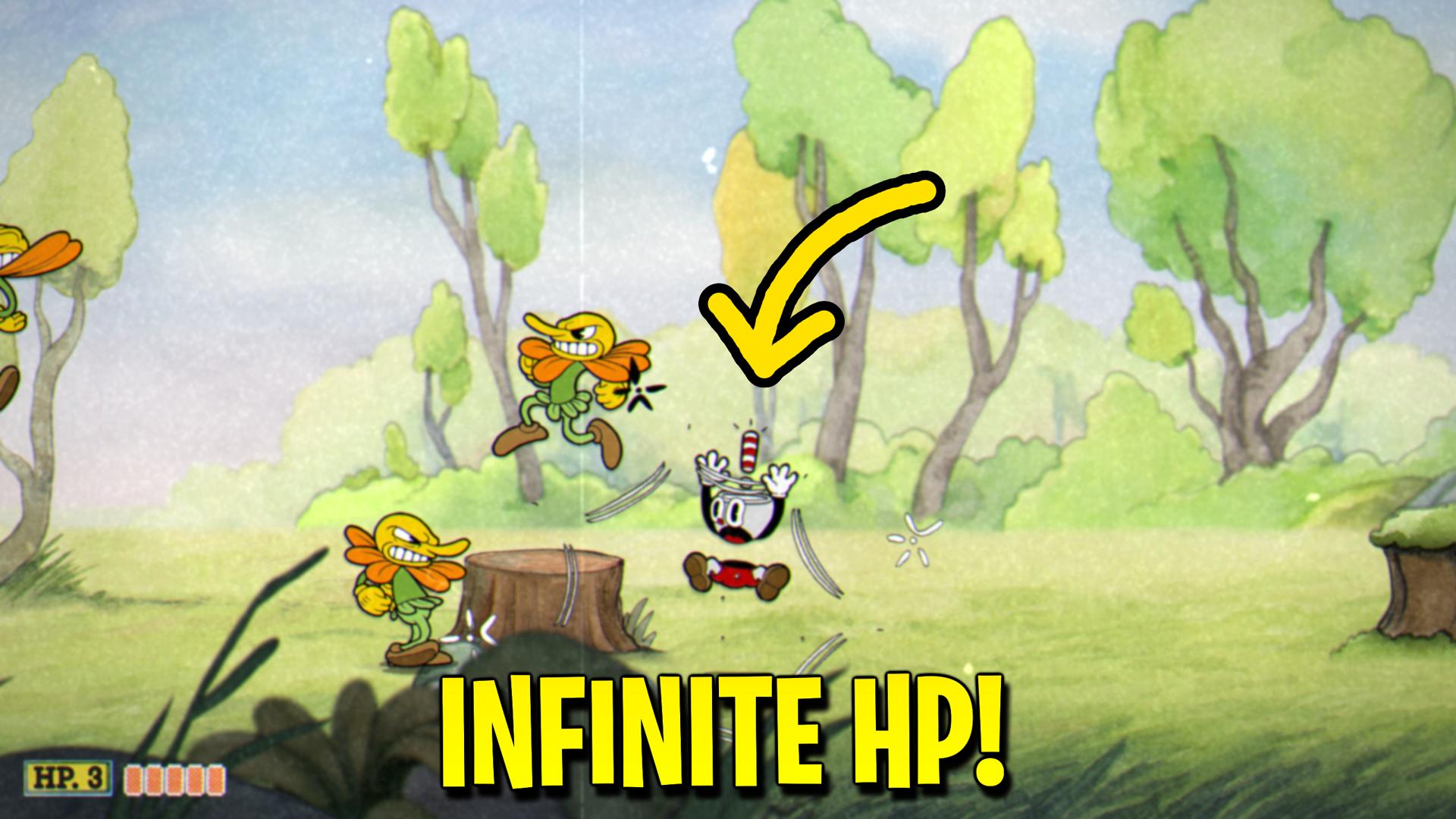
Infinite Health
Prevent damage from reducing either player's HP in Cuphead, giving you time to learn boss patterns and practise difficult stages.

Perfect Score
Fill Cuphead's scoring categories when you win a ranked stage, using the grading rules for the difficulty you selected.

Finish Level
Finish an active Cuphead boss fight or reach the exit of a Run 'n Gun stage while Player 1 is alive.







