Want more mods for Find The Needle? Explore our entire collection!
Give Item
"Any of the Sandbox menu's 38 items, at your feet, in any yard."
How do I install Give Item?
Download the free ProjectMods desktop app, then install Give Item for Find The Needle in one click.
</>What does Give Item do?
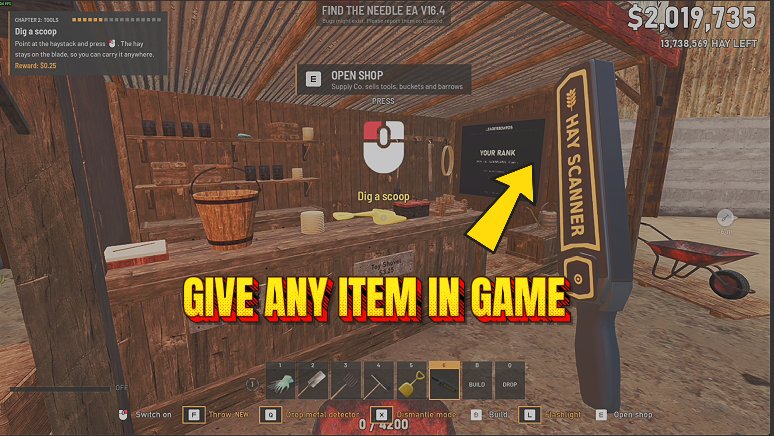
Give Item puts the item you want at your feet. Pick it under Item from the Sandbox menu's full spawn list, 38 items in all, listed by the names the game shows: the Spade, Pitchfork, Broom, Toy Shovel, Metal Detector, Yard Vac, Lighter and Forcetron, the Bucket and Wheelbarrow, hay products from Bales and Wrapped Bales to Eco Bricks, Paper Rolls and Fuel Discs, Scrap, Iron and Copper Ingots, and parts from Gear Sets and Motors to Carbon Cable and Composite Frames. Set Amount from 1 to 50 and press Give Item. The game's own item spawn puts the first one down at your feet, and the rest land beside it: five side by side, five more in a row beyond them, then layers on top, spaced by the item's own size. Spots behind a wall or a machine, or where you stand, are skipped, so nothing lands inside a wall or on top of you. It works in every yard you load, whatever mode you play, and the items stay in your yard after you turn the mod off. This is an unofficial mod by ProjectMods; Needless Games doesn't make or endorse it.
</>What is Give Item?
Give Item adds a short item list to the launcher: tools, hay products, scrap, ingots and parts under the names you see in play. Choose one under Item, set Amount and press Give Item, and the game's own spawn lays them out at your feet in rows and layers, spaced so they don't overlap.
</>Common questions about Give Item
What does Give Item do in Find The Needle?
Give Item puts the item you choose on the ground at your feet, as many as 50 with one press. Pick it under Item, set Amount and press Give Item in the launcher. The game's own item spawn makes each one, so they are ordinary items you can pick up and carry like any other item in your yard.
Which items can I give?
All 38 items the game's Sandbox menu can spawn, by the names the game shows. That covers the tools from the Toy Shovel and Spade to the Yard Vac, Lighter and Forcetron, the Bucket and Wheelbarrow, hay products such as Bales, Wrapped Bales, Eco Bricks, Pulp Slabs, Paper Rolls, Fuel Discs, Wads and Tufts, Scrap and Scrap Heaps, Iron and Copper Ingots, and parts from Hay Rods and Gear Sets to Carbon Booms and Straw Panels. Needles are not on the list.
Where do the items land?
The first one lands where the game drops a spawned item, at your feet. Copies go in rows of five beside and beyond it, then in layers above, each spaced by the item's own size so none overlap. A spot that is walled off, behind a machine or where you stand is passed over, and if no room is left, the message says how many went down.
Does it only work in Sandbox mode?
No, Give Item works in any yard you load, not only in Sandbox mode. It uses the item spawn that every yard has rather than the Sandbox menu itself, so Cozy and normal yards work the same way. Load into a yard first: pressed in the main menu, the button asks you to load in.
Do the items stay when I turn the mod off?
Yes, everything Give Item puts down stays in your yard after you turn the mod off. The mod only asks the game to spawn the items and never removes them. It changes no setting and no value of its own, so turning it off has nothing to undo, and the next item is one press away when you turn it back on.
How do I get more than 50 of an item?
Press Give Item again after the first batch lands. Each press puts down up to 50 more next to where you are standing, laid out the same way, so a few presses fill a corner of the yard with whatever you need. To change what comes out, pick another item first; Amount stays as you set it.
What options does Give Item include?
Item
Which item Give Item puts at your feet: the 38 items the game's own Sandbox menu can spawn, by the names the game shows, from the Yard Vac, Lighter and Forcetron to bales, ingots and parts.
Give Item
Puts the chosen item at your feet through the game's own item spawn, as many as Amount says. Spots behind a wall or a machine, or where you stand, are skipped. Load into a yard first.
Amount
How many of the chosen item one press of Give Item puts down, 1 to 50. Up to five land side by side, five more in a row beyond them, and the rest stack on top, spaced by the item's own size.
Give Item is a ProjectMods mod for Find The Needle that puts the tool, hay product, ingot or part you pick at your feet, up to 50 with one press, by its in-game name, in any yard.
What features does Give Item include?
- Item holds every tool from the Toy Shovel to the Forcetron, the Bucket and Wheelbarrow, eight hay products, Scrap and Scrap Heaps, two ingots and sixteen parts, under the names the game shows.
- Amount runs from 1 to 50, laid out in rows of five with more stacked on top, each item spaced by its own size.
- Before an item goes down, its spot is checked: anything walled off, behind a machine or where you are standing is passed over.
- Every yard works, Cozy, normal or Sandbox, since Give Item uses the item spawn each yard already has.
Best For
- You want to try the Forcetron early, so pick Forcetron, leave Amount at 1 and press Give Item.
- Your yard needs a second Wheelbarrow for moving hay, so pick Wheelbarrow and press Give Item.
- You want a pile of Copper Ingots next to your machines, so pick Copper Ingot, set Amount to 30 and press Give Item.
- You want a spare Spade and Broom by the shed, so give one of each, one after the other.
More Mods for Find The Needle
Faster Movement & Higher Jump
Set how fast you move and how high you jump in Find The Needle: speed from 25 to 500 percent of normal and jump height from 50 to 500 percent.
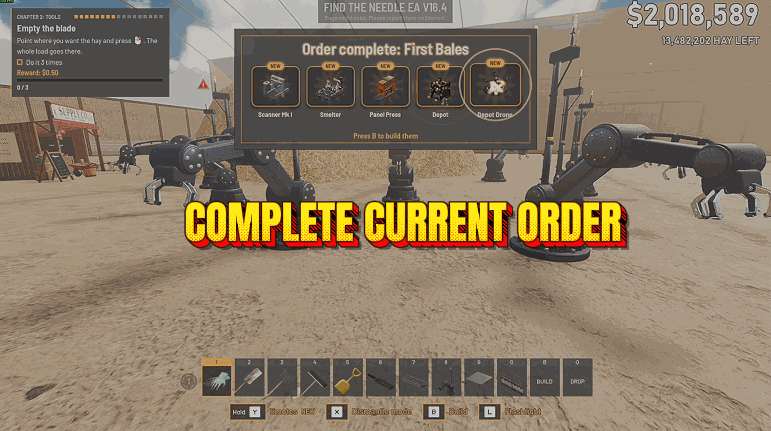
Complete Current Order
Finishes whichever of Find The Needle's 16 delivery orders is on the board: the truck gets every item it still needs, you're paid the order's price for each, and the board turns to the next one.
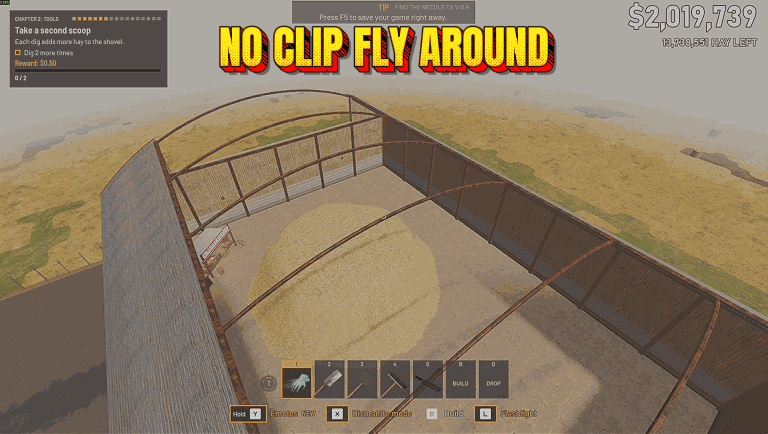
Fly & Noclip
Turn on Fly Enabled to fly anywhere in the yard, even through the shed and the ground. Space rises, Ctrl sinks, Shift goes faster, and switching off lands you safely.