Want more mods for Gold Mining Simulator? Explore our entire collection!
Accessibility
"Clearer colours, bigger text, steadier blasts."
How do I install Accessibility?
Download the free ProjectMods desktop app, then install Accessibility for Gold Mining Simulator in one click.
</>What does Accessibility do?
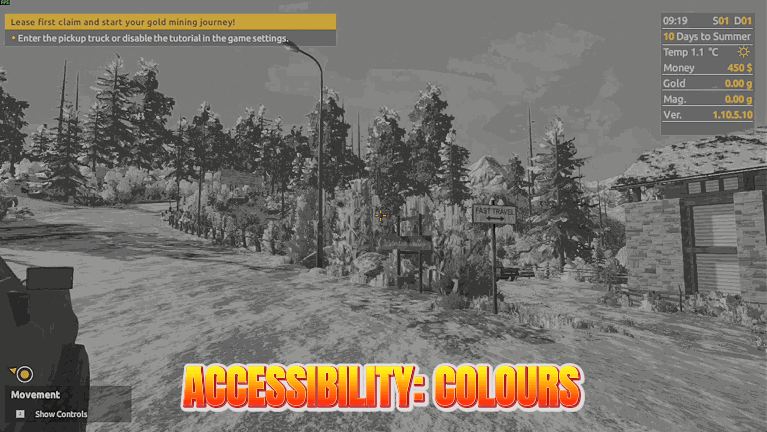
Small readouts and a busy world of dirt, water and machines aren't easy on every pair of eyes. Accessibility hands you six settings. Colour Filter shifts the colours of the 3D mining world so easily confused ones stand further apart: Red-Green (Green-Weak), Red-Green (Red-Weak), Blue-Yellow or Greyscale, with Off as the default. Filter Strength sets how far it shifts, from 0 to 100, starting at 100. High Contrast, from 0 to 100 and starting at 0, pushes light and dark apart and strengthens colours. Brightness runs from -100 to 100 around a default of 0, and 100 doubles the light. Text Size grows on-screen text from 100 to 200 percent: the readouts while you play, the pause menu, and the shop, bank, Gas Station and sell screens, with boxes growing where there's room. No Camera Shake keeps your view still when a Dynamite stick or Dynamite bundle goes off, or the blast that clears a blocked pass, while the explosion, its sound and its flash still happen. Each setting at its default leaves the game as it was, and switching the mod off puts everything back.
</>What is Accessibility?
Accessibility adds comfort and vision settings to Gold Mining Simulator. Colour Filter, Filter Strength, High Contrast and Brightness change the 3D world view once a save is loaded. Text Size scales on-screen text up to 200 percent, and No Camera Shake steadies the view at dynamite blasts. It doesn't cure colour blindness, recolour the HUD or menus, add audio or subtitle options or touch your save, and it works in Leaderboard saves.
</>Common questions about Accessibility
What does Accessibility do in Gold Mining Simulator?
It gives you vision and comfort settings the game doesn't have: a colour filter, high contrast, brightness, larger text and no dynamite camera shake. It makes colours easier to tell apart rather than fixing colour blindness. Everything runs on your own machine and changes no gameplay, so it works in every save, Leaderboard saves included.
Why does Colour Filter do nothing on the main menu?
Colour Filter, High Contrast and Brightness start once a save is loaded, because the main menu has no picture effects for them to join. Load your save and they apply straight away. Text Size and No Camera Shake don't depend on this.
Does Text Size also enlarge the tablet screens and tent labels?
No. Text out in the world, such as the tablet screens and the labels in the tents, stays at its normal size. Text Size covers the text drawn on your screen. Where a box has no room to grow, the words stop at the edge of it, so very large sizes can clip a long line on a small panel.
Why does Brightness seem weaker than I expected?
If the game's own Auto Exposure setting is on, the game may even out part of a Brightness change as it adjusts the picture. With Auto Exposure off, the full change shows. Bloom and the rest of the game's graphics settings stay exactly as you saved them.
Does Accessibility change my field of view or head bob?
No, the game already has its own Field Of View and Head Bobbing settings, so the mod leaves those to it. It also never writes to the game's saved graphics settings or to your save: remove it and the game looks the way it did before. There are no audio or subtitle options in it.
What options does Accessibility include?
Filter Strength
How far the Colour Filter shifts colours, from 0 (no change) to 100 (the full shift). Default 100. Lower it if colours look too strong.
Brightness
Lightens or darkens the mining world, from -100 to 100. 0, the default, is the game's normal brightness; 100 doubles the light, which helps at night.
Text Size
Makes the text on your screen bigger, from 100 (the game's normal size, the default) to 200 (twice the size): the readouts while you play, the pause menu, and the shop, bank, Gas Station and sell screens. Buttons and boxes grow with their text where there's room, and where there isn't, the words stop at the edge of their box. Labels out in the world, such as the tablet screens, stay as they are.
Colour Filter
Shifts the colours of the mining world (ground, water, gold, machines and sky) so the ones you mix up stand further apart. Pick the kind of colour vision you have: Red-Green (Green-Weak) is the most common, Red-Green (Red-Weak) makes reds look dark, Blue-Yellow is for mixing up blue with green, or yellow with pink. Greyscale removes colour entirely. The on-screen panels and menus keep their own colours. Off, the default, leaves the game's colours as they are.
No Camera Shake
Keeps your view steady when dynamite goes off. The blast, its sound and its flash still happen. Off, the default, brings the shake back.
High Contrast
Makes light and dark parts of the mining world stand further apart and colours stronger, from 0 to 100. 0, the default, is the game's normal look.
Accessibility is a ProjectMods mod for Gold Mining Simulator that adds a colour filter, high contrast, brightness, text up to twice the size and a steady view at dynamite blasts, changing the 3D world only, never the HUD colours or your save.
System Requirements
What features does Accessibility include?
- Colour Filter has four modes for different colour vision, and Filter Strength tunes how far each one shifts.
- High Contrast and Brightness change the picture of the world while the on-screen panels and menus keep their own colours.
- Text Size reaches twice the normal size on the readouts, the pause menu and the shop, bank, fuel station and sell screens.
- No Camera Shake holds your view still through every dynamite blast without removing the blast itself.
- Changes show up within half a second of moving a setting, since the mod re-reads them twice a second.
Best For
- You have red-green colour vision and some colours in the world blur together, so pick Red-Green (Green-Weak) in Colour Filter and lower Filter Strength until it looks right.
- Night work on the claim is hard to make out, so raise Brightness to 60 and add a little High Contrast.
- The Old Glenn Bank screen is hard to read from the couch, so set Text Size to 150.
- Clearing a blocked pass with dynamite jolts the screen, so switch on No Camera Shake before you light the fuse.
More Mods for Gold Mining Simulator
Achievement Unlocker
Unlocks any one Gold Mining Simulator achievement or all of them on your Steam account, and can lock them all again so you can earn them over.
White Christmas
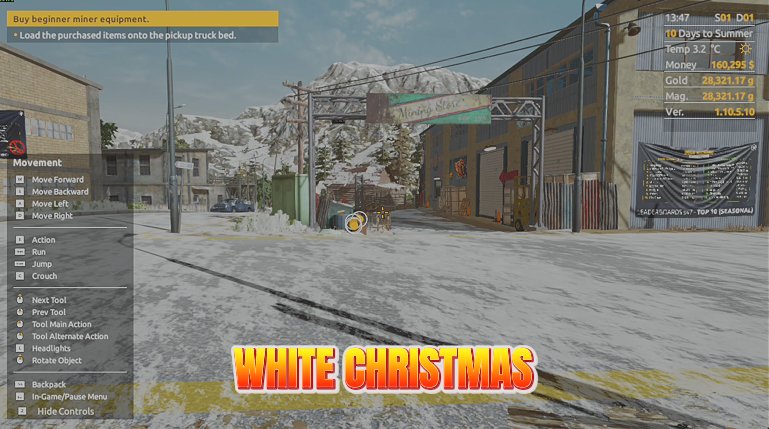
Covers the landscape in snow in any season, from a light dusting to deep cover, without changing the season, the temperature or the ground beneath it.
Speed & Jump
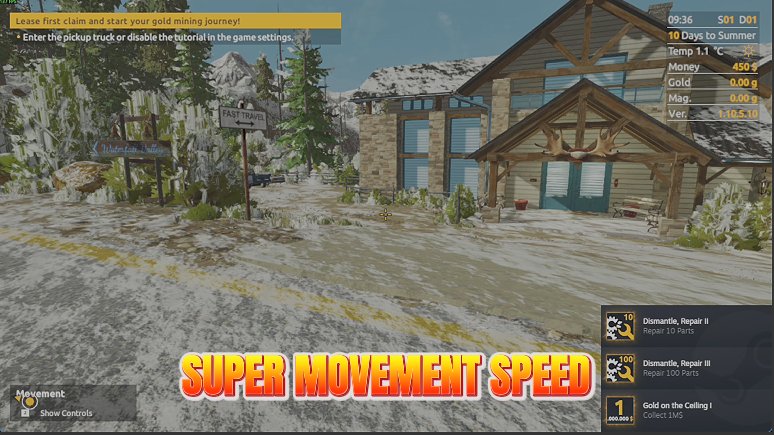
Walk, run and crouch up to five times faster and jump up to five times higher on foot, each with its own switch and percent slider. Vehicles, machines and ladders keep their normal speed, and Leaderboard mode saves are left out.