Want more mods for Gold Mining Simulator? Explore our entire collection!
Photo Mode
"Freeze the claim. Fly the camera. Take the shot."
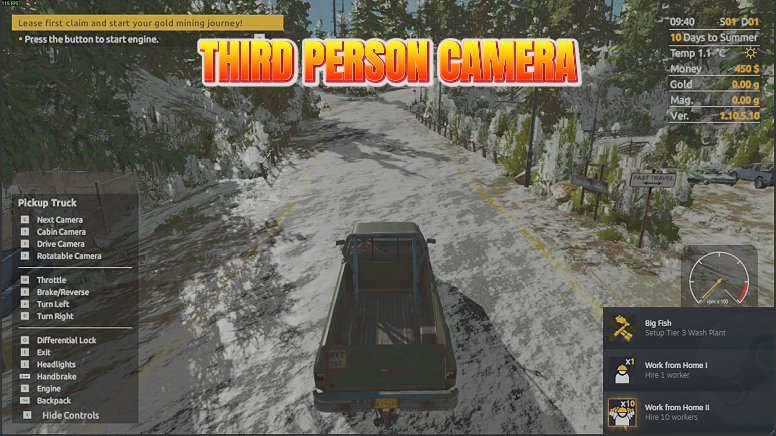
How do I install Photo Mode?
Download the free ProjectMods desktop app, then install Photo Mode for Gold Mining Simulator in one click.
</>What does Photo Mode do?
Getting a good shot of your claim is hard from where you stand, with the on-screen display in the way. Photo Mode hands you a free camera. Switch on the Photo Mode option and the game pauses while the camera comes loose: W A S D move it, the mouse looks, Space rises, Ctrl sinks and Shift triples the pace. Camera Speed sets how fast it flies (1 to 50 metres per second, 10 by default). Your character stays where you stood. Take the picture with your usual screenshot key. Hide HUD hides the game's on-screen display, in Photo Mode or while you play normally. Switching the Photo Mode option off puts the camera back in your character's view exactly where it was and the game carries on. Hide HUD off brings the display back.
</>What is Photo Mode?
Photo Mode freezes your mining claim so you can frame it from anywhere. Switch on Photo Mode to pause the game and fly the camera with the keyboard and mouse, set Camera Speed for the pace, and use Hide HUD to clear the on-screen display. It doesn't take screenshots on its own, has no filters, field of view or depth of field controls, and can't start while you drive or operate a machine.
</>Common questions about Photo Mode
What does Photo Mode do in Gold Mining Simulator?
It pauses the game and lets you fly a camera anywhere for screenshots, then puts you back exactly where you were. Hide HUD, the second switch, removes the on-screen display whenever you want a clean screen. The mod doesn't save pictures for you.
Why won't Photo Mode start?
You're in a machine, or a menu, the map or the tablet is open. Photo Mode starts only when you're on foot with nothing open, and until then it waits, telling you once. Close the screen or climb out of the machine and it begins by itself. Driving or operating a machine never counts as on foot, so it can't start from a driver's seat. Once it does start, your character stays exactly where you were standing until you switch it off.
Why did the camera snap back to my character?
The game opened something or you left the save, and Photo Mode ended by itself. To take more photos, switch Photo Mode off and on again in the launcher. Your character's view comes back exactly where it was each time, so nothing in your game moves.
Can I use the menus or keep playing while it's on?
No. The game's menus and controls don't respond while Photo Mode is on, and the world is fully paused, with no slow motion setting. Switch Photo Mode off in the launcher and the game carries on from the same moment, which means you can line up a shot of anything in mid-motion.
Does it work in Leaderboard mode saves?
Yes. Photo Mode never moves your character, so it works in every save, Leaderboard mode included, and Hide HUD works there too. Nothing of the mod's goes into any save, and switching the mod off brings back the camera and the on-screen display together.
What options does Photo Mode include?
Camera Speed
How fast the photo camera flies, in metres per second: 1 to 50, 10 by default (three times that while you hold Shift).
Photo Mode
The world holds still and the camera flies free for screenshots: W A S D move, the mouse looks, Space rises, Ctrl sinks, Shift is three times faster. Starts when you're on foot with no menu open. Off: you're back in your own view, right where you stood.
Hide HUD
Hides the game's on-screen display, in Photo Mode or while you play. Off: it comes back.
Photo Mode is a ProjectMods mod for Gold Mining Simulator that pauses the game and gives you a free-flying camera for screenshots, plus a switch to hide the on-screen display; it starts only on foot and doesn't save pictures itself.
System Requirements
What features does Photo Mode include?
- The whole world holds still while the camera is free, so nothing moves out of your shot.
- The camera flies through walls and terrain, so you can frame a shot from inside a hillside.
- Hide HUD works during normal play too, not only in Photo Mode.
- Your character never moves, so the camera is safe to use in a Leaderboard mode save.
Best For
- Your wash plant line is finally set up and you want a picture of it from above, so switch on Photo Mode and Hide HUD and rise over it with Space.
- You're recording a slow pan across the claim, so drop Camera Speed to 2 for a steady move.
- You want clean footage while you play, so leave Photo Mode off and switch on Hide HUD by itself.
More Mods for Gold Mining Simulator

Faster Processing
Speed up wash plants, the Gold Nuggetator and the Magnetite Separator up to 10 times and gold panning up to 5 times, each with its own switch. Every load gives the same gold, just sooner; Leaderboard mode saves are left out.
Give Gold, Magnetite & Gems
Three buttons add gold, magnetite or gems straight to what you hold, each with its own amount. Gems need Gems and Glory, and Leaderboard saves are left alone.
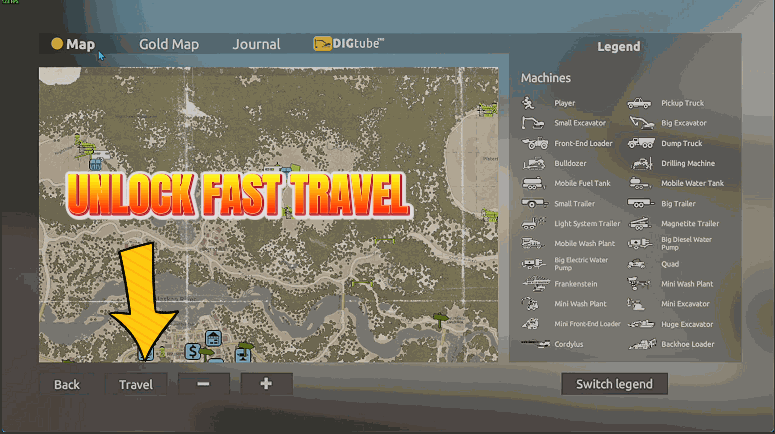
Unlock Everything
Four buttons unlock every Fast Travel point, all six tablet apps, all four Blacksmith upgrades at level 3 and every parcel you can own, plus a Dig Anywhere switch for any land and frozen ground.