Want more mods for Muck? Explore our entire collection!
Pest Control (Mob Manager)
"Turn off the night shift. Clear the room on demand."
/MuckPestControlIncMobControl1.png)
How do I install Pest Control (Mob Manager)?
Download the free ProjectMods desktop app, then install Pest Control (Mob Manager) for Muck in one click.
</>What does Pest Control (Mob Manager) do?
Muck loves to throw waves of mobs at you the second night falls, which is great for a challenge and terrible when you just want to build. Pest Control gives you the off switch. Turn on Stop Mob Spawns and no new enemies appear, so you can set up your base, gather, or explore without constant interruptions. Already surrounded? Hit Kill All Mobs to instantly clear everything currently roaming the island. Use both for a totally peaceful run, or just the kill button when a fight gets out of hand. Flip Stop Mob Spawns back off and the island returns to its normal, dangerous self. Perfect for relaxed building sessions, screenshots, or catching your breath. Pairs great with Nine Lives if you'd rather stay safe than empty the map.
</>What is Pest Control (Mob Manager)?
Pest Control from ProjectMods, a free game modding platform and desktop app, gives Muck players full mob control. Toggle Stop Mob Spawns for a peaceful island with no new enemies, or press Kill All Mobs to instantly clear everything currently roaming. Use both for a completely threat-free experience.
</>Common questions about Pest Control (Mob Manager)
What does Pest Control do in Muck?
Pest Control is a Muck mod from ProjectMods that gives you two tools for managing enemy presence on your island. The Stop Mob Spawns toggle prevents any new enemies from appearing, so once you clear what is already there, the island stays peaceful. The Kill All Mobs button instantly eliminates every enemy currently roaming the map in one press. Use Stop Mob Spawns alone for a gradual clearing approach, Kill All Mobs alone for a quick reset when you are overwhelmed, or both together for a completely enemy-free island. Turn Stop Mob Spawns back off any time and the game resumes its normal spawning behavior.
Does Stop Mob Spawns prevent night waves in Muck?
Yes. When Stop Mob Spawns is active, no new enemies of any kind will appear on your island, and that includes the waves of mobs that normally spawn when night falls. This effectively removes the main threat cycle of the game, turning Muck into a peaceful survival and building experience. Your island stays clear of enemies as long as the toggle is on. This is ideal for building sessions where constant mob attacks interrupt your construction, for new players who want to learn the crafting and gathering systems without combat pressure, or for anyone who just wants to explore the island at their own pace without danger lurking around every corner.
Can you use Kill All Mobs selectively in Muck?
Kill All Mobs is an all-or-nothing button that clears every enemy currently alive on the island in one press. It does not let you target specific mobs or specific areas. When you press it, everything dies instantly regardless of location, type, or distance from you. This makes it a powerful panic button when a fight goes badly or when you just want a clean slate. If Stop Mob Spawns is off, new enemies will eventually spawn again after you clear them, so it is a temporary reset rather than a permanent solution. For a permanently clear island, pair Kill All Mobs with Stop Mob Spawns to clear the existing mobs and prevent new ones from replacing them.
What are the best uses for Pest Control during a Muck run?
Pest Control fits into several play styles. For creative builders, turn on Stop Mob Spawns and clear existing mobs to work on your base without interruption for as long as you want. For explorers, keep the toggle on while you map the island and turn it off when you are ready for a challenge. For overwhelmed players, hit Kill All Mobs as an emergency reset when a night wave gets out of control, then continue your run with a breather. For content creators and screenshots, clear the map for clean footage. For multiplayer hosts, control the difficulty by toggling spawns on and off to give your group breaks between intense combat sessions.
What mods complement Pest Control for a peaceful Muck experience?
For a fully relaxed Muck session, combine Pest Control with several other ProjectMods mods. Daylight Saving with frozen daytime lighting eliminates the visual gloom of night even after spawns are stopped. Nine Lives provides insurance if you turn spawns back on and things get dicey. Thin Air Crafting removes material costs for pure creative building. Ghost Protocol lets you fly and inspect your builds from any angle. Island Stretcher and Flat Earther shape your world for the perfect building canvas. Together with Pest Control keeping the island peaceful, this combination transforms Muck from a survival game into a relaxed creative sandbox where you build and explore without any threats.
What options does Pest Control (Mob Manager) include?
Kill All Mobs
Instantly clear every mob currently on the island.
Stop Mob Spawns
Turn on to stop new mobs appearing. Turn off to let them spawn again.
Pest Control is a free Muck mod from ProjectMods that stops mob spawning and lets you kill all mobs instantly with a toggle and a button.
System Requirements
What features does Pest Control (Mob Manager) include?
- Toggle mob spawns off completely to stop all new enemies from appearing
- Press Kill All Mobs to instantly clear every hostile creature on the island
- Combine both for a completely peaceful island with zero combat interruptions
- Use spawn toggle alone to finish existing fights but prevent new ones from starting
- One-press clear works on all mob types including bosses and special enemies
Best For
- Builders who want a peaceful island to construct without mobs attacking their walls
- Players overwhelmed by a night wave who need an emergency wipe to survive
- Anyone who wants to explore the island without combat and just enjoy the environment
- Groups setting up their base before turning spawns back on for the real challenge
- Players farming resources who don't want to stop and fight every ten seconds
More Mods for Muck
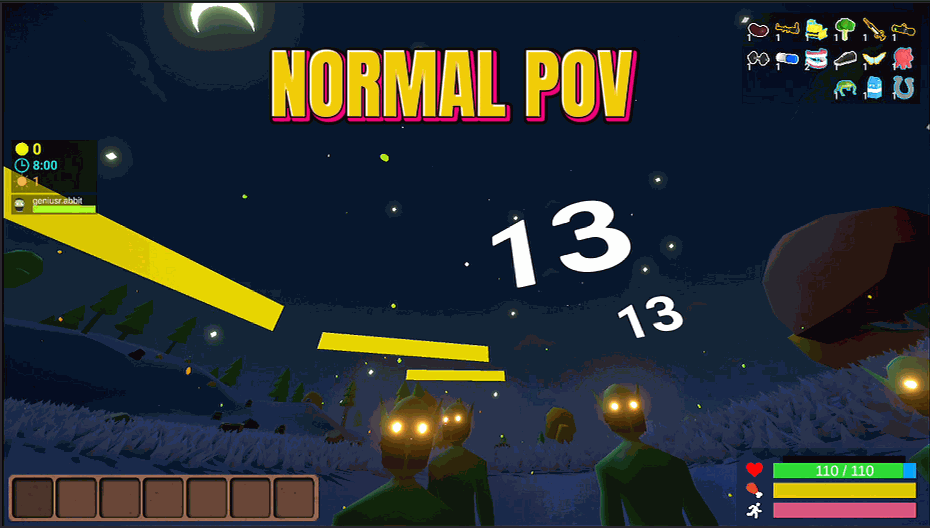
Size Matters (Grow or Shrink)
Heads up: the bigger you go the faster the world seems to rush past, and the smaller you go the more you feel like you are plodding. That is your point of view moving up and down, not a bug - your actual running speed is exactly the same at every size. Shrink down to a tiny gremlin or grow into a giant with one slider. Pure fun for exploring, screenshots, and messing with friends.

Powerup Vending Machine (Pick Any Buff)
Pick any powerup from a list and stack as many as you want. Build the exact character you feel like without grinding gem chests.
/MuckInvincibleInfiniteHPStamina1.png)
Nine Lives (Unkillable)
Stay alive no matter what the island throws at you. Keep your health topped up, never run out of breath, and forget hunger even exists.







