Want more mods for Muck? Explore our entire collection!
Skip the Lecture (Instant Tutorial Skip)
"You've played survival games before. We believe in you."

How do I install Skip the Lecture (Instant Tutorial Skip)?
Download the free ProjectMods desktop app, then install Skip the Lecture (Instant Tutorial Skip) for Muck in one click.
</>What does Skip the Lecture (Instant Tutorial Skip) do?
Starting yet another run and don't need Muck to walk you through chopping your first tree? Skip the Lecture wipes the tutorial out on command. One press removes the tutorial tasks and pointers so your screen is clean and you can just play. Perfect if you're a returning player, speedrunning a fresh seed, or recording and you don't want beginner prompts cluttering the shot. Great as the first thing you press on a new island before you get going. Pairs naturally with Zoomies and Sky Hopper when you want to hit the ground running - literally.
</>What is Skip the Lecture (Instant Tutorial Skip)?
Skip the Lecture from ProjectMods, a free game modding platform and desktop app, wipes Muck's tutorial out on command. One press removes all tutorial tasks and screen pointers so experienced players and content creators can start fresh runs without beginner prompts cluttering the screen.
</>Common questions about Skip the Lecture (Instant Tutorial Skip)
What does Skip the Lecture do in Muck?
Skip the Lecture is a Muck mod from ProjectMods that removes the tutorial from your current run with a single button press. When you start a new island, Muck normally walks you through basic survival tasks like chopping your first tree, picking up items, and crafting your first tools. These tutorial prompts take up screen space and slow down experienced players who already know what to do. Press Skip Tutorial and all of those tasks and on-screen pointers disappear instantly, giving you a clean interface from the very start. It is the first thing many returning players press when beginning a new run.
Does Skip the Lecture permanently remove the tutorial from Muck?
No. Skip the Lecture removes the tutorial for your current session only. The next time you start a brand new run, the tutorial tasks will appear again as normal, giving you the option to skip them again with another press or let them play out if you want. This means the mod never permanently alters your game. It is a per-run convenience tool that gives experienced players a quick way to clear the screen without affecting future sessions. If you are starting many runs in a row, such as during speedrun practice or seed testing, you will want to press Skip Tutorial at the start of each new island.
Who benefits most from Skip the Lecture in Muck?
Skip the Lecture is most valuable for three types of Muck players. Returning players who have already completed the tutorial multiple times and do not need to be told how to chop a tree again benefit from the immediate clean screen. Content creators and streamers who are recording gameplay and do not want tutorial popups cluttering their footage get a polished, professional-looking interface from the first frame. Speedrunners and seed testers who start many fresh runs in rapid succession save cumulative time by not waiting for tutorial prompts to appear and fade. For all three groups, the mod turns a minor annoyance into a one-press solution.
When should you press Skip Tutorial in a Muck run?
Press Skip Tutorial as early as possible after loading into a new island, ideally before you start doing anything else. The tutorial tasks activate as you perform actions like picking up items or chopping trees, so pressing the skip button first prevents any of those prompts from ever appearing on screen. Think of it as the very first action of a new run: land on the island, open the mod menu, press Skip Tutorial, then start playing with a completely clean interface. There is no penalty for pressing it at any time during a run, but using it right at the start ensures you never see a single tutorial prompt.
What mods pair well with Skip the Lecture for fast starts in Muck?
Skip the Lecture is the natural opening move for a fast-start mod loadout. Pair it with Zoomies to immediately boost your movement speed and cover ground quickly from spawn. Add Sky Hopper for instant vertical mobility so you can scale cliffs and reach high loot without building up first. Item ATM lets you spawn gear directly, skipping the entire early-game crafting progression. Thin Air Crafting removes material requirements so you can build anything immediately. Cash Printer gives you coins for the first trader you find. Together with Skip the Lecture clearing the screen, this combination turns the first minute of a Muck run from a slow tutorial into an instant action start.
What options does Skip the Lecture (Instant Tutorial Skip) include?
Skip Tutorial
Press to instantly clear the tutorial and its prompts.
Skip the Lecture is a free Muck mod from ProjectMods that removes tutorial tasks and beginner pointers from Muck in one press for clean, fast starts.
System Requirements
What features does Skip the Lecture (Instant Tutorial Skip) include?
- Remove all tutorial prompts and task markers with a single button press
- Clear the screen of hand-holding popups so you can play uninterrupted
- Skip straight to real gameplay without waiting through introductory steps
- Works the moment you land on a new island — press once and the tutorial is gone for that run
- One press and done, no toggles to manage or settings to configure
Best For
- Veteran survival players who already know how to punch a tree and don't need instructions
- Players on their fifth Muck run who are tired of dismissing the same tutorial popups
- Speedrunners who want zero delays between starting a world and actually playing
- Streamers who don't want tutorial overlays cluttering their broadcast
- Anyone who learns by doing and finds tutorials more distracting than helpful
More Mods for Muck
/MuckMarieKondoInventoryOrganiser1.png)
Marie Kondo Inventory Organiser (One-Click Tidy)
Instantly tidy your whole inventory - matching items merge into full stacks and everything lines up in a clean order. Your equipped gear stays put.
/MuckLootGoblinChestMultiplier1.png)
Loot Goblin (Chest Jackpot)
Multiply the loot inside chests so every one you open is a jackpot. Turn small finds into big hauls with a single slider.
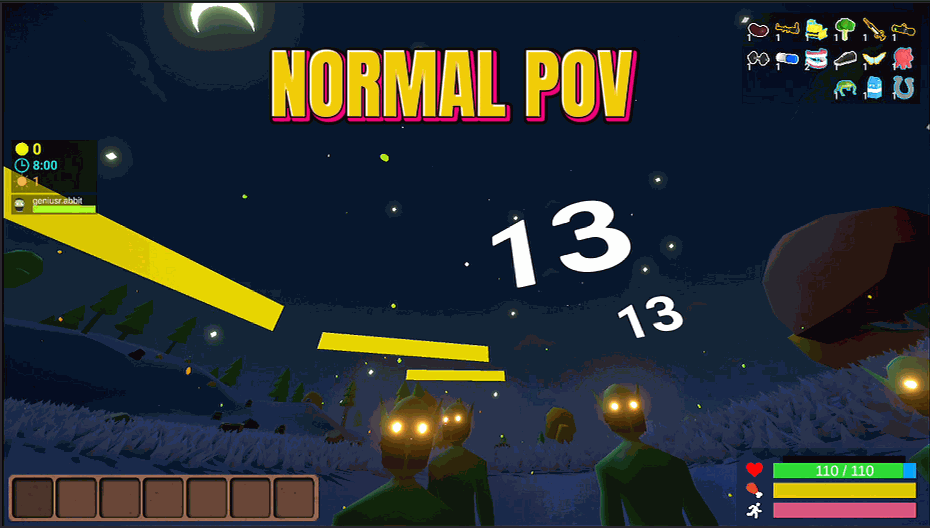
Size Matters (Grow or Shrink)
Heads up: the bigger you go the faster the world seems to rush past, and the smaller you go the more you feel like you are plodding. That is your point of view moving up and down, not a bug - your actual running speed is exactly the same at every size. Shrink down to a tiny gremlin or grow into a giant with one slider. Pure fun for exploring, screenshots, and messing with friends.







