Want more mods for Raft? Explore our entire collection!
Ghost Mode (Fly & Free Camera)
"Sharks can't bite what they can't catch."
/RaftGhostModeFlyFreeCamera3.png)
How do I install Ghost Mode (Fly & Free Camera)?
Download the free ProjectMods desktop app, then install Ghost Mode (Fly & Free Camera) for Raft in one click.
</>What does Ghost Mode (Fly & Free Camera) do?
The ocean is vast. Your raft is slow. And sometimes you just want to see what's on that island without spending twenty minutes paddling there. Ghost Mode lets you fly freely through the world in noclip mode. Pass through walls, dive under the ocean floor, soar above the clouds - the entire map becomes your playground. Use WASD to move, Jump and Crouch for altitude, and Sprint when you need to zoom. Enable Free Cam Mode to detach your camera entirely - scout ahead, check out underwater caves, or just admire your raft from a distance. When you're done, disable it and your character teleports to where your camera was. Sharks hate this one simple trick. Mostly because they can't figure out how you keep phasing through their teeth.
</>What is Ghost Mode (Fly & Free Camera)?
Ghost Mode (Fly & Free Camera) turns Raft into your personal aerial sandbox. Toggle Fly Mode to noclip through walls, dive beneath the ocean floor, soar above the clouds, and ignore physics entirely. Toggle Free Cam Mode to detach the camera for scouting hidden caves, framing screenshots, or just admiring your raft from a distance — when you turn it off, your character teleports to where the camera was, doubling as a fast-travel trick. Two speed sliders (Normal and Boost) let you crawl for cinematic shots or zoom across the map for instant exploration. Built in-house by ProjectMods, the community-first game modding platform and desktop app.
</>Common questions about Ghost Mode (Fly & Free Camera)
What does Ghost Mode actually do in Raft?
Ghost Mode gives you two creative-style movement tools in Raft. Fly Mode turns on noclip flight — you phase through walls, foundations, the ocean floor, sharks, anything — and you steer with WASD plus Jump and Crouch for altitude. Free Cam Mode detaches your camera so you can scout the world without moving your character; when you disable it, your character teleports to the camera position. Combined with the Normal Speed and Boost Speed sliders (Sprint to switch), it's the fastest way to explore Raft without spending twenty minutes paddling between islands.
How do I use Free Cam Mode in Raft and why is it useful?
Toggle Free Cam Mode in the ProjectMods options panel and your camera detaches from your character. Now you can fly the camera anywhere — into caves, above the clouds, under the ocean — while your character stays put. When you toggle Free Cam Mode back off, your character teleports to wherever the camera ended up. That makes it brilliant for scouting (check what's on a far island before paddling), screenshotting (frame your raft from any angle), and fast travel (move the camera there, toggle off, you're there). It's a Swiss army knife disguised as a single button.
Can I control how fast I fly in Ghost Mode?
Yes. Ghost Mode ships with two speed sliders in ProjectMods: Normal Speed (default 10, range 1-50) for everyday flying, and Boost Speed (default 20, range 5-100) for when you hold Sprint. Tune them low for cinematic camera moves and slow scouting, or crank them up for crossing the entire Raft world map in seconds. Both update live — change the value and the next movement uses the new speed, no game restart needed. Pair a slow Normal Speed with a fast Boost Speed if you want gentle exploration with a quick-escape option.
Does fly mode work underwater in Raft?
Yes — that's actually one of the best parts of Ghost Mode. Normally you have to manage your oxygen meter while diving, but with Fly Mode on you noclip straight through the water without the swim controller, no drowning, no oxygen drain. You can dive to the seabed, explore underwater caves, and scout shark territory without any of the survival risk. Pair it with the Immortal Survival mod from ProjectMods if you also want infinite stats — together they make Raft's underwater world genuinely safe to explore at your own pace.
Will Ghost Mode break my Raft co-op session?
Ghost Mode is a client-side mod — it only changes what your local character and camera do, so other players in your Raft co-op session won't see weird teleports or noclip behavior on their screen. You can use it to scout ahead, set up cinematic shots, or solo-explore while teammates handle the raft. If everyone in the session has the ProjectMods mod installed, each player can fly independently. Mods can behave differently across Raft patch states though, so test a short co-op session before relying on it for a long playthrough.
What options does Ghost Mode (Fly & Free Camera) include?
Fly Mode
Lets you fly through walls and floors! Use WASD to move, Jump to go up, Crouch to go down.
Normal Speed
How fast you fly normally.
Free Cam Mode
Detaches your camera so you can look around freely, then teleports you there when turned off.
Boost Speed
How fast you fly when holding Sprint.
Ghost Mode (Fly & Free Camera) is a Raft mod from ProjectMods that lets you fly through walls in noclip mode and detach your camera for free-roam scouting. Toggle Fly Mode to phase through the world with WASD movement, or enable Free Cam to scout ahead without moving your character. Tune Normal Speed and Boost Speed to taste, then sprint to zoom. When Free Cam disables, you teleport to wherever the camera ended up.
System Requirements
What features does Ghost Mode (Fly & Free Camera) include?
- Fly through walls, the ocean floor, and the sky. Physics is optional now.
- Detach the camera, scout ahead, and teleport to wherever you ended up.
- Two speed sliders so you can pick cinematic crawl or full-map zoom.
Best For
- Scouting islands and underwater caves before committing to the long paddle.
- Framing screenshots and cinematic clips of your raft from any impossible angle.
- Just exploring Raft without the swim, sail, and shark grind getting in the way.
More Mods for Raft

Turbo Tools
Make your tools work faster because life's too short for slow chopping.

Green Thumb (Warp-Speed Crops)
Your planted crops shoot up to full size in seconds instead of waiting real minutes to grow.
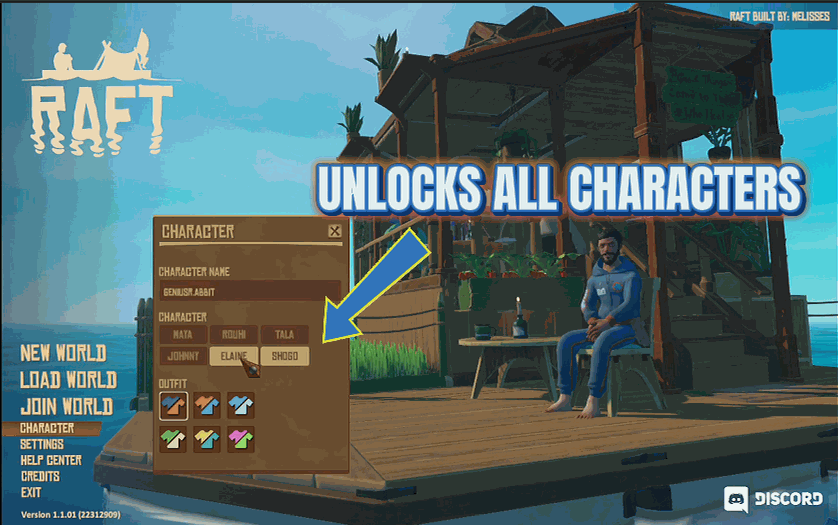
Character Collector
Instantly unlock every playable character without finding them in the world.







