Want more mods for Raft? Explore our entire collection!
JAWS (Sharks Grow)
"Bruce has been hitting the gym."
/RaftJAWSSharksGrow1.png)
How do I install JAWS (Sharks Grow)?
Download the free ProjectMods desktop app, then install JAWS (Sharks Grow) for Raft in one click.
</>What does JAWS (Sharks Grow) do?
Remember when the shark was scary? That was cute. Now it's going to get scarier. Much scarier. Mega Shark Evolution makes sharks grow larger the longer you play. Every minute (or whatever interval you set), the shark gets a little bigger. Start your game with a normal-sized predator. End it running from a kaiju. You control the growth rate and timing. Want subtle growth? Set it to 10% every 5 minutes. Want chaos? Set it to 100% every 30 seconds and watch Bruce become an absolute unit. You can also manually control shark size with the scale slider. Want to fight a tiny shark? Set it to 50%. Want to immediately spawn a monster? Crank it to 500% and question your life choices. The ocean was already terrifying. You just made it worse.
</>What is JAWS (Sharks Grow)?
Raft's vanilla shark stays one size forever — JAWS (Sharks Grow) breaks that, turning the ocean into a creeping horror story where the threat genuinely escalates the longer you survive. Auto Grow Shark scales every shark in the area at your tuned rate and interval, so a normal-sized predator at hour 1 becomes a kaiju by hour 5. Or skip the wait entirely: set the scale slider to 500% and immediately face a monster. Manual Grow Now and Reset Scale buttons let you choreograph specific moments for filming or stress-testing. Built in-house by ProjectMods, the community-first game modding platform and desktop app.
</>Common questions about JAWS (Sharks Grow)
What does JAWS (Sharks Grow) do in Raft?
It scales sharks up over time, turning Raft's vanilla one-size predator into an escalating horror threat. Toggle Auto Grow Shark in the ProjectMods options panel and every shark in the area gets larger at your chosen rate (default 50% bigger every 60 seconds). Tune the Growth Rate from 1% (subtle) to 500% (chaos) and the Growth Time from 10 seconds (rapid) to 600 seconds (slow build). The longer you play, the more terrifying the ocean gets — until you're running from a kaiju that can swallow your raft whole. Use Reset Scale to drop everything back to vanilla 100% when you've had enough.
Can I directly set shark size without waiting for growth?
Yes. The Directly Set Shark Scale slider in JAWS goes from 10% (tiny adorable shark) to 1000% (catastrophic sea monster), and the Set Shark Scale action applies it instantly to every shark in the area. Useful for content creators who want a specific size for a specific shot, players testing raft defenses against a known threat level, or anyone who just wants to summon a 700% shark for the chaos value. Pair it with Auto Grow off for a fixed-difficulty session, or with Auto Grow on if you want a starting size that then keeps growing.
How fast can sharks grow with Auto Grow Shark turned on?
Up to 500% bigger every 10 seconds, which is genuinely catastrophic — set those values and within 2 minutes you're dealing with a shark larger than your entire raft. The slider ranges in JAWS are Growth Rate 1-500% and Growth Time 10-600 seconds, so you can dial in anything from "barely-noticeable creeping horror" to "the ocean is over within five minutes." Default is a balanced 50% growth every 60 seconds, which produces a steady escalating threat over a normal Raft session.
Will giant sharks break my raft or game performance?
At reasonable scale values (under 300%) sharks behave normally — bigger hitbox, bigger animations, bigger sense of dread, but the underlying AI runs the same. Push past 500% and the visual chaos can get extreme; past 800% you may see clipping with your raft and minor performance hits depending on your hardware. The mod itself is stable, but sharks at 1000% are essentially a meme size. Use the Reset Scale action in JAWS to instantly drop everything back to 100% if things get out of hand or your framerate complains.
Can I trigger a growth spurt manually for content creation?
Yes. The Grow Now action in JAWS triggers one growth spurt instantly, regardless of whether Auto Grow is on or off. Useful for streamers wanting a dramatic on-camera growth moment, YouTubers timing the size jump to a beat or punchline, or just for cinematic stress moments where you want the shark visibly bigger right now. Combine with Set Shark Scale to start at a specific baseline, then use Grow Now to ratchet up on cue. Reset Scale is your reset button when the bit is over.
What options does JAWS (Sharks Grow) include?
Set Shark Scale!
Apply the scale you set above to all sharks.
Auto Grow Shark
Sharks automatically get bigger over time!
Grow Now!
Instantly trigger one growth spurt!
Directly Set Shark Scale
Directly set shark size. 100 = normal, 500 = a monster. Above ~500 the game lags and sharks get stuck, so that's the ceiling.
Growth Rate
How much bigger sharks get each time (in %). 50 = grows 50% bigger.
Growth Time
Seconds between each growth spurt.
Reset Scale!
Returns sharks to normal size (100%).
JAWS (Sharks Grow) is a Raft mod from ProjectMods that makes sharks grow larger over time. Toggle Auto Grow Shark and every shark in the ocean scales up at the rate and interval you set (default 50% bigger every 60 seconds, ranges 1-500% and 10-600 seconds). You can also directly set shark scale from 10% to 1000%, instantly trigger a growth spurt with Grow Now, or reset back to vanilla 100% any time.
System Requirements
What features does JAWS (Sharks Grow) include?
- Sharks grow bigger over time. Bruce starts cute, ends like Godzilla's cousin.
- Tune growth rate (1-500%) and timing (10-600s) for slow horror or instant chaos.
- Manual scale slider 10-1000% for content creators who need a specific shark size on cue.
Best For
- Long survival runs where you want the threat to actually escalate, not stay flat.
- Streamers and YouTubers who need a kaiju shark on cue for dramatic moments.
- Custom difficulty for players who think Raft's vanilla shark stopped being scary by hour 2.
More Mods for Raft

Unbreakable Tools
Your tools never break or lose durability because constantly remaking axes is nobody's idea of fun.

Size Equals Speed
Your raft gets faster as it gets bigger because physics works however we say it works.
Character Collector
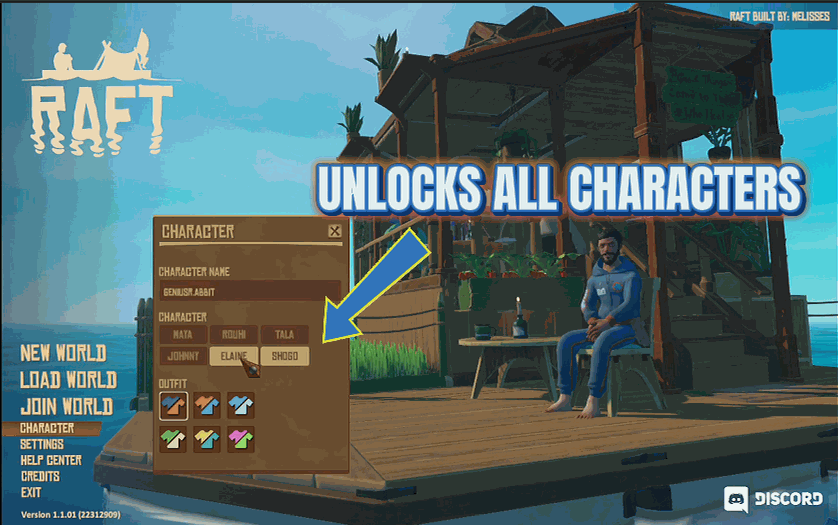
Instantly unlock every playable character without finding them in the world.







