Want more mods for Sludgineers? Explore our entire collection!
Fast Forward (Game Speed)
"A speed dial for the whole game."
/SludgineersFastForward1.jpg)
How do I install Fast Forward (Game Speed)?
Download the free ProjectMods desktop app, then install Fast Forward (Game Speed) for Sludgineers in one click.
</>What does Fast Forward (Game Speed) do?
Fast Forward puts the pace of Sludgineers in your hands. Pick a speed from 1x to 8x, flip Speed Enabled on, and the whole game runs at your chosen rate. Crank it up to fly through the slow, grindy stretches, then dial it back down when you want to line something up carefully. Change the speed at any time and it takes effect right away. Pausing still works exactly as normal, and turning Speed Enabled off puts everything back to standard pace.
</>What is Fast Forward (Game Speed)?
Fast Forward is a premium mod for Sludgineers from ProjectMods, the community-first PC mod manager for 400+ games. Pick a speed from 1x to 8x, flip Speed Enabled on, and the whole game runs at your chosen rate. Crank it up to fly through slow, grindy stretches, then dial it back down for careful moments — pausing still works exactly as normal.
</>Common questions about Fast Forward (Game Speed)
What does Fast Forward do in Sludgineers?
Fast Forward is a premium ProjectMods mod for Sludgineers that puts the pace of the whole game in your hands. Pick a speed anywhere from 1x, which is normal, up to 8x, flip Speed Enabled on, and everything — cleaning, drones, timers, the lot — runs at your chosen rate. Crank it up to blitz through the slow, grindy stretches where you're just waiting for progress, then dial it back down when you want to line something up carefully. You can change the speed at any time and it takes effect right away, and turning Speed Enabled off puts everything back to standard pace. It's a simple game-speed dial for players who value their time.
How fast can I set the game speed in Fast Forward?
Fast Forward lets you run Sludgineers anywhere from 1x, which is normal speed, up to 8x, which is eight times faster. The Game Speed setting is a straightforward dial: pick your number, and the whole game moves at that rate the moment Speed Enabled is on. You're free to change it on the fly — bump it up to sprint through a slow patch, then drop it back down when something needs a steady hand — and the new speed applies instantly without any reload. Lower settings like 2x take the edge off waiting without feeling frantic, while 8x is there for when you just want to fast-forward through the grind. It's your call, moment to moment.
Does pausing still work with Fast Forward turned on?
Yes — pausing works exactly as normal in Sludgineers even while Fast Forward is running. This is deliberate: when the game pauses itself, the mod leaves that alone, so opening a menu or hitting pause freezes things the way it always does, no matter how high you've set the game speed. The moment you unpause, your chosen speed picks right back up. That means you never have to switch Fast Forward off just to pause safely, and you won't get stuck with a game running in the background while you're in a menu. It's the small detail that makes 8x feel safe rather than chaotic — full speed when you want it, a clean stop when you need it.
Can I change the speed mid-run, or only before I start?
You can change the speed whenever you like in Fast Forward — it's built to be adjusted live during a Sludgineers run. The Speed Enabled switch turns the whole thing on or off, and while it's on, editing the Game Speed value takes effect right away, so you can sprint through a boring stretch at 8x and then ease back to 2x or 1x for a fiddly bit without ever stopping. Turning Speed Enabled off restores normal pace instantly. Because the switch and the speed value are separate, you can keep your preferred speed set and just toggle the boost on and off as the moment calls for it. Nothing is locked in before you start.
Why would I use Fast Forward in Sludgineers?
Fast Forward is for players who love Sludgineers but not the waiting. Use it to fly through the slow, grindy stretches — long cleanups, drones chewing through a big region, timers you're just watching tick — then dial it back down when you want to focus. It's a favourite for anyone short on time who still wants to make real progress in a session, and content creators lean on it to skip dead air while recording. Because pausing still works and you can change speed on the fly, it never feels reckless: you stay in control the whole time. Turn Speed Enabled off any time you want the standard pace back for a relaxed, deliberate session.
What options does Fast Forward (Game Speed) include?
Speed Enabled
Master switch. Turn it on to apply your chosen speed; turn it off to go back to normal.
Game Speed
How fast the whole game runs, from 1x (normal) up to 8x.
Fast Forward is a premium ProjectMods mod for Sludgineers that gives you a whole-game speed dial from 1x to 8x, so you can fly through slow, grindy stretches and drop back to normal whenever you like.
System Requirements
What features does Fast Forward (Game Speed) include?
- Set the whole game's pace with one dial, anywhere from normal 1x up to a blistering 8x.
- Crank it up to blitz slow, grindy stretches, then ease it back down for the fiddly bits.
- Change the speed any time and the new pace takes effect right away.
- Pausing still works exactly as normal, and switching off returns everything to standard speed.
Best For
- Players slogging through a slow refining or saving stretch who just want to fast-forward past it.
- Anyone who wants to line up a careful move at normal speed, then race ahead once it's done.
- Completionists grinding out the last few regions who'd rather not spend real hours doing it.
- Streamers trimming the dead time on camera without cutting away or editing it out later.
More Mods for Sludgineers
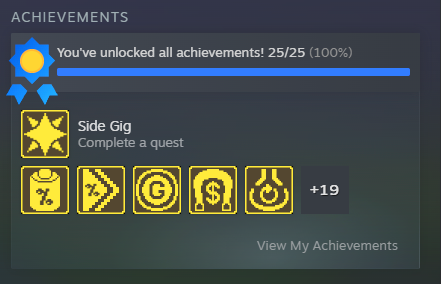
Trophy Haul
Pop every achievement in Sludgineers in a single tap and watch your trophy shelf fill up all at once.
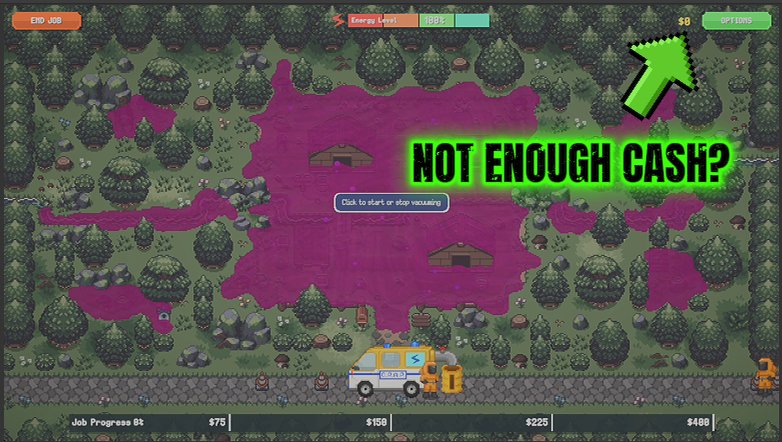
Cash Gusher
Set an amount, tap a button, and cash lands in your wallet instantly. Skip the grind and spend your Sludgineers session building instead of budgeting.
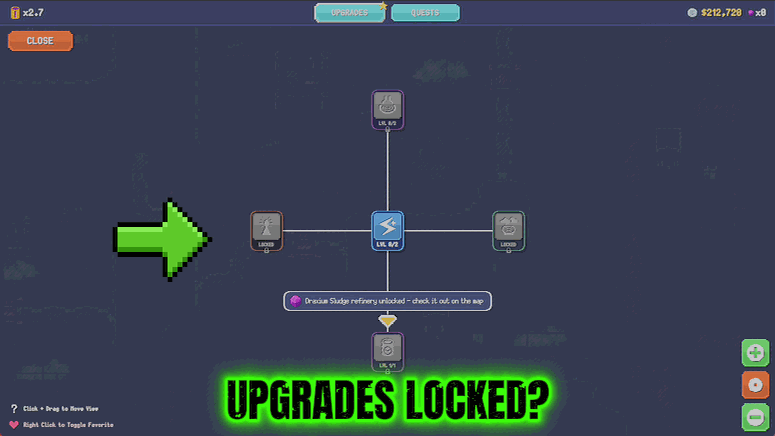
Fully Loaded
Skip the grind and unlock every upgrade in the shop at once. Your crew rolls out fully kitted from the first minute.







