Want more mods for Streamer Life Simulator? Explore our entire collection!
Drone Mode (Fly + No-Clip)
"Leave gravity in the chat."
/StreamerLifeSimulatorDroneMode1.png)
How do I install Drone Mode (Fly + No-Clip)?
Download the free ProjectMods desktop app, then install Drone Mode (Fly + No-Clip) for Streamer Life Simulator in one click.
</>What does Drone Mode (Fly + No-Clip) do?
Why walk the same streets every day when you can own the sky? Flip one switch and you lift straight off the pavement: Space or E to rise, Left Ctrl to sink, and WASD to glide wherever you're looking. Hold Left Shift and the whole city blurs past — cross town in seconds, scout the map from above, or hover outside your own apartment window like the world's nosiest drone. Want to go further? Turn on Noclip while flying and nothing stops you — walls, floors, ceilings and locked doors included. Slip into any building, peek behind the scenes of the city, or take the ultimate shortcut straight through a hill. Two speed sliders keep it comfortable: a cruise speed for careful exploring and a Shift speed for crossing the map in a hurry. Turn flight off and you land safely back on your feet, ready to stream like nothing happened.
</>What is Drone Mode (Fly + No-Clip)?
Drone Mode hands you the sky in Streamer Life Simulator: rise with Space or E, sink with Left Ctrl, glide with WASD, and hold Left Shift for turbo. Flip on Noclip to slip through walls and locked doors. Free tier on ProjectMods, the community-first PC mod manager with 1,600+ mods across 400+ games.
</>Common questions about Drone Mode (Fly + No-Clip)
What does Drone Mode do in Streamer Life Simulator?
Drone Mode adds full flight to Streamer Life Simulator. Turn on Fly Enabled and you lift straight off the pavement: Space or E rises, Left Ctrl sinks, WASD glides you wherever you're looking, and holding Left Shift kicks in a faster turbo speed. A second toggle, Noclip, works while flying and lets you pass straight through walls, floors, ceilings and locked doors. Two sliders set your cruise and turbo speeds. Turn flight off and you land safely on your feet, ready to keep playing like nothing happened.
How does Noclip work with flying?
Noclip in Drone Mode is a second switch on top of flight — it only works while Fly Enabled is on in Streamer Life Simulator. With both active, the city stops being solid: drift through building walls, sink through floors, pass locked doors and even take shortcuts straight through hills. It's the fastest way to peek inside any building or see how the city fits together behind the scenes. Turn Noclip off and the world turns solid again while you keep flying; turn flight off and you're back to ordinary streets.
What do the two speed sliders control?
Fly Speed sets your normal cruising pace in Drone Mode — how fast you drift around Streamer Life Simulator while exploring carefully or lining up a landing. Shift Speed sets how fast you move while holding Left Shift, and the trick is to keep it higher than Fly Speed so Shift acts as a proper turbo: gentle cruise for precision, blurring sprint for crossing the map. Tune both to taste — some players like a slow, cinematic drift with a huge turbo gap, others crank both and treat the whole city as a runway.
What happens when I turn off flying mid-air?
Drone Mode is built to put you down gently: switch Fly Enabled off and you land safely back on your feet rather than dropping like a stone in Streamer Life Simulator. That makes it easy to weave flight into normal play — fly across town, land at the shop door, do your errand, lift off again. It's worth switching Noclip off before you land so you set down on solid ground rather than inside somewhere odd. From touchdown you walk, drive and stream exactly as usual until the next takeoff.
Why fly when the game has cars?
Cars follow roads — Drone Mode doesn't. Flying in Streamer Life Simulator turns every trip into a straight line: cross town in seconds with Shift held, scout the whole map from above, find rooftops and corners you'd never see from street level, or hover outside your own apartment window like the world's nosiest drone. Add Noclip and even walls stop being detours. It's both the ultimate commute and the best sightseeing tool in the game, and because it's a free-tier ProjectMods mod, it's an easy add to any setup.
What options does Drone Mode (Fly + No-Clip) include?
Shift Speed
Your speed while holding Left Shift — keep it higher than Fly Speed for a proper turbo.
Fly Speed
How fast you cruise while flying.
Noclip
Only works while flying: phase straight through walls, floors and locked doors.
Fly Enabled
Master switch. Lift off with Space or E, sink with Left Ctrl, and glide with WASD. Turn off to land and go back to walking.
Drone Mode is a ProjectMods mod for Streamer Life Simulator that lets you fly anywhere in the city with simple controls and, with Noclip on, phase straight through walls, floors and locked doors.
System Requirements
What features does Drone Mode (Fly + No-Clip) include?
- Lifts you off the pavement with one switch — Space or E to rise, Left Ctrl to sink, WASD to glide
- Phases through walls, floors and locked doors when you flip Noclip on mid-flight
- Sets two speeds — a gentle cruise for exploring and a Left Shift turbo for crossing town in seconds
- Scouts the whole city from above — hover over rooftops and plan your next move
- Lands you safely back on your feet the moment you switch flight off
Best For
- City explorers mapping rooftops and hidden corners you'd never reach on foot
- Commute skippers flying over traffic instead of driving across town for one errand
- Nosy players drifting through locked doors with Noclip just to see inside every building
- Video makers grabbing sweeping aerial shots of the city for thumbnails and intros
- Anyone wedged in the scenery who wants a two-second flight out of the snag and back to the day
More Mods for Streamer Life Simulator
/StreamerLifeSimulatorAutopilotBody1.png)
Autopilot Body (No Needs)
Give each of your six body meters its own switch — health, energy, hunger, hygiene, toilet and happiness stay perfect while you focus on the stream.
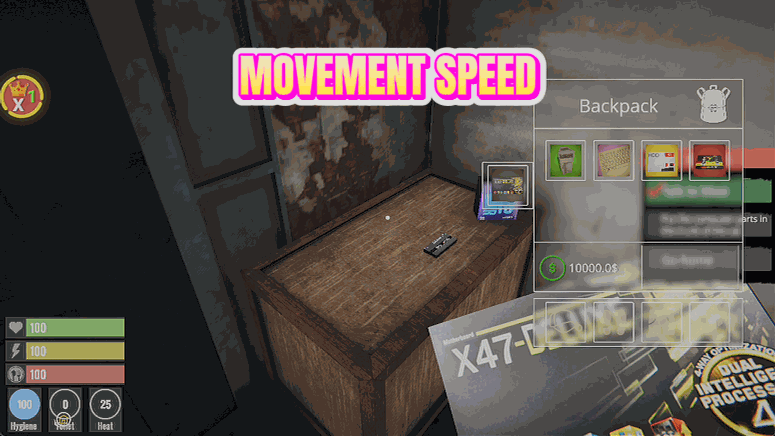
Speedrun Legs
Multiply your walking and running speed up to 10x and give your jump moon-gravity power — the whole city suddenly feels a lot smaller.

Raid Magnet (Live Viewers)
Fill your live stream with as many viewers as you want, up to 100,000, and hold the crowd there all stream long. Bigger audiences mean bigger donations, more subs and faster follower gain.







