Want more mods for Subnautica: Below Zero? Explore our entire collection!
Give Items
"Choose any available item and add it directly to your inventory."
/SubnauticaBelowZeroItemConjurer1.jpg)
How do I install Give Items?
Download the free ProjectMods desktop app, then install Give Items for Subnautica: Below Zero in one click.
</>What does Give Items do?
Give Items provides an in-game item picker for Subnautica: Below Zero. Refresh the list after loading a save, choose an item by its player-facing name, set the amount, and add it to your inventory. The item list is built from the current game session, covering resources, tools, equipment, food, building materials, and other available objects. Items that do not fit in your inventory are placed nearby instead of being silently lost. Cleanup actions let you delete one copy of the last item you gave yourself or remove the object you are currently looking at. This makes it easier to test equipment, replace lost supplies, or clean up an unwanted spawn.
</>What is Give Items?
This Subnautica: Below Zero item spawning mod lets you refresh a live list of available items, select resources or equipment by name, and add a chosen quantity to your inventory. It also includes cleanup actions for the last given item and the object in front of you, making it useful for exploration supplies, building materials, equipment testing, and replacing lost items.
</>Common questions about Give Items
Why is the item dropdown empty?
Load into a save and press Refresh Items before choosing an item.
What happens if my inventory is full?
Items that cannot fit in your inventory are placed near the player.
Can I give more than one item at a time?
Yes. Item Amount supports quantities from one to one hundred.
Can I remove an unwanted spawned item?
Yes. Delete the last given item from your inventory or look at an object and use Delete Looked At Object.
What options does Give Items include?
Item Amount
Choose how many copies of the selected item to add.
Select Item
Choose an item to add to your inventory.
Delete Looked At Object
Remove the object you are currently looking at.
Give Selected Item
Add the selected item and amount to your inventory.
Delete Last Given Item
Remove one copy of the last item given by this mod.
Instructions
Refresh the item list after entering the game, then choose an item and amount.
Refresh Items
Load the available items from your current game.
Load a save, press Refresh Items, choose an item and amount, then press Give Selected Item.
System Requirements
What features does Give Items include?
- Build a searchable item dropdown from the active Below Zero save.
- Give between one and one hundred copies of the selected item.
- Delete the last given item or remove the object you are looking at.
Best For
- Replace lost tools, resources, food, or equipment without searching for another copy.
- Prepare building materials and test different items while planning a base or expedition.
More Mods for Subnautica: Below Zero
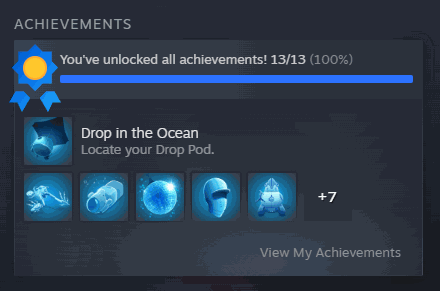
Achievement Unlocker
Unlock any individual achievement in Subnautica: Below Zero, or complete the entire achievement collection with a single click.
/SubnauticaBelowZeroTechTreeCheatSheet1.png)
Unlock All Blueprints
Unlock every available Subnautica: Below Zero blueprint at once, including tools, equipment, vehicles, and base pieces.
/SubnauticaBelowZeroFreeFabricator1.png)
Free Crafting
Craft fabricator recipes without consuming ingredients, with an optional instant fabrication setting.







