Want more mods for That's not my Neighbor? Explore our entire collection!
Game Speed
"Twice the pace. Or a quarter of it."
How do I install Game Speed?
Download the free ProjectMods desktop app, then install Game Speed for That's not my Neighbor in one click.
</>What does Game Speed do?
Every visitor walks up to the window before you can do anything, and every line of dialogue types itself out letter by letter. On a third or fourth run through Campaign Mode, that adds up to a lot of waiting. Game Speed hands you the clock. Switch on Change Game Speed and the whole game runs at Game Speed Percent, in menus as well as at the window. The number goes from 25 to 400 in steps of 5 and starts at 200. 100 is normal, 50 is half speed and 400 is four times as fast. Anything under 100 slows the lot down together, walking and animations included. Sounds, voices and music keep their normal speed and pitch, so nothing turns squeaky at 400. Steps that wait for a sound to finish take as long as they always did. The same number of visitors turn up; they only arrive sooner. Switch Change Game Speed off, or the mod off, and normal speed is back. The game never saves the speed.
</>What is Game Speed?
Game Speed changes how fast That's not my Neighbor runs. Switch on Change Game Speed and set Game Speed Percent anywhere from 25 to 400 (it starts at 200, and 100 is normal). Walking visitors, typed dialogue, animations and waits all follow, in menus too. Sound, voices and music are left alone, and anything that waits on a sound keeps its length. It never skips dialogue or removes visitors, and nothing is written to your save.
</>Common questions about Game Speed
What does Game Speed do in That's not my Neighbor?
It runs the game faster or slower than normal, anywhere between a quarter of normal speed and four times as fast. You get the same day with the same visitors and the same lines, played at the pace you picked. Leave Game Speed Percent at 100 and nothing changes, even with Change Game Speed switched on.
Do the music and the voices speed up as well?
No, all sound stays at its normal speed and pitch, whether that's the music, a visitor's voice or a sound effect. One side effect follows from that: a step that waits for a sound to end keeps its usual length. The phone's calling tone is an example. It lasts exactly as long at 400 as it does at 100, so the parts of a day that are built around sound shrink less than the rest.
Does a faster speed mean fewer visitors or skipped dialogue?
No. The same number of visitors come to the window and every single line still types out in full. A day at 200 is shorter than a normal one, though not exactly half as long, since anything waiting on a sound keeps its length.
How fast does the dialogue type at each setting?
Normally one letter appears every 0.03 seconds. At 400 that drops to 0.0075 seconds a letter, and at the default 200 it is 0.015. Going the other way, 50 gives 0.06 seconds and the slowest setting, 25, stretches it to 0.12.
Can I change the speed while a visitor is at the window?
Yes. Change Game Speed and Game Speed Percent both apply during a shift as well as in menus, so you can speed through the walk-up and bring the number back down for the part you want to watch. The game's pause works as usual at any setting.
What options does Game Speed include?
Change Game Speed
Runs the whole game at Game Speed Percent: visitors walk in, dialogue types out and animations and waiting times all go faster or slower, in menus too. Sounds, voices and music keep their normal speed. Switch it off for normal speed. Default: off.
Game Speed Percent
How fast the game runs while Change Game Speed is on: 100 is normal, 50 is half speed, 400 is four times as fast. From 25 to 400, default 200.
Game Speed is a ProjectMods mod for That's not my Neighbor that plays everything at 25 to 400 percent of the usual pace, so visitors, dialogue and animations move faster or slower while sounds, voices and music are left untouched.
System Requirements
What features does Game Speed include?
- Change Game Speed switches the speed change on, and switching it off returns the game to normal speed.
- Game Speed Percent runs from 25 to 400 in steps of 5, with 200 as the starting value.
- The speed applies in menus as well as during a shift.
- Sounds, voices and music keep their normal speed and pitch at every setting.
- The game's own pause still pauses while the mod is on.
Best For
- You're replaying Campaign Mode for a different ending and know the early days by heart. Switch on Change Game Speed with Game Speed Percent at 300 and the walk-ups and typed lines go by three times as fast.
- An animation goes past too quickly for you to watch properly, so drop Game Speed Percent to 50 and see it at half speed.
- You want to get through more Arcade Mode visitors in one sitting. Set Game Speed Percent to 400, the fastest the mod goes.
- The dialogue types out faster than you like to read. Set Game Speed Percent to 25 and every letter takes four times as long to appear.
More Mods for That's not my Neighbor
Clown Card Game Helper
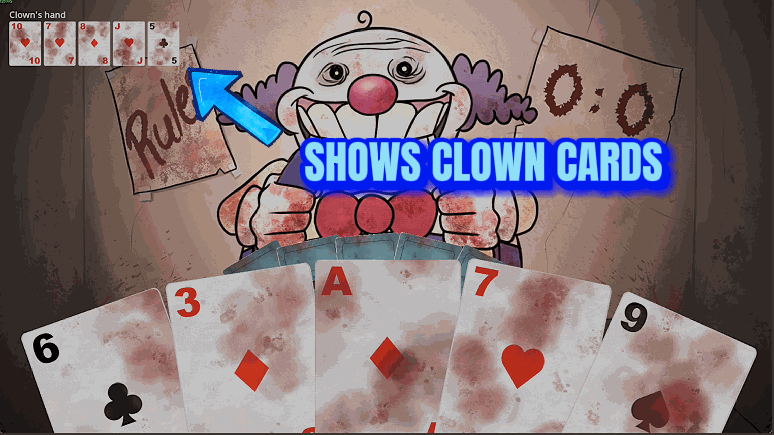
Shows the cards the Clown is holding during his card game, and adds two buttons for your turn: one wins the current round, the other wins the whole best-of-3 game.
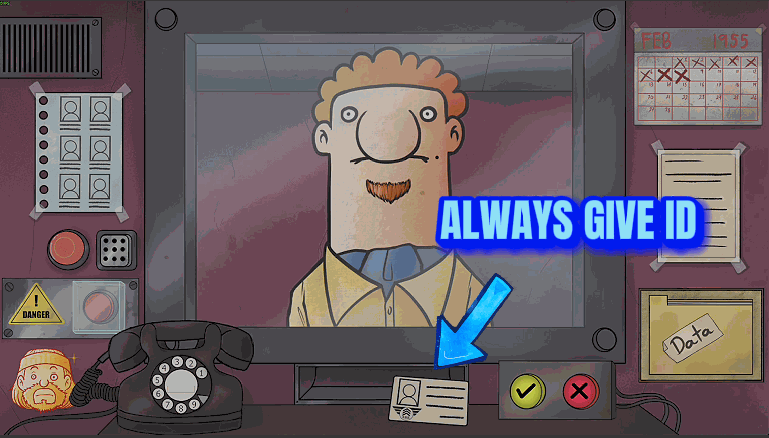
Documents Always Handed Over
Visitors put their ID and entry request on your desk as soon as they reach the window, real neighbors stop leaving papers at home, and the real Mclooy always wears his hat. Doppelgangers are not changed.
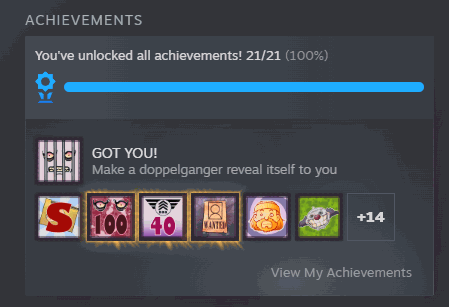
Achievement Unlocker
Unlock any one of the game's 21 achievements or all of them together, in the Achievements folder and on Steam, with the game's own trophy pop-up. One button locks all 21 again.