Want more mods for That's not my Neighbor? Explore our entire collection!
Records Editor
"Your Record screen, your numbers."
How do I install Records Editor?
Download the free ProjectMods desktop app, then install Records Editor for That's not my Neighbor in one click.
</>What does Records Editor do?
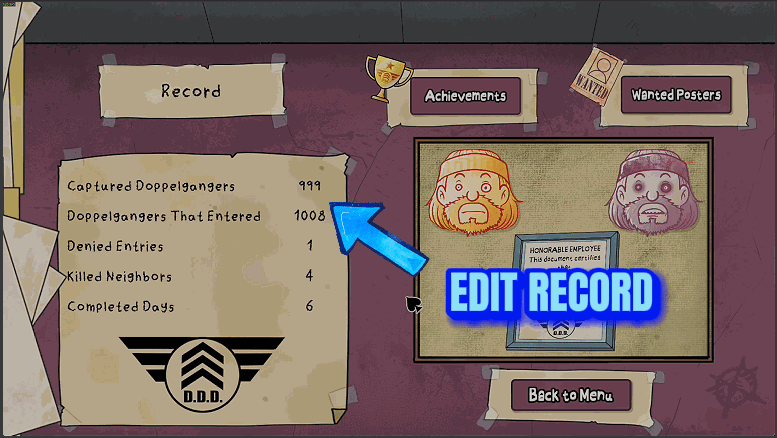
The Record screen keeps five all-time totals of your work at the window, mistakes included. Records Editor hands you the pen. Each total has its own number: Captured Doppelgangers, Doppelgangers That Entered, Denied Entries, Killed Neighbors and Completed Days. Four more, each starting with Campaign, belong to your current campaign. The results screen after a campaign day uses the same four labels as the Record screen on the main menu, but it counts that campaign alone, not your lifetime. Set any of the nine from 0 to 9999, or leave it at -1 (where they all start) to keep it as it is. Then press Apply Records. Only the numbers you set are written, and a message in the game shows each one before and after. Reset Records To Zero ignores all nine and puts the five Record screen totals back to 0. It never touches a campaign. Apply Records and Reset Records To Zero both save at once, and on the main menu the Record screen shows the new numbers straight away. There's nothing to switch back: the numbers stay as you set them after the mod is off, and the game keeps adding to the totals as you play. Your wanted posters, achievements and notes are never touched.
</>What is Records Editor?
Records Editor edits two sets of numbers that share labels: the lifetime totals on the Record screen and the current campaign's counts on its results screen. Give any of the five totals or the four Campaign options a value, press Apply Records, and only those change. Reset Records To Zero clears the five totals and leaves campaigns alone. It doesn't unlock achievements directly or change the campaign day. Saved numbers remain when the mod is off.
</>Common questions about Records Editor
What does Records Editor do in That's not my Neighbor?
It lets you choose the numbers on your Record screen and on your current campaign's results screen. The mod can write a new value to any mix of the five lifetime totals and the four campaign counts, or zero the five totals. The game has no online leaderboard, so these numbers only ever appear on your own screens.
Will setting Captured Doppelgangers to 100 unlock HUNTER?
Not on its own. The game checks HUNTER (Capture 100 doppelgangers) only when the D.D.D. captures a doppelganger in Campaign Mode or Nightmare Mode. Set Captured Doppelgangers to 99, press Apply Records, then get one capture in either mode and the achievement unlocks. QUARANTINE (Complete 40 matches) is checked the same way against Completed Days, at the end of a finished day.
Why does every number start at -1?
-1 means leave this number alone, so one only changes when you give it 0 or more. That's how you can fix a single total without retyping the other eight. Press Apply Records with everything at -1 and nothing is written: the mod asks you to set a number first.
Do the edited totals keep counting up afterwards?
Yes. The game goes on counting from whatever you set: put Denied Entries at 500 and the next entries you deny are added on top. The same goes for a total you reset to 0. The mod itself never changes a number unless you press Apply Records or Reset Records To Zero.
Does it change the numbers on a day's results screen?
Yes, in Campaign Mode, through the four Campaign options. Press Apply Records with a campaign day's results screen open and the numbers on it change at once. Press it during a campaign day and they show when that day's results come up. Anywhere else, they go into the campaign save. Completed Days on that screen is the campaign day itself, which Campaign Day Select changes, not this mod.
What happens if I set Campaign Killed Neighbors above 10?
The D.D.D. arrests you at the end of the day. The option accepts anything up to 9999, but a campaign with more than 10 killed neighbors ends in arrest, so keep it at 10 or less unless that is what you're after. The Record screen's own Killed Neighbors total is a separate number set by a separate option.
What options does Records Editor include?
Campaign Doppelgangers That Entered
The Doppelgangers That Entered count of your current campaign, shown on the results screen after each campaign day, from 0 to 9999. -1 leaves it unchanged (default -1). Nothing changes until you press Apply Records.
Campaign Killed Neighbors
The Killed Neighbors count of your current campaign, shown on the results screen after each campaign day, from 0 to 9999. -1 leaves it unchanged (default -1). Above 10 the D.D.D. arrests you at the end of the day, so set it to 10 or less to stay clear. Nothing changes until you press Apply Records.
Completed Days
The Completed Days total to put on your Record screen, from 0 to 9999. -1 leaves it unchanged (default -1). Nothing changes until you press Apply Records. Setting it to 40 or more does not unlock the QUARANTINE achievement by itself: the game checks it at the end of your next finished day, so 39 plus one finished day does it.
Captured Doppelgangers
The Captured Doppelgangers total to put on your Record screen, from 0 to 9999. -1 leaves it unchanged (default -1). Nothing changes until you press Apply Records. Setting it to 100 or more does not unlock the HUNTER achievement by itself: the game checks it the next time you capture a doppelganger in Campaign Mode or Nightmare Mode.
Reset Records To Zero
Sets the five totals on your Record screen to 0, whatever the numbers above are set to, and saves. Your current campaign's counts are not touched.
Apply Records
Writes every total that is set to 0 or more and leaves the ones at -1 alone. The five totals go onto your Record screen. The four Campaign counts go into your current campaign and show on its results screen, at once if that screen is open. A message lists each number before and after. The changes stay in your save.
Denied Entries
The Denied Entries total to put on your Record screen, from 0 to 9999. -1 leaves it unchanged (default -1). Nothing changes until you press Apply Records.
Killed Neighbors
The Killed Neighbors total to put on your Record screen, from 0 to 9999. -1 leaves it unchanged (default -1). Nothing changes until you press Apply Records.
Campaign Captured Doppelgangers
The Captured Doppelgangers count of your current campaign, the one on the results screen after each campaign day, from 0 to 9999. -1 leaves it unchanged (default -1). Nothing changes until you press Apply Records.
Campaign Denied Entries
The Denied Entries count of your current campaign, shown on the results screen after each campaign day, from 0 to 9999. -1 leaves it unchanged (default -1). Nothing changes until you press Apply Records.
Doppelgangers That Entered
The Doppelgangers That Entered total to put on your Record screen, from 0 to 9999. -1 leaves it unchanged (default -1). Nothing changes until you press Apply Records.
Records Editor is a ProjectMods mod for That's not my Neighbor that sets the five Record screen totals and your current campaign's four results-screen counts to any number from 0 to 9999, saved for good, without unlocking achievements directly.
System Requirements
What features does Records Editor include?
- Five Record screen totals, each settable from 0 to 9999, with -1 meaning leave this one unchanged.
- Campaign Captured Doppelgangers, Campaign Doppelgangers That Entered, Campaign Denied Entries and Campaign Killed Neighbors set your current campaign's own counts the same way.
- Apply Records lists every change in a before and after message in the game, which uses the game's English labels whatever language the game is set to.
- With all nine still at -1, Apply Records changes nothing and asks you to set a number first.
- Reset Records To Zero zeroes all five lifetime totals whatever the nine numbers say.
- Apply Records and Reset Records To Zero work from any screen once the game has started.
Best For
- A run of bad days left Doppelgangers That Entered higher than you'd like to look at. Set it to 0, leave everything else at -1 and press Apply Records.
- You want a clean Record screen for a fresh playthrough without losing your wanted posters, so press Reset Records To Zero.
- You're a long way from QUARANTINE. Set Completed Days to 39, press Apply Records, then finish one day in Arcade Mode, Campaign Mode or Custom Mode.
- You started over on a fresh save and remember your old totals, so type them into the five Record screen numbers and press Apply Records to put them back.
- Your campaign has lost more than 10 neighbors and the D.D.D. is due at the end of the day. Set Campaign Killed Neighbors to 10 or less and press Apply Records while the day is still running.
More Mods for That's not my Neighbor
Clown Card Game Helper
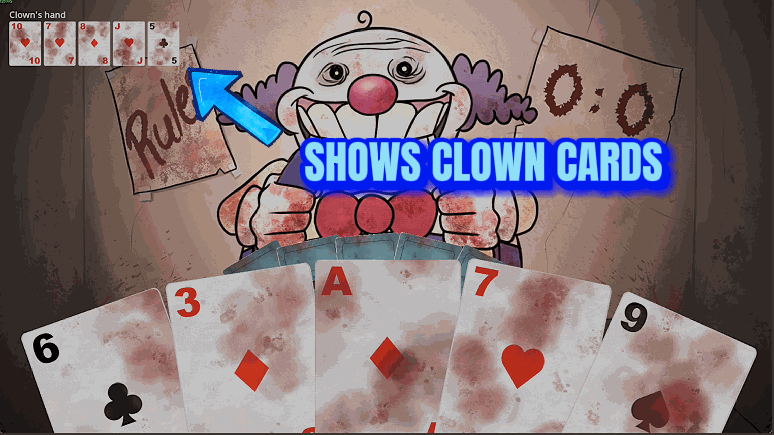
Shows the cards the Clown is holding during his card game, and adds two buttons for your turn: one wins the current round, the other wins the whole best-of-3 game.
Nightmare Second Chances
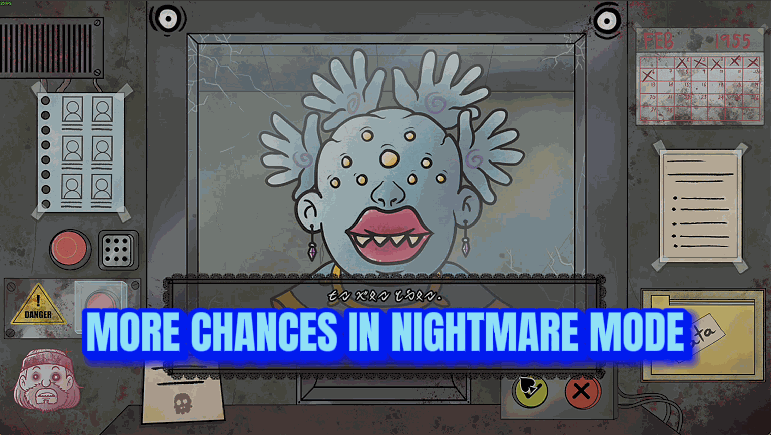
Nightmare Mode forgives a set number of wrong calls per shift, 1 to 20 with a default of 3, before its own penalty begins, or every wrong call with Unlimited Mistakes.
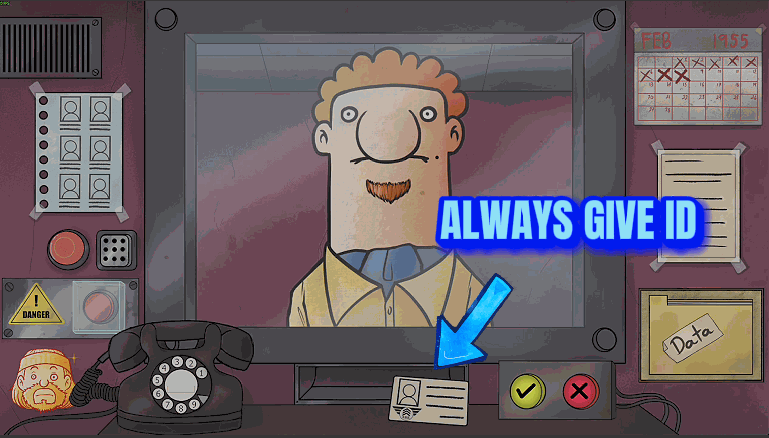
Documents Always Handed Over
Visitors put their ID and entry request on your desk as soon as they reach the window, real neighbors stop leaving papers at home, and the real Mclooy always wears his hat. Doppelgangers are not changed.