Want more mods for The Planet Crafter? Explore our entire collection!
Spoiler Alert (End Scene)
"Skipping straight to the credits — no terraforming required."
/ThePlanetCrafterSpoilerAlert1.jpg)
How do I install Spoiler Alert (End Scene)?
Download the free ProjectMods desktop app, then install Spoiler Alert (End Scene) for The Planet Crafter in one click.
</>What does Spoiler Alert (End Scene) do?
You've spent hundreds of hours turning a lifeless rock into a breathable paradise. Or maybe you haven't and you just want to see what happens at the end. Either way, Spoiler Alert has you covered. Pick any ending from the dropdown - every ending type in the game is listed - and hit Play End Scene. The mod finds your departure platform and triggers that ending sequence right away, cinematics and all. You'll need a departure platform built (it's the late-game structure that launches the ending), and if a cutscene ever leaves you stuck, the Unstuck Me button hands control straight back and clears the screen. Perfect for rewatching your favorite ending, comparing every finale back to back, or reaching the emotional payoff without replaying the whole terraforming arc. The planet doesn't care how you got here - only that you're leaving in style. Disclaimer: Watching the ending without earning it may cause feelings of hollowness. Or pride. We don't judge.
</>What is Spoiler Alert (End Scene)?
Spoiler Alert (End Scene) for The Planet Crafter lets you pick any of the game's endings from a dropdown and play the cutscene on demand at your departure platform. Includes an Unstuck Me recovery button. Free from ProjectMods, the community-first game modding platform.
</>Common questions about Spoiler Alert (End Scene)
What does Spoiler Alert do in The Planet Crafter?
Spoiler Alert is a cutscene-trigger mod for The Planet Crafter from ProjectMods that lets you play any of the game's ending sequences immediately, from any save state. The Planet Crafter ships with multiple endings tied to choices at the departure platform after the long terraforming arc. Spoiler Alert exposes every ending in a dropdown — pick one, hit Play End Scene, and the cutscene runs. You do need a departure platform built - the late-game structure that launches the ending - and Spoiler Alert triggers the chosen ending on it. It is built for completionists, content creators, and players curious about endings they never reached.
What does the Refresh List action do in Spoiler Alert?
Refresh List in Spoiler Alert for The Planet Crafter rebuilds the dropdown of available endings. As The Planet Crafter receives updates from its developers, additional endings or variant scenes can be added to the game data. Refresh List re-reads what the current game version exposes and ensures the dropdown is in sync, so any newly shipped ending appears as a selectable option. It is a one-click action you only need to press after a game update or after manually changing certain save state values. For most players it never needs to be touched, but ProjectMods kept it visible so users who update the game mid-save have a clean way to pick up new content.
Do I need a departure platform to use Spoiler Alert in The Planet Crafter?
Yes. Spoiler Alert plays the game's real ending sequence, and in The Planet Crafter that sequence runs at the departure platform - the late-game structure you build to launch the ending. Spoiler Alert does not fabricate one for you; it triggers the ending on the platform you already have. Build or reach your departure platform first, then pick an ending from the dropdown and press Play End Scene to watch any finale you like. If a cutscene ever leaves you standing around unable to move afterward, the Unstuck Me button hands control straight back and clears the screen, so previewing endings never risks your save. ProjectMods built it to use the game's own ending flow rather than a fragile shortcut.
Can I watch endings I have not unlocked yet using Spoiler Alert in The Planet Crafter?
Yes. Spoiler Alert in The Planet Crafter shows every ending the game currently ships with in its dropdown, regardless of whether your save has unlocked that ending or even met its prerequisites. Once you have a departure platform you can watch a variant ending you never chose in your main playthrough. The mod does not award the unlock to your Steam profile retroactively just for previewing — it plays the cinematic. This is genuinely useful for players who want to make an informed choice about which ending to actually pursue on their canonical save, and for content creators reviewing endings without a full second playthrough.
Why would a streamer use Spoiler Alert in The Planet Crafter?
Streamers and YouTubers covering The Planet Crafter often want to discuss every ending on camera — comparing the rocket departure variants, contextualising the Wardens lore, or rating endings across the genre alongside Subnautica's finales. Replaying the entire game from scratch for each ending takes dozens of hours per save. Spoiler Alert from ProjectMods compresses that into a few minutes per ending. Load a save, pick the ending, capture the cutscene cleanly, repeat for the next. It also helps returning players who finished the game years ago and want a refresher before the next major update. The community-first ProjectMods catalog is built around exactly these creator workflows.
What options does Spoiler Alert (End Scene) include?
Refresh List
Ending Play Scene
Pick which ending cutscene you want to watch! (List populates when you launch the game — hit Refresh List if it stays empty.)
Unstuck Me
Hit this if you got stuck after a failed ending attempt — re-enables movement, re-shows the cursor, and resets the platform so you can try again.
Play End Scene!
Press this to start the ending sequence. Requires a Departure Platform AND a Standard Rocket placed on it — if you don't have a rocket nearby, the mod will move the closest one onto the platform automatically.
Spoiler Alert is a free The Planet Crafter mod from ProjectMods that plays any ending cutscene on demand from your departure platform, and includes an Unstuck Me button to hand control back if a cinematic leaves you stuck.
System Requirements
What features does Spoiler Alert (End Scene) include?
- Pick any ending cutscene from the dropdown and play it on demand without finishing the campaign
- Plays the ending at your departure platform, so the cinematic runs exactly like the real finale
- Refresh the list to pull in every ending the game knows about, including newer ones
- Triggers the full ending sequence with cinematics intact, not just a fade-to-credits shortcut
- Unstuck Me hands control back and clears the screen if a cutscene ever leaves you stuck
Best For
- Returning players who want to rewatch their favorite ending without replaying the whole terraforming arc
- Content creators recording an ending-comparison video covering every possible Planet Crafter finale
- Late-game players who reached the departure platform and want to preview endings before committing
- Streamers showing chat the credits sequence as a celebration moment between bigger playthroughs
- Completionists checking off ending variants they want to see without hunting every prerequisite
More Mods for The Planet Crafter
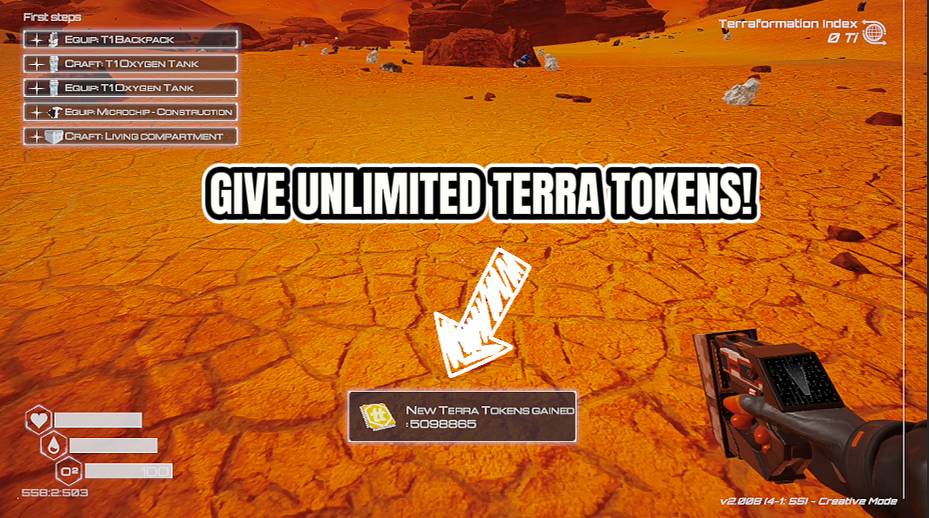
Token Printer
Give yourself Terra Tokens instantly — up to 10 million at a time. Check your total balance whenever you want. The space bank won't ask questions.
/ThePlanetCrafterImmortalSpaceman1.jpg)
Immortal Spaceman (Infinite Stats)
Max out your health, water, and oxygen permanently. Toggle each one individually. Surviving was never the hard part anyway.
/ThePlanetCrafterPlanetShop1.png)
Planet Shop (Give Items)
Spawn any item in the game directly into your backpack. Pick from a full list, choose how many, and hit give. Instant delivery, no mining required.







