Want more mods for The Planet Crafter? Explore our entire collection!
Zero-G (Fly)
"Terraforming is easier when you skip the walking part."
/ThePlanetCrafterZeroG1.jpg)
How do I install Zero-G (Fly)?
Download the free ProjectMods desktop app, then install Zero-G (Fly) for The Planet Crafter in one click.
</>What does Zero-G (Fly) do?
You've been sent to terraform an entire planet, but nobody gave you a jetpack? Unacceptable. Zero-G Visa grants you full noclip flight across The Planet Crafter's world — fly through mountains, soar over oceans-in-progress, and phase through every structure like the interplanetary ghost you were born to be. Toggle fly mode and cruise around at your preferred speed, or hold Sprint to kick it into turbo. Camera-relative movement means you go exactly where you're looking — up, down, sideways, straight through the planet's crust if you feel like it. Perfect for scouting base locations, finding hidden resources, or just enjoying the view of a planet you're slowly making breathable. Walk? That's for planets with finished atmospheres. Side effects may include: never walking again, discovering the map has edges, and an overwhelming urge to build bases in previously unreachable spots.
</>What is Zero-G (Fly)?
Zero-G (Fly) for The Planet Crafter unlocks full noclip flight — phase through mountains, hover over biodomes, scout resource caves from above. Tunable cruise and sprint speeds. Free from ProjectMods, the community-first game modding platform.
</>Common questions about Zero-G (Fly)
What does Zero-G do in The Planet Crafter?
Zero-G is a movement mod for The Planet Crafter from ProjectMods that grants your character full noclip flight across the entire game world. Flip the toggle and your astronaut detaches from gravity and terrain collision — you can fly through mountains, over canyons, across the ocean stage, and straight through your own buildings as if you were an interplanetary ghost. The movement is camera-relative, so you go exactly where you are looking. Tunable cruise speed handles general traversal, while holding Sprint kicks you into a much faster mode for crossing the whole map in seconds. It is one of the most-installed Planet Crafter quality-of-life mods because the planet is genuinely large.
How do the cruise and sprint speeds work in Zero-G in The Planet Crafter?
Zero-G for The Planet Crafter exposes two independently tunable speeds. Cruise speed is your default flight pace — what you move at when you are simply flying around without holding any modifier. Sprint speed is the faster mode that activates while you hold the sprint input, designed for crossing large distances quickly. Both values are adjustable through the mod's option panel, so a cautious player can run a gentle cruise with a moderate sprint, while a content creator filming a flyover can pick smooth cinematic values. There is no fixed ratio between the two — they are independent settings. ProjectMods kept them separate because traversal and exploration have very different speed needs.
Can I fly through mountains and buildings in Zero-G in The Planet Crafter?
Yes. Zero-G in The Planet Crafter enables full noclip mode, which means terrain collision and building collision are bypassed while flight is active. You can fly straight through mountain interiors, plunge below the planet's crust, hover inside a sealed biodome to inspect plants, or phase through walls to scout a room without entering through the door. This is genuinely useful for finding hidden resource caves, route-planning in dense rock zones, and reaching previously-unreachable scenic spots for screenshots and video. The noclip is the entire point of the mod — partial flight that still collides would defeat most of its use cases. ProjectMods designed it to be true ghost-mode flight.
Does Zero-G let me reach hidden areas and resource caves in The Planet Crafter?
Yes. Zero-G in The Planet Crafter makes every spot on the map directly reachable. Hidden Wardens-related locations tucked into cliffs, deep resource caves usually only accessible by long climbing routes, and out-of-the-way scenic spots can all be flown to in a straight line. Some players use this purely for exploration and screenshot framing, others for efficient ore farming once they know where Aluminum, Iridium, Osmium, and Uranium concentrations sit. The mod is also genuinely helpful for scouting a base location early in a save — you can survey ideal terrain before committing to your first build. ProjectMods designed it to support every flavour of exploration.
Why would a content creator use Zero-G for The Planet Crafter footage?
Content creators covering The Planet Crafter need cinematic establishing shots — wide flyovers of a finished base, time-lapse pans across changing atmospheres, dramatic reveals of resource canyons. The vanilla camera and movement system was designed for first-person survival play, not for camera work. Zero-G from ProjectMods gives a creator full directorial control: smooth cruise flights at exactly the pace they want, sprint speed for fast transitions, and noclip for impossible angles through terrain. Pair it with Time Warp for fast-forward terraforming footage and Free Zoning for unreal builds, and a creator has a complete toolkit. The community-first ProjectMods catalog is genuinely shaped by creator workflows.
What options does Zero-G (Fly) include?
Normal Fly Speed
How fast you fly when just cruising around normally.
Fly Mode
Turn this on to fly around the planet like a space ghost! Walk through mountains, float over lakes, go anywhere you want.
Sprinting Fly Speed
How fast you ZOOM when holding the sprint key. Buckle up, astronaut!
Zero-G is a free The Planet Crafter mod from ProjectMods that gives you full noclip flight with adjustable cruise and sprint speeds, letting you fly through terrain, structures, and the entire planet.
System Requirements
What features does Zero-G (Fly) include?
- Toggle noclip flight to soar through mountains, oceans-in-progress, and any structure on the planet
- Set independent cruise and sprint speeds so casual scouting and turbo travel both feel right
- Moves camera-relative so you point where you want to go and the body follows naturally
- Phases through terrain and buildings cleanly without snagging on rocks or wall collisions
- Pairs with Long Arms to mine distant ore veins while floating above the surface
Best For
- Builders scouting a new base location from a bird's-eye view before committing to placement
- Completionists hunting hidden caves, wrecks, and rare blueprints that vanilla movement makes painful
- Content creators filming sweeping flyover shots of a terraforming planet for a progression montage
- Streamers showing chat every corner of the map without slogging through the canyon walking sections
- Returning players who already explored on foot and now want to enjoy the view from above
More Mods for The Planet Crafter
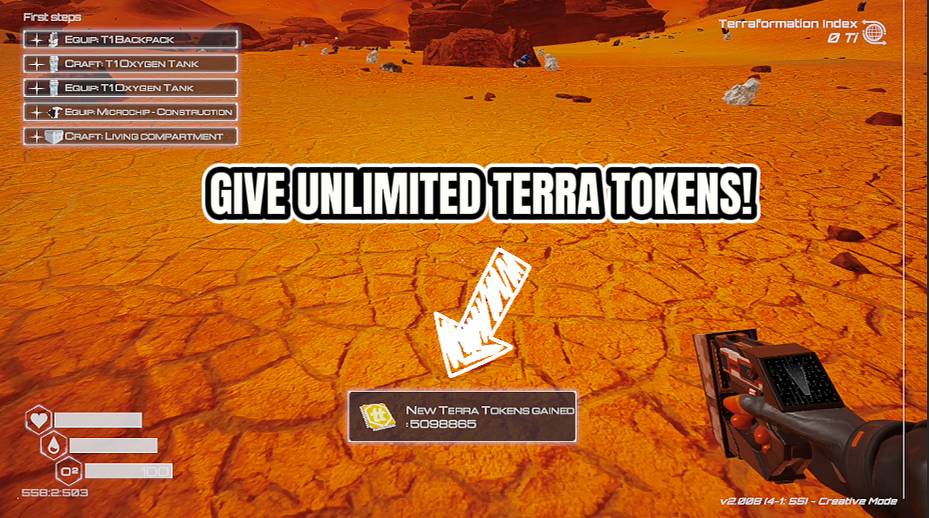
Token Printer
Give yourself Terra Tokens instantly — up to 10 million at a time. Check your total balance whenever you want. The space bank won't ask questions.

Meteor Control
Take charge of the meteor showers. Trigger one on demand, crank up how often they fall, or switch to calm, clear skies whenever you want.
/ThePlanetCrafterInstantArchitect1.png)
Instant Architect (Free Craft)
Craft anything for free, unlock every recipe and blueprint instantly. Skip the grind, keep the building.







