Want more mods for Thief Simulator? Explore our entire collection!
Sticky Fingers (Give Item)
"Why steal one at a time when you can have the whole catalog?"
/ThiefSimulatorStickyFingers1.png)
How do I install Sticky Fingers (Give Item)?
Download the free ProjectMods desktop app, then install Sticky Fingers (Give Item) for Thief Simulator in one click.
</>What does Sticky Fingers (Give Item) do?
Ever wish you could just have the item instead of hunting the one house on the map that happens to carry it? Sticky Fingers hands you the whole catalog. Pick anything the game knows about — tools, valuables, gadgets, gear — and drop as many copies as you want straight into your bag. Need ten lockpicks so you never get caught mid-door with a snapped one? Done. Want a stack of the pricey electronics to sell without casing a single house? Grab them. Building a specific loadout for a run? Add it one item at a time and hit Give Item. The Refresh List button keeps the pickable options current, so everything the game offers is right there when you need it. Handy for players setting up custom scenarios, the curious who want an item in hand to check its value before a real heist, or anyone tired of RNG deciding whether tonight's house has the thing they actually came for.
</>What is Sticky Fingers (Give Item)?
Sticky Fingers turns Thief Simulator's whole item list into your personal stash — pick anything from lockpicks and tools to the priciest loot, set a quantity, and hit Give Item to send copies to your bag. Use Refresh List to pull up everything the game can spawn. Find it among 1,600+ mods on ProjectMods, a free, community-first modding platform.
</>Common questions about Sticky Fingers (Give Item)
What does Sticky Fingers do in Thief Simulator?
Sticky Fingers lets you spawn any item in Thief Simulator straight into your bag, in whatever quantity you want. Instead of hunting for a specific tool or waiting to steal a particular piece of loot, you pick it from the game's item list and drop as many copies as you like right into your inventory. That covers everything the game knows about — lockpicks, screwdrivers, and other gear, plus the sellable valuables you'd normally have to break into houses to find. It's the fastest way to get exactly the items you want without scouting, sneaking, or selling to fund the purchase.
How do I pick an item and add it to my bag?
With Sticky Fingers you browse the item list, choose what you want, set a quantity, and hit Give Item to send it to your bag in Thief Simulator. The list holds everything the game can spawn, so you scroll or search for the exact tool or piece of loot you're after, decide how many copies you want, and confirm. The items appear in your inventory right away, ready to use, carry, or sell. There's no crafting, no shopping, and no stealing involved — the whole process is pick, set a number, and Give Item. It's built to be quick, so grabbing a stack of anything takes just a couple of clicks.
Can I spawn tools and equipment, or only sellable loot?
Both — Sticky Fingers can hand you tools and gear, not just things to sell in Thief Simulator. The item list pulls from everything the game can spawn, which means the practical equipment you rely on — lockpicks, screwdrivers, glass cutters, flashlights, and similar kit — is available right alongside the TVs, jewelry, and other loot you'd normally fence for cash. That makes it as useful for stocking up on the tools a heist needs as it is for instantly filling your bag with valuables. Whether you want a working loadout or a pile of high-value items to sell, you pull it straight from the same list.
Can I choose how many copies of an item I get at once?
Yes — Sticky Fingers lets you set the quantity, so one item or a huge stack is entirely your call in Thief Simulator. Pick what you want from the list, choose how many copies, and Give Item drops that exact number into your bag. Want a single replacement lockpick? Grab one. Want fifty of the priciest sellable item to cash in at the fence? Set the number and it's done. Because there's no limit to how many times you can use it, you can build up whatever stockpile you're after, whether that's a full set of tools or a bag stuffed with valuables to sell.
Why is the item list empty when I first open Sticky Fingers?
If the list looks empty or incomplete when you first open Sticky Fingers, hit Refresh List and it will fill in. The mod builds its selection from the items Thief Simulator has loaded, and depending on when you open it, that list may not be filled in yet. Refresh List rebuilds it on the spot, pulling in everything the game can currently spawn so you get the full set of tools and loot to choose from. If anything ever seems to be missing, a quick Refresh is the fix. Once the list is filled in, you just pick your item, set a quantity, and hit Give Item as normal.
What options does Sticky Fingers (Give Item) include?
Quantity Of Item
How many copies to give.
Refresh List
Load every item the game has into the dropdown. Do this once, in-game.
Give Item!
Add the selected item to your inventory.
Item To Give
Pick an item to add to your inventory. Press Refresh List first, in-game.
Sticky Fingers is a ProjectMods mod for Thief Simulator that lets you pick any item in the game and drop as many copies as you want straight into your bag.
System Requirements
What features does Sticky Fingers (Give Item) include?
- Pick any item in the game and drop as many copies as you want straight into your bag
- Stock up on tools like lockpicks and glass cutters so a broken one never ends a break-in
- Load a full custom loadout one item at a time, then press Give Item to add it
- Keeps the pickable items current with a Refresh List button, so nothing's ever missing from the menu
Best For
- Stocking a pile of lockpicks and glass cutters so you never get stranded mid-job with broken tools
- Setting up a specific run with an exact loadout instead of hoping the right gear happens to drop
- Curious players who want a rare item in hand to check what it sells for before a real heist
- Skipping the RNG of hunting the single house that carries the one item you're actually after
More Mods for Thief Simulator
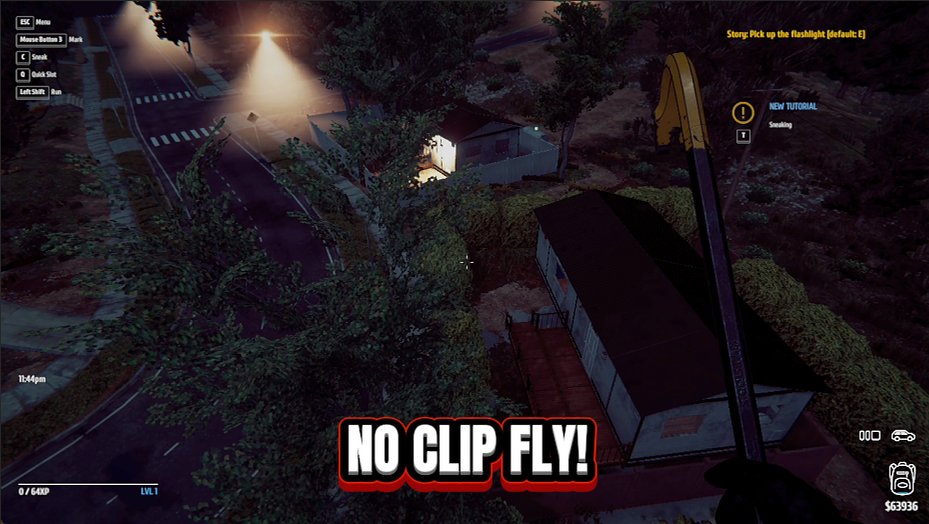
Ghost Burglar
Take off and fly anywhere, and flip on noclip to drift straight through walls, floors and locked doors.
/ThiefSimulatorMasterThiefTrophy1.png)
Master Thief Trophy (Unlock Every Achievement)
Pop every achievement in the game in a single click.
/ThiefSimulatorPaydayShortcut1.jpg)
Payday Shortcut (Give Cash)
Drop any amount of cash straight into your wallet, or wipe it back to zero whenever you like.







