Want more mods for Two Point Hospital? Explore our entire collection!
Master Blueprints
"Every room and every item, ready to build."
How do I install Master Blueprints?
Download the free ProjectMods desktop app, then install Master Blueprints for Two Point Hospital in one click.
</>What does Master Blueprints do?
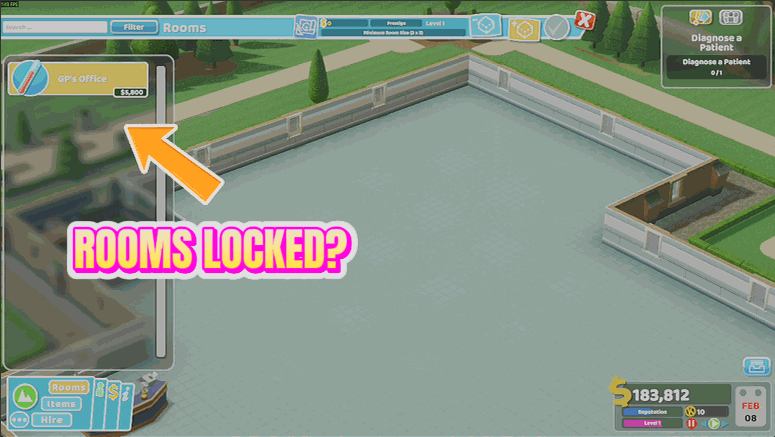
Normally the best rooms, machines and decorations trickle in as you progress across the campaign. Master Blueprints throws the whole catalogue open at once, so every room type and every item is available to place right now. Press Unlock All Rooms And Items and your build menus fill up instantly. Ideal for sandbox dream-builds, recreating your perfect hospital, or just skipping straight to the good stuff without waiting to earn each unlock.
</>What is Master Blueprints?
The best rooms, machines and decorations normally trickle in as you progress through Two Point Hospital. Master Blueprints throws the whole catalogue open at once, filling your build menus instantly so every room and item is ready to place. Ideal for sandbox dream-builds and recreating your perfect hospital. From ProjectMods, the community-first PC mod manager.
</>Common questions about Master Blueprints
What does Master Blueprints do in Two Point Hospital?
Master Blueprints unlocks the entire catalogue of rooms and buildable items in Two Point Hospital at once, so you can build absolutely anything from your very first day. Normally the best rooms, machines and decorations trickle in as you progress across the campaign. Press Unlock All Rooms And Items and your build menus fill up instantly, every room type and object ready to place. Built by ProjectMods, it's ideal for sandbox dream-builds, recreating your perfect hospital, or just skipping straight to the good stuff without waiting to earn each unlock one at a time.
What does the Unlock All Rooms And Items button open up?
Unlock All Rooms And Items is a single press that opens every room type and every buildable object in Two Point Hospital. That covers the full range of treatment rooms, diagnostic facilities, staff and support rooms, plus all the machines, furniture and decorative items the game has to offer. Instead of unlocking these piece by piece as you play through the campaign, you get the complete build palette immediately. It's an instant action rather than a switch, so one press stocks your menus for good. From that moment you're free to design without any not-unlocked-yet gaps in your toolkit.
Does Master Blueprints also give me the money to build everything?
No — Master Blueprints unlocks what you can build in Two Point Hospital, but it doesn't pay for it. Every room and item you place still costs its normal price from your hospital bank, so you'll want funds to match your ambitions. That's exactly why many players run it alongside Cash Injection: Master Blueprints opens the full catalogue, and Cash Injection covers the bill. On its own it's purely about access, handing you the complete build menu while leaving the economy intact. Pair the two and you've got a true sandbox where anything you can imagine is both available and affordable.
Is unlocking everything permanent, or can I go back to earning unlocks?
The unlocks from Master Blueprints stay unlocked in your Two Point Hospital save, just as if you'd earned them through normal play — there's no re-lock button. Unlocks in this game are designed as permanent progress, so once your build menu is full, it stays full for that save. If you specifically want the drip-feed of earning items back, the usual approach is to play a fresh save without the mod active. Because it only opens what the game already lets you build, nothing about your hospital becomes unstable — you simply have the whole catalogue from the moment you press the button.
Why would I use Master Blueprints?
Master Blueprints is for builders who see Two Point Hospital as a creative canvas rather than an unlock grind. Use it to start a sandbox dream-build with every room and decoration available, to faithfully recreate a hospital layout you've planned, or to skip straight to late-game facilities without hours of campaign progress. It's a favourite for screenshot artists and anyone who just wants the good stuff up front. Working through ProjectMods, the community-first PC mod manager, it installs in one click and pairs beautifully with Cash Injection and Warp Speed for a no-limits building session.
What options does Master Blueprints include?
Unlock All Rooms And Items
Unlock every room type and buildable item in the game.
Master Blueprints is a ProjectMods mod that unlocks every room type and buildable item in Two Point Hospital at once, so your full build catalogue is available from day one.
System Requirements
What features does Master Blueprints include?
- Throws open every room type and buildable item the moment you press the button
- Fills your build menus so you can place anything from the first day of a level
- Skips the slow trickle of unlocks that normally arrives as you progress the campaign
- Gives you a full toolkit foundation for sandbox dream-builds where nothing is off the menu
Best For
- Sandbox builders who want the full toolkit to recreate their ideal hospital
- Players following a layout guide that calls for rooms they haven't unlocked yet
- Decorators who want every item available so a room comes together in one sitting
- Anyone who'd rather design freely than wait to earn each room and machine
More Mods for Two Point Hospital
Model Patients
Keep your patients happy and endlessly patient so they stop rage-quitting your queues and dragging down your reputation.
Wall of Fame
Unlock every Steam achievement for Two Point Hospital in one click, or clear them all again if you want a clean slate.
Eureka!
Complete every research project instantly and skip the long wait for better machines, cures and upgrades.







