Want more mods for V Rising? Explore our entire collection!
Achievement Unlocker
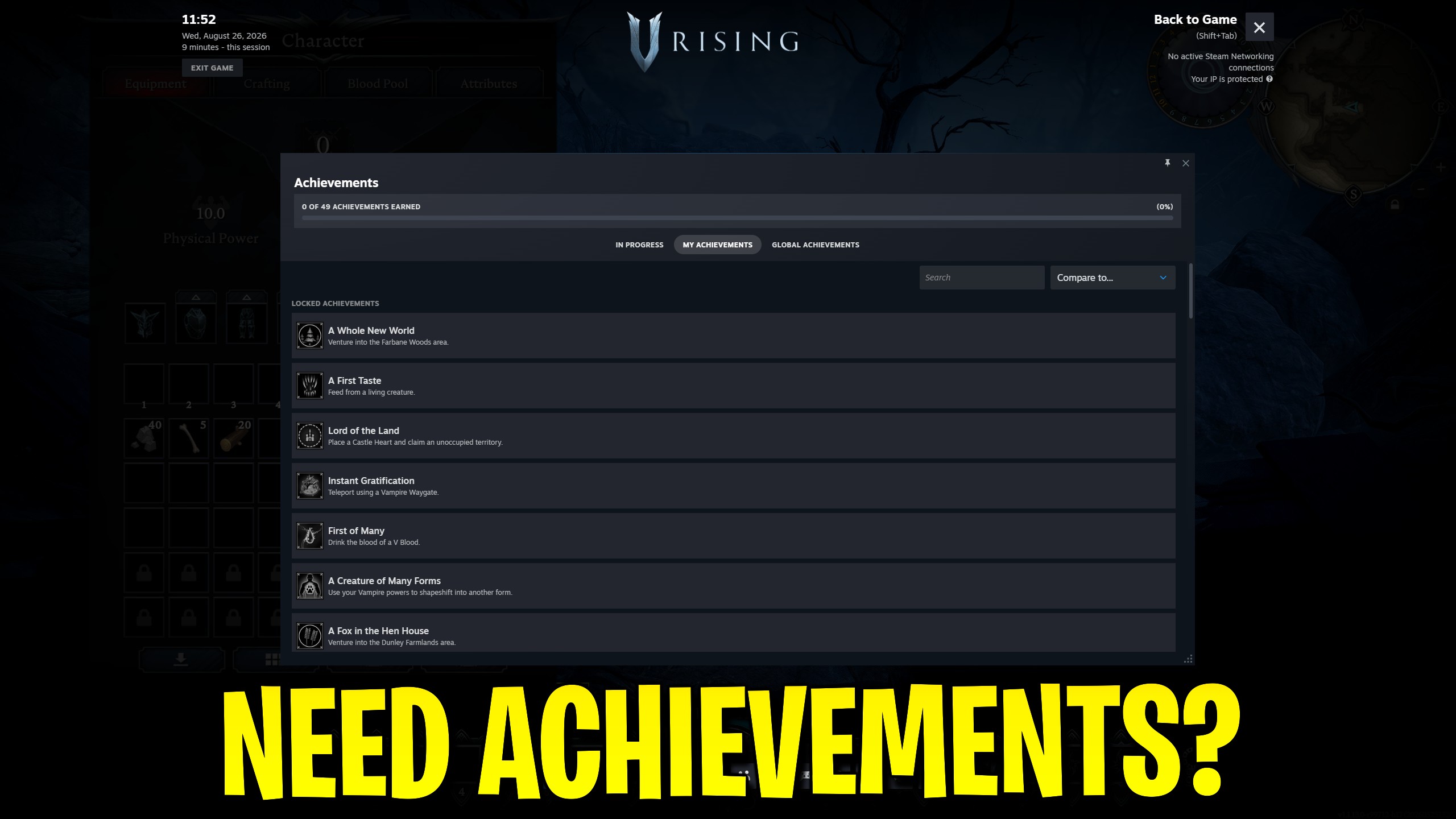
"Unlock or reset V Rising Steam achievements from ProjectMods."
How do I install Achievement Unlocker?
Download the free ProjectMods desktop app, then install Achievement Unlocker for V Rising in one click.
</>What does Achievement Unlocker do?
Achievement Unlocker gives V Rising players direct control over Steam achievements from the ProjectMods panel. Choose one achievement and unlock it, unlock the whole supplied list in one press, or lock all achievements again when you want a clean slate. You need V Rising running with Steam ready. Lock All Achievements resets Steam stats for the game as part of clearing achievements, so use that button only when you really want a full reset. This helper talks to your Steam achievements for V Rising; it does not edit private-world settings files.
</>What is Achievement Unlocker?
Achievement Unlocker is a free V Rising Steam helper on ProjectMods. Select an achievement to unlock, clear the full list in one action, or lock everything again when you want to restart completion tracking. It runs against your Steam achievements while the game is ready, and Lock All also resets Steam stats for a true clean slate.
</>Common questions about Achievement Unlocker
What does Achievement Unlocker do in V Rising?
Achievement Unlocker for V Rising controls Steam achievements from ProjectMods. Pick an entry in Select Achievement and press Unlock Specified Achievement for one unlock, use Unlock All Achievements for the full supplied list, or press Lock All Achievements when you want everything locked again. The game needs to be running with Steam ready before those actions succeed. This is a Steam completion helper, not a private-world settings editor, and it does not change castle progression or research rules on disk.
How do I unlock just one Steam achievement?
Open Select Achievement, choose the V Rising achievement you want, then press Unlock Specified Achievement. Achievement Unlocker on ProjectMods sends that single Steam unlock and stores the update when Steam is ready. If the dropdown is still on the placeholder choice, or Steam is not ready yet, the action fails with a clear message instead of a fake success. Stay in-game while you unlock so the Steam session is available. Repeat the select-and-unlock flow for any other single achievement you still need.
What does Lock All Achievements actually reset?
Lock All Achievements in Achievement Unlocker for V Rising clears achievements and also resets Steam stats for the game. That is stronger than toggling a single achievement off, so use it only when you want a full clean slate. ProjectMods keeps the button explicit so you do not confuse it with a soft lock. After a successful reset, your Steam completion tracking for V Rising starts over. If you only needed one achievement back, unlock that one again afterward instead of relying on Lock All as an undo for a single entry.
Why might Steam achievements say they are not ready yet?
Achievement Unlocker for V Rising needs the game session and Steam achievements service to be available before it can unlock or lock anything. If you press an action too early, ProjectMods reports that Steam achievements are not ready instead of pretending the change landed. Load into V Rising, wait until Steam overlays and stats are alive, then try again. A missing dropdown selection can also block a single unlock. This readiness check is why the mod feels strict — it refuses to claim success when Steam never accepted the request.
Why would I use Achievement Unlocker on a completion run?
Use Achievement Unlocker for V Rising when a Steam achievement is blocked by a missed trigger, a patched encounter, or a checklist you want finished on your terms. Unlock one entry, clear the whole supplied list, or reset everything before a fresh completion attempt. ProjectMods keeps the four controls in a simple order so the flow stays obvious. Because Lock All also resets Steam stats, treat that button as a deliberate reset tool. Keep expectations on Steam achievements only — castle saves and research settings are separate helpers.
What options does Achievement Unlocker include?
Unlock Specified Achievement
Unlock only the achievement selected above.
Select Achievement
Choose which Steam achievement to unlock.
Lock All Achievements
Lock all achievements and reset Steam stats for a clean slate.
Unlock All Achievements
Unlock every achievement.
Achievement Unlocker for V Rising on ProjectMods unlocks individual or all Steam achievements and can lock them again after a full reset.
System Requirements
What features does Achievement Unlocker include?
- Unlock a single chosen V Rising Steam achievement from the dropdown.
- Unlock every achievement in the supplied list with one action.
- Lock all achievements again when you want a clean completion slate.
- Get a clear not-ready message until Steam achievements are available.
Best For
- Grab a missed story achievement after finishing the related boss already.
- Unlock the full Steam list on a completionist private save in one sitting.
- Reset achievements and Steam stats before starting a fresh completion run.







