Want more mods for Vacation Cafe Simulator? Explore our entire collection!
Rising Star
"Skip the slow climb to a five-star cafe."
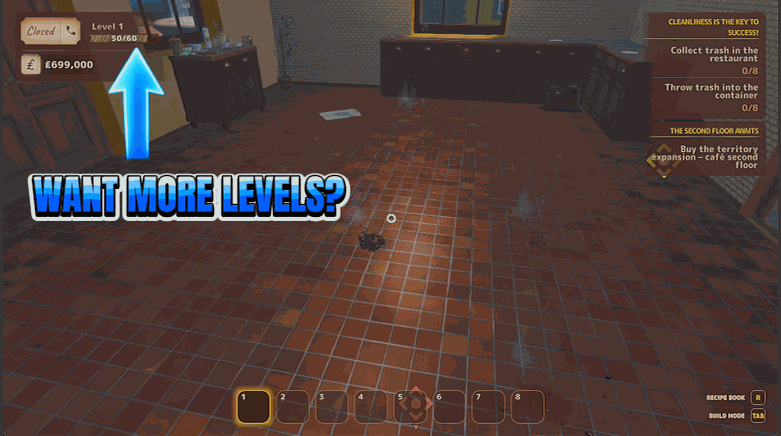
How do I install Rising Star?
Download the free ProjectMods desktop app, then install Rising Star for Vacation Cafe Simulator in one click.
</>What does Rising Star do?
Every level opens up more of the cafe — new recipes, new equipment, new corners of the island to explore. Rising Star lets you get there without the long grind. Add a chunk of experience whenever you like, or set your cafe level to an exact number and watch the unlocks roll in. Great for jumping back into a favourite save, catching up to friends, or just seeing the late-game content without replaying the early hours.
</>What is Rising Star?
Every level opens more of the cafe — new recipes, new equipment, new corners of the island. Rising Star lets you get there without the long grind in Vacation Cafe Simulator. Add experience whenever you like, or set your cafe level to an exact number and watch the unlocks roll in. Great for revisiting a save or catching up to friends. From ProjectMods, the PC mod manager for 400+ games.
</>Common questions about Rising Star
What does Rising Star do in Vacation Cafe Simulator?
Rising Star lets you level up your cafe on your own terms in Vacation Cafe Simulator, instead of slowly earning experience shift by shift. Each level unlocks more of the game — new recipes, new equipment, and new areas of the island to explore — and Rising Star gets you there faster. You can add a chunk of experience whenever you like, or set your cafe straight to an exact level and watch the unlocks arrive. It's built around a number field and matching actions for both experience and level, so you decide exactly how far to jump. Handy for returning to an old save, catching up to friends, or reaching late-game content sooner.
What's the difference between Add XP and Set Level?
Rising Star gives you two ways to progress in Vacation Cafe Simulator, and they work differently. Add XP takes the number in the XP Amount field and adds that much experience to your current total, letting you climb naturally through whatever levels that experience covers. Set Level ignores experience and jumps your cafe straight to the exact level you type into the Cafe Level field. So use Add XP when you want a controlled boost toward the next level or two, and Set Level when you want to land on a specific level right away. Between them you can nudge your progress gently or leap ahead to late-game content, depending on how big a jump you're after.
What happens to my unlocks when I level up with Rising Star?
When you gain levels with Rising Star in Vacation Cafe Simulator, the recipes, equipment and areas tied to those levels unlock just as they would if you'd earned the levels normally. That's the whole point — jumping ahead brings the level-gated content with it, so you can start using new gear and new parts of the island right away. Whether you add experience with Add XP or jump straight there with Set Level, the unlocks that belong to the levels you've reached roll in. It's a clean way to catch up or revisit late-game content without replaying the early hours, and the rest of your save — your money, decor and layout — stays exactly as you left it.
Can I set an exact cafe level with Rising Star?
Yes — Rising Star's Cafe Level field and Set Level action let you jump straight to a precise level in Vacation Cafe Simulator. Type the level you want into the field, press Set Level, and your cafe moves there directly, bringing the matching unlocks with it. That's different from Add XP, which instead adds a set amount of experience from the XP Amount field and lets you climb through levels the usual way. Having both means you can either dial in an exact level in one step or top up your experience gradually, whichever suits you. It's especially useful when you know exactly how far you want to be — for instance, matching a friend's level.
Why would I use Rising Star in Vacation Cafe Simulator?
Rising Star is for players who want to enjoy the later parts of Vacation Cafe Simulator without grinding through the early hours again. Maybe you're jumping back into a favourite save and want to pick up where the fun was, catching up to friends who are further along, or simply curious to see the recipes and equipment that later levels unlock. Setting your level or adding experience directly gets you there quickly, so you spend your time on the content you're excited about. It pairs naturally with Espresso Economy if you also want the cash to buy everything those new levels open up, letting you build the cafe you're picturing right away.
What options does Rising Star include?
Set Level
Jump your cafe to the level above.
XP Amount
How much experience to add.
Cafe Level
Which level to set your cafe to.
Add XP
Add the experience above.
Rising Star lets you add experience whenever you like or set your cafe to an exact level in Vacation Cafe Simulator, rolling in the unlocks without the grind. It's from ProjectMods, the community-first PC mod manager for 400+ games.
System Requirements
What features does Rising Star include?
- Add a chunk of experience to your cafe whenever you feel like pushing ahead
- Jump straight to an exact cafe level and watch the new unlocks roll in
- Opens up later recipes, equipment and corners of the island without the long climb
- Puts you in charge of the pace instead of grinding shift after shift for the next tier
Best For
- Returning players hopping back into a favourite save who want the late-game menu right away
- Friends catching up to a group that's already a few levels ahead in co-op
- Curious owners eyeing the five-star content who'd rather not replay the early hours to see it
- Long-time players who've climbed the ranks before and would rather start near the top
More Mods for Vacation Cafe Simulator
/VacationCafeSimulatorSupplyRun1.jpg)
Supply Run (Give Any Item)
Choose any item from the game's list and hand yourself a stack of it. Press Refresh Items to load the list first.
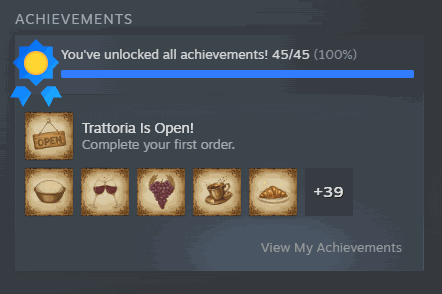
Full Marks
Unlock every achievement in one press and light up your whole Steam showcase.
/VacationCafeSimulatorLongArms1.png)
Long Arms (Extended Reach)
Reach further to grab items, place furniture and interact without walking right up to everything.







