Want more mods for Wizard of Legend? Explore our entire collection!
Chaos Coffers (Gems & Gold)
"Chaos Gems and gold on tap. Buy out the halls and never window-shop again."
/WizardOfLegendChaosCoffers1.png)
How do I install Chaos Coffers (Gems & Gold)?
Download the free ProjectMods desktop app, then install Chaos Coffers (Gems & Gold) for Wizard of Legend in one click.
</>What does Chaos Coffers (Gems & Gold) do?
Chaos Gems are the slow grind of Wizard of Legend. You earn a handful per run, then spend forever saving up to buy the arcana and relics you actually want. Chaos Coffers skips the wait. Set how many gems you want and press Add Chaos Gems to fill your stash, ready to spend on permanent unlocks back in the halls. Inside a run, set a gold amount and press Add Gold to buy anything a merchant is selling. Both come with their own reset button so you can put things back to zero whenever you like. Your gems save between runs, so what you add sticks.
</>What is Chaos Coffers (Gems & Gold)?
Chaos Coffers ends the slow Chaos Gem grind in Wizard of Legend. Set an amount and add Chaos Gems to your stash to unlock arcana and relics back at the halls, or drop gold mid-run to buy anything a merchant is selling. Gems save between runs and each currency has its own reset button. From ProjectMods, the community-first PC mod manager for 400+ games.
</>Common questions about Chaos Coffers (Gems & Gold)
What does Chaos Coffers do in Wizard of Legend?
Chaos Coffers is a Wizard of Legend mod that lets you top up the game's two currencies whenever you like: Chaos Gems and dungeon gold. Set a gem amount and add it to your stash to spend on permanent unlocks back in the halls, or set a gold amount and drop it into your purse to spend at merchants during a run. Both come with their own reset button, so you can zero either currency out and start again at any time. It exists to skip the slow saving-up grind, so you spend your time actually playing with new arcana instead of farming for them.
What is the difference between the Chaos Gems and gold options in Chaos Coffers?
In Wizard of Legend the two currencies do very different jobs, and Chaos Coffers handles both. Chaos Gems are your permanent currency: you spend them in the halls between runs to unlock arcana, relics and other lasting upgrades, and anything you add with the mod saves to your profile. Gold is temporary and lives inside a single run: you spend it at the merchants you meet on a floor, and it resets when the run ends. So use Add Chaos Gems when you want to permanently expand your spell collection, and Add Gold when you want spending money for the current run's shops.
How many Chaos Gems can I add, and do they save between runs?
You can add Chaos Gems up to the game's own cap of 999 in Wizard of Legend, which Chaos Coffers respects so nothing breaks. Set the Gem Amount, press Add Chaos Gems, and that total lands in your stash. The important part is that these gems save between runs: they are written to your profile just like gems you earned normally, so what you add sticks around after you close the game. That makes it easy to bank enough to unlock a whole batch of arcana and relics in one visit to the halls, rather than earning a handful per run.
What do the Reset Chaos Gems and Reset Gold buttons do?
Chaos Coffers gives each currency its own reset control so you stay in charge. Reset Chaos Gems sets your saved gem total back to zero, which is handy if you overshot, want to feel the halls progression again, or are tidying up your profile in Wizard of Legend. Reset Gold clears the gold in your current run's purse back to zero without touching your gems. Because gold is per-run and gems are permanent, keeping the two resets separate means you never wipe your lasting unlocks by accident when you only meant to clear your pocket change for a run.
Why would I stockpile Chaos Gems with Chaos Coffers?
Chaos Gems are the gate to almost everything you want to try in Wizard of Legend, and earning them is slow: a handful per run, then a long wait to afford a single new arcana. Chaos Coffers lets you bank a big pile at once so you can walk into the halls and unlock the spells, relics and gear you actually want to build around. That turns theory-crafting into something you can do the same night instead of over dozens of runs. It is ideal if you care more about experimenting with wild spell combos than grinding the currency to try them.
What options does Chaos Coffers (Gems & Gold) include?
Add Chaos Gems
Add the gems above to your stash. This saves between runs.
Gold Amount
How much dungeon gold to add for this run.
Reset Gold
Set your run gold back to zero.
Add Gold
Drop the gold above into your purse for this run.
Reset Chaos Gems
Set your Chaos Gems back to zero.
Gem Amount
How many Chaos Gems to add. The game caps these at 999.
Chaos Coffers is a Wizard of Legend mod from ProjectMods that lets you top up your Chaos Gems for permanent unlocks and drop extra gold mid-run to clear out any merchant's shelf.
System Requirements
What features does Chaos Coffers (Gems & Gold) include?
- Set how many Chaos Gems you want and add them to your stash, ready to spend on permanent unlocks back in the halls
- Drop a pile of gold into your purse mid-run so you can buy out any merchant on the spot
- Gems you add save between runs, so what you bank is still there next time you play
- Reset buttons for both gems and gold let you set either one back to zero whenever you like
- Your gem stash tops up toward the game's own 999 cap, so you are never short for a big shopping spree
Best For
- You want the whole arcana and relic library without grinding gems a handful at a time across dozens of runs
- A merchant is selling exactly the relic you need but you are short on gold, so you top up and grab it
- You love the shopping but not the saving, and want to walk into the halls able to buy anything on the shelf
- You are chasing one specific loadout and would rather bank the gems for it now than farm for another evening
More Mods for Wizard of Legend
Master of All Arcana
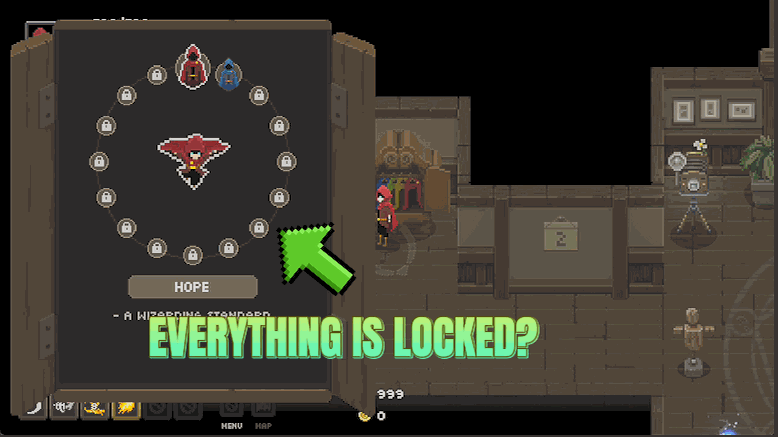
Instantly own every arcana, relic and outfit in the game. Skip the grind and jump straight into building the wildest spell combos you can dream up, with the full toolbox ready from your very next run.
/WizardOfLegendSpellSurge1.png)
Spell Surge (Damage Boost)
Multiply the damage your spells deal, from a gentle boost all the way to one-shot territory. Melt tough enemies, blow through boss health bars, and live the power fantasy of a truly legendary wizard.
/WizardOfLegendCataclysm1.png)
Cataclysm (Clear the Room)
Unleash a screen-clearing blast that wipes out the enemies in the room and tears huge chunks off any boss. Perfect for skipping a fight you hate or bailing out when you're surrounded.