Want more mods for Wobbly Life? Explore our entire collection!
Newton's Day Off (Gravity Editor)
"Rewrite the laws of physics with low, heavy, reversed, sideways, or completely weightless gravity."
/WobblyLifeNewtonSDayOffGravityEditor1.jpg)
How do I install Newton's Day Off (Gravity Editor)?
Download the free ProjectMods desktop app, then install Newton's Day Off (Gravity Editor) for Wobbly Life in one click.
</>What does Newton's Day Off (Gravity Editor) do?
Newton has clocked out, and the laws of physics are yours to rewrite. Newton's Day Off (Gravity Editor) lets you change how strongly gravity pulls, reverse it completely, remove it for weightless chaos, or send the world falling sideways. Set Gravity Strength to control the main pull. A value of 100 restores the normal Wobbly Life experience, lower values create lighter and floatier movement, 0 removes the vertical pull, and negative values reverse it so characters, vehicles, and loose objects fall upward. You can also add horizontal force in the direction you are looking, turning the island into a sideways physics experiment. Press Apply Gravity and the new settings affect your wobbler alongside cars, props, and pedestrians. Your character automatically reorients to match the altered pull, helping the new direction feel playable even when the entire world has decided that the sky is now the floor. For instant results, choose from Moon, Space, Reverse, and Heavy presets. Moon creates a lighter bounce, Space removes gravity, Reverse sends everything upward, and Heavy dramatically increases the downward pull. Custom settings remain available when you want something stranger than the presets. The Player Rotation dial can also spin your wobbler independently to any angle. Keep the dial at 12 for upright, use 6 for upside-down, or choose 3 and 9 to lie sideways. Reset Player Rotation restores the normal stance, while Reset Gravity returns the whole world to standard Earth-like physics. Disabling the mod also restores normal gravity. Use it for physics experiments, zero-gravity exploration, upside-down gameplay, chaotic vehicle scenes, multiplayer hosting, and surreal screenshots with the Photographer Kit.
</>What is Newton's Day Off (Gravity Editor)?
Newton's Day Off is a Wobbly Life gravity editor that changes both gravitational strength and direction. Players can create low gravity, zero gravity, reversed gravity, heavy gravity, or sideways force using custom values or instant Moon, Space, Reverse, and Heavy presets. The altered physics affect the player, vehicles, props, and pedestrians, while the wobbler automatically rotates to match the new gravitational direction. A separate player rotation dial supports upright, upside-down, sideways, and custom poses without changing the world's gravity. Reset controls and automatic restoration when the mod is disabled make it easy to return Wobbly Life to its normal physics.
</>Common questions about Newton's Day Off (Gravity Editor)
Can I turn gravity off completely?
Yes. Set Gravity Strength to 0 or select the Space preset to remove the normal vertical pull.
Can I reverse gravity in Wobbly Life?
Yes. Use a negative Gravity Strength value or select the Reverse preset to make characters and objects fall upward.
Can gravity pull sideways?
Yes. Add horizontal force in the direction you are looking to send characters, vehicles, props, and pedestrians sideways.
What do the gravity presets do?
Moon applies lighter gravity, Space creates weightlessness, Reverse flips the pull upward, and Heavy increases the downward force.
Does the gravity change affect more than the player?
Yes. The altered physics affect your wobbler, cars, loose props, and pedestrians.
Will my wobbler rotate when gravity changes direction?
Yes. Your character automatically reorients to match the active gravitational direction.
Can I rotate my character without changing gravity?
Yes. The Player Rotation dial spins your wobbler independently while leaving the current gravity settings unchanged.
How does the Player Rotation dial work?
Use 12 for upright, 6 for fully upside-down, 3 or 9 for sideways, and the positions between them for custom angles.
Can I restore normal gravity?
Yes. Press Reset Gravity to restore standard physics. Disabling the mod also returns gravity to normal.
Can I reset my character's rotation separately?
Yes. Reset Player Rotation stands your wobbler upright without resetting the world's gravity.
Is it suitable for multiplayer?
Yes. It is best used while hosting so the physics experiment takes place in your session.
What options does Newton's Day Off (Gravity Editor) include?
Reset Gravity
Put gravity back to normal Earth and stand your wobbler upright. The safe button for when things get too silly.
Player Rotation
Which way your wobbler faces, like a clock. 12 is upright, 6 is fully upside-down, and 3 or 9 lay you on your side. Set it here, then press Rotate Players.
Rotate Players
Spin your wobbler to the clock angle you picked above - handy for matching a weird gravity by hand, or just striking a pose.
Gravity Preset
Pick a ready-made gravity setup, then hit Apply Gravity - Moon for big floaty bounces, Space for full weightlessness, Reverse to fall upward, or Heavy to get crushed. Leave it on Custom to use your own sliders instead.
Gravity Strength
How hard gravity pulls you down (used on Custom). 100 is normal Earth, 0 is weightless, and negative numbers flip it so everything falls upward. Push past 100 for extra-heavy.
Apply Gravity
Unleash your current gravity settings (or the chosen preset) on the whole world - and flip your wobbler to match. Let's see what happens!
Sideways Gravity
Adds a horizontal pull in the direction you're facing (used on Custom) - great for sliding the whole world one way. Flip the sign to pull the other way; 0 keeps gravity straight up-and-down.
Reset Player Rotation
Stand your wobbler back upright without touching gravity.
Newton's Day Off lets you change the strength and direction of gravity across Wobbly Life, use instant gravity presets, rotate your wobbler to any angle, and restore normal physics at any time.
System Requirements
What features does Newton's Day Off (Gravity Editor) include?
- Adjust gravity strength from light and floaty to extremely heavy.
- Set gravity to 0 for a weightless, space-like environment.
- Use negative values to reverse gravity and make the world fall upward.
- Add sideways force in the direction your camera is facing.
- Apply altered physics to your wobbler, vehicles, props, and pedestrians.
- Automatically rotate your wobbler to match the new gravitational direction.
- Load Moon, Space, Reverse, or Heavy gravity with one-click presets.
- Rotate your wobbler independently to upright, sideways, upside-down, or custom angles.
- Reset player rotation without changing the active gravity settings.
- Restore standard Wobbly Life gravity instantly or by disabling the mod.
Best For
- Explore Wobbly Island with low-gravity Moon-style movement.
- Create weightless scenes where characters, cars, and props float freely.
- Reverse gravity and watch the island's physics fall toward the sky.
- Send vehicles and pedestrians sideways with directional gravity.
- Increase gravity for heavier movement and crushing physics reactions.
- Pose your wobbler upside-down or sideways for screenshots and videos.
- Record chaotic physics experiments, cinematic clips, and multiplayer challenges.
- Combine custom gravity with Photographer Kit for unusual group photos and action shots.
More Mods for Wobbly Life
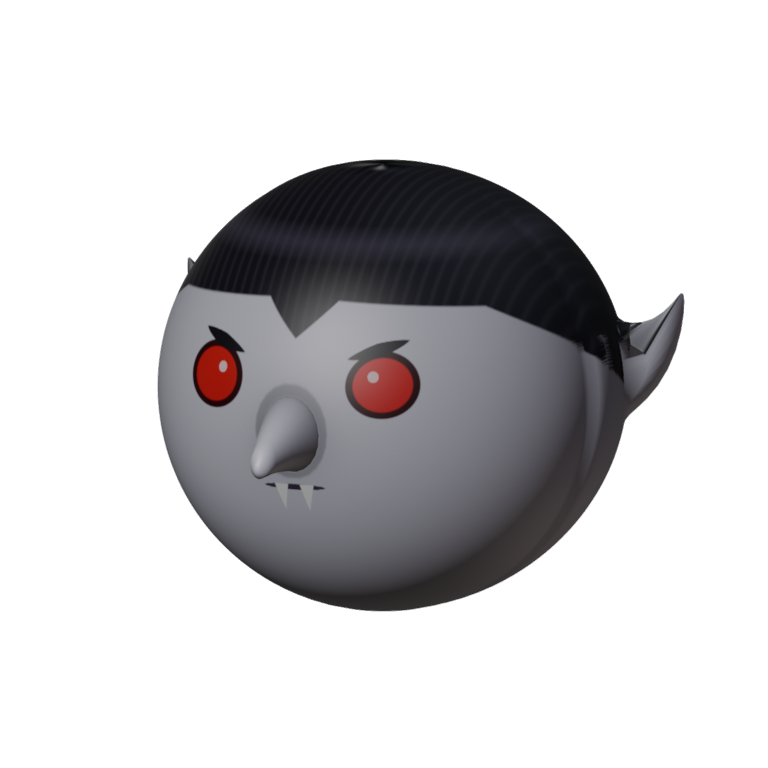
Nightfang Head
A pale vampire face worn over your own: slicked-back black hair with a widow's peak, pointed ears, red eyes under a scowl and two little fangs. Part of the Nightfang set.
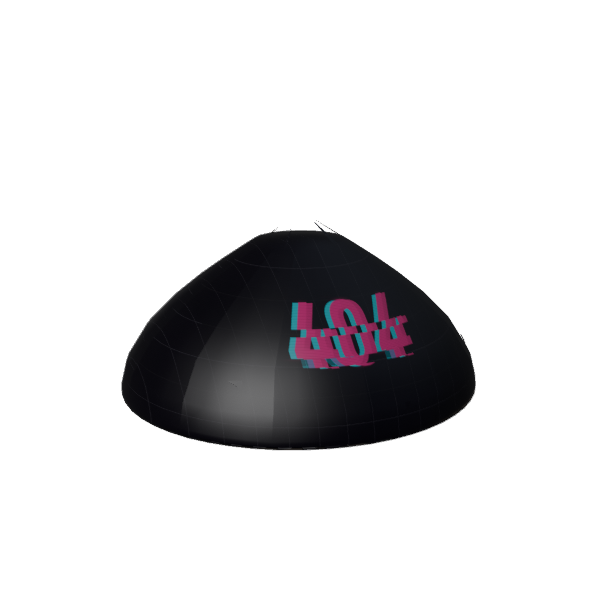
Glitch Beanie
A dark cyberpunk beanie with a glitchy pink 404 across the front and a neon green system tag on the back. For when your brain is still buffering.
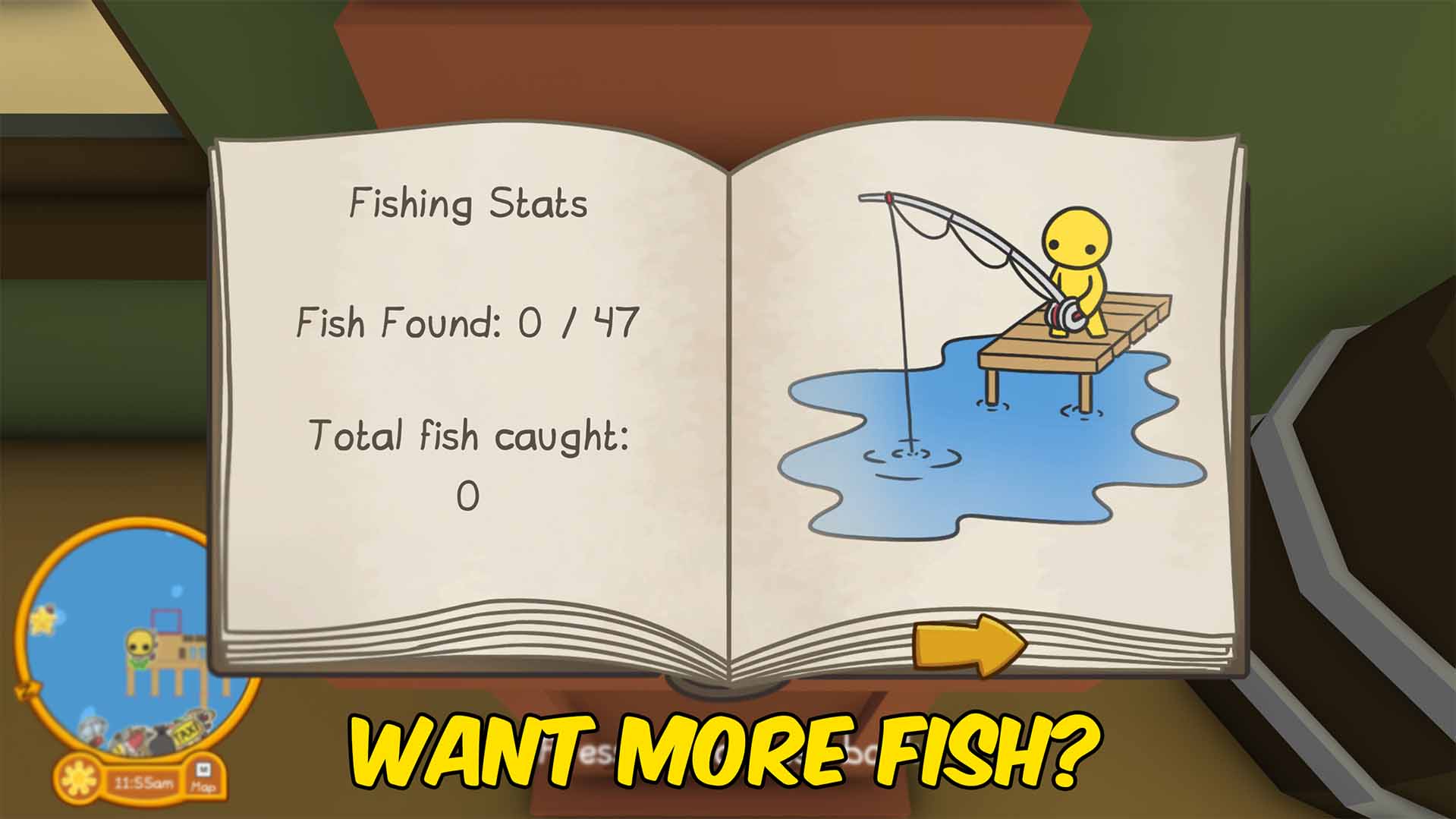
Master Angler (Full Fishing Book)
Complete your entire Wobbly Life fishing book in one click - every fish species marked caught, no casting required. Chasing just the ones you're missing? Pick a single fish and land it on demand. Changed your mind? Empty the book and start the hunt fresh.







