Want more mods for 687 Days on Mars - First Steps? Explore our entire collection!
Weather Control
"Call off the storm. Or call one in."
How do I install Weather Control?
Download the free ProjectMods desktop app, then install Weather Control for 687 Days on Mars - First Steps in one click.
</>What does Weather Control do?
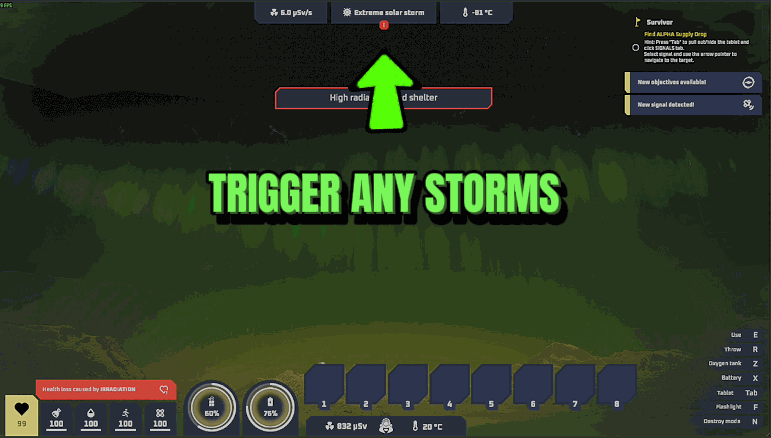
A sandstorm can damage your buildings, cables and suit, and the weather forecast doesn't wait until you're ready. Weather Control lets you decide. Switch on No Storms, off by default, and storms from the forecast don't start. The first storm of a new game is the one exception, because it starts the Building maintenance mission. A storm that's already blowing keeps going until you press Stop Storm, which ends it for good. Want a storm instead? Pick a Storm Type from nine (Sandstorm, Solar storm and Cold Snap, each at normal, hard and extreme strength; Sandstorm by default), set Storm Length from 1 to 48 in-game hours (12 by default) and press Start Storm. It's the game's own storm, with all its usual dangers. The story's superstorm can't be kept away, started or stopped. Switch No Storms off and the forecast's storms come as scheduled again.
</>What is Weather Control?
Weather Control puts storms on a switch. No Storms keeps forecast storms from starting; Storm Type, Storm Length and Start Storm bring one of nine game storms for 1 to 48 in-game hours; Stop Storm ends the current one for good. A fresh save's opening storm still comes because it starts a mission, one storm blows at a time, and the superstorm can't be held off, started or stopped. It never repairs storm damage.
</>Common questions about Weather Control
What does Weather Control do in 687 Days on Mars - First Steps?
It lets you keep the weather forecast's storms away, start a storm of your choosing or end the one that's blowing. Every storm is one of the game's own sandstorms, solar storms or cold snaps at its normal, hard or extreme strength, never stronger or weaker. It works only while a save is being played; press Start Storm while a save is still loading and it asks you to press it again in a moment.
Why did a storm still come with No Storms on?
Two storms ignore No Storms: a new game's opening storm, which starts the Building maintenance mission, and the story's superstorm. You can stop that opening storm right away, because the mission damages one of your buildings by itself for you to repair, so you can still finish it. A storm you start yourself as a save's first storm starts the mission in the same way.
Does the weather forecast still list storms with No Storms on?
Yes, the weather forecast still lists them; they just don't start. With No Storms on, a storm that was blowing when you saved doesn't come back when you load either. Switch it off while a forecast storm's time is still running and that storm starts at the next weather check.
Why won't Start Storm work?
Either another storm is already blowing or the superstorm is on its way. Only one storm blows at a time, so press Stop Storm first; and from the superstorm's 1-hour countdown until its 96 in-game hours are over, Start Storm is refused. Once the superstorm has passed, it works again.
What happens to started and stopped storms in my save?
A storm you start is saved like a natural one, and a storm you stop stays stopped. After loading, the game brings a hard or extreme sandstorm or solar storm back at normal strength and a hard cold snap back as an extreme cold snap, just as it does with its own storms. No Storms itself saves nothing.
What options does Weather Control include?
No Storms
Storms from the weather forecast don't start. The first storm of a new game still comes, because it starts the Building maintenance mission, and the story's superstorm still comes. A storm that is already blowing keeps going: press Stop Storm to end it. Off by default.
Storm Type
Which storm Start Storm brings: a sandstorm, a solar storm or a cold snap, each at normal, hard or extreme strength. Default: Sandstorm.
Storm Length
How many in-game hours a storm from Start Storm lasts (a sol has 25). The game's own storms last 12 to 48 hours. From 1 to 48, default 12.
Stop Storm
Ends the storm that is blowing now, from the forecast or from Start Storm, for good: it doesn't come back later. The superstorm can't be stopped.
Start Storm
Starts the chosen storm now, for Storm Length hours. It is the game's own storm, with the same weather and the same danger to you and your buildings. Only one storm blows at a time: stop the current one first. It can't be used from the superstorm's countdown until the superstorm is over.
Weather Control is a ProjectMods mod for 687 Days on Mars - First Steps that blocks forecast storms, starts one you pick or ends one early, though the first storm and the superstorm still come.
System Requirements
What features does Weather Control include?
- No Storms never holds the story back, because no story mission waits for a forecast storm.
- Storm Length runs from a short 1-hour blow up to 48 hours, the length of the longest storms the game sends on its own.
- A stopped storm stays gone, even if the clock is turned back later.
- Stop Storm also calls off a forecast storm whose time is running, so another doesn't roll in straight after.
Best For
- The forecast shows a sandstorm coming while you're still out at a regolith deposit, so switch on No Storms and it never starts.
- A Hard solar storm catches you far from your shelter, so press Stop Storm and walk home with it gone.
- You're working through Prepare for superstorm and want to test your shelters first, so pick Extreme sandstorm, set Storm Length to 24 and press Start Storm.
- The story is over and you'd like a cold challenge, so pair Keep Playing After the Ending with an Extreme cold snap at a Storm Length of 48.
More Mods for 687 Days on Mars - First Steps

No Wear & Tear
Keeps storms from wearing down your buildings or dirtying your solar panels, and adds a button that fixes every damaged device and cleans every dusty panel without Repair Kits, apart from a device a mission task is waiting on.

Give Resources
Add any of 14 resources, from Energy and Water to Iron, Pure Copper and Silicon, to the storages you've built, from 1 to 100,000 a press, with only what fits going in.

Keep Playing After the Ending
Surviving the superstorm no longer stops your game on the ending screen. The story is over, but your base, the map and the weather stay for you to play on with; no new missions follow.







