Want more mods for Burglin' Gnomes? Explore our entire collection!
Deep Pockets
"Skip the backpack hunt. Start with the big bag."
How do I install Deep Pockets?
Download the free ProjectMods desktop app, then install Deep Pockets for Burglin' Gnomes in one click.
</>What does Deep Pockets do?
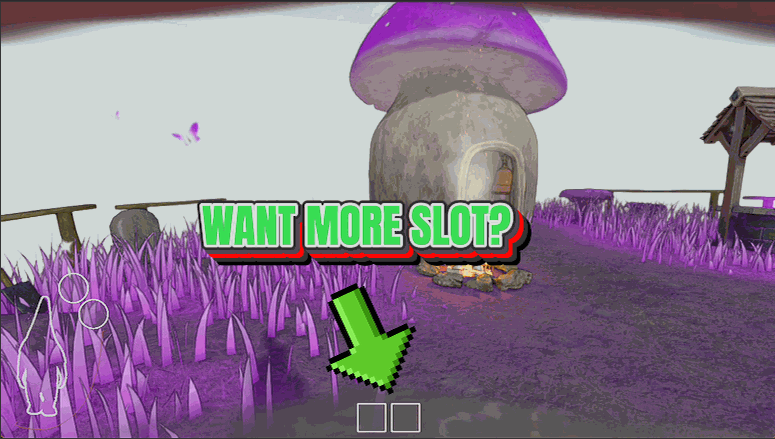
Normally you start a job with a tiny bag and have to track down and equip the backpack before you can really haul. Deep Pockets hands you the full bag from the first doorway. Your bag screen holds up to eight slots, the top two are for the gear you're wearing, and the other six are all yours for loot. Six loot slots is the most the bag screen can show, so it's a full bag, not a magic warehouse. Still, going from a starter pouch to six pockets means far fewer sprints back to the burrow. Sweep a living room for the TV, the lamp, the vase, and the good silverware in one go, then stroll home once instead of three times, and give the homeowner and their very angry dog fewer chances to catch you mid-jog. It's a toggle, so switch it off whenever you like, and anything that no longer fits simply drops at your feet. In co-op it follows the host: open the lobby and your own bag gets the six loot slots, whether you're playing solo or hosting for the whole crew. Your friends don't install anything, and their bags stay the normal size unless they host a game of their own.
</>What is Deep Pockets?
Deep Pockets upgrades your carry space in Burglin' Gnomes to the bag screen's real maximum: 8 total slots, 6 of them for loot, right from the start of a run without finding the in-game backpack. Haul more each trip and make fewer runs back to the burrow - the biggest bag the screen can show, not dozens of slots. From ProjectMods, the free, community-first PC mod manager for 400+ games.
</>Common questions about Deep Pockets
What does Deep Pockets do in Burglin' Gnomes?
Deep Pockets gives you the biggest bag Burglin' Gnomes can actually show - the full 8 slots on the bag screen. Two of those are the boxes for the gear you wear, which leaves 6 slots for loot. Normally you'd have to find and equip the in-game backpack to open all that room; with Deep Pockets it's yours from the very start of a run. That means you haul more stolen goodies per trip and make fewer runs back to the burrow to unload. It only ever adds space - flip it off and your bag goes back to stock.
How many bag slots does Deep Pockets add in Burglin' Gnomes?
The bag screen in Burglin' Gnomes tops out at 8 slots total, and Deep Pockets can fill all of them. The top two are the worn-gear boxes for what your gnome has equipped, so they don't hold loot. The other 6 are pure loot space - the full bottom row the screen is built to display. That's the honest ceiling: 8 total, 6 for loot, 2 for worn gear. It isn't dozens of slots, 99, or unlimited, because the game's bag screen simply can't show more than that. What Deep Pockets does is hand you that maximum from the opening seconds of a heist instead of making you earn it mid-run.
What happens to my loot if I turn Deep Pockets off mid-run?
If you switch Deep Pockets off while you're carrying more than a stock bag holds, Burglin' Gnomes doesn't just delete the extra. Anything that no longer fits is placed on the ground right at your feet, so nothing vanishes - you can pick it back up or leave it. That's the trade-off of turning the bigger bag off mid-heist: your carry space shrinks back to normal and the overflow spills out where you're standing. Because Deep Pockets only ever adds room while it's on, you'll usually want to leave it enabled for the whole run and toggle it off once you've unloaded at the burrow. It also keeps a mid-run backpack change from unexpectedly shrinking your bag and dropping loot on the grass.
Can I choose how many bag slots Deep Pockets gives me in Burglin' Gnomes?
Yes. Deep Pockets has an Inventory Slots setting so you decide how big your bag gets, anywhere up to the screen's cap of 8 total slots. Since the first two are always the worn-gear boxes, setting it to 8 gives you the full 6 loot slots; dial it lower if you'd rather a smaller bump. The setting only ever adds room - it can't shrink your bag below what the game normally gives you, so there's no way to accidentally make your inventory smaller. There's also a simple Enabled toggle to turn the whole thing on or off. Leave it maxed for the longest hauls between burrow trips, or tune it down if you like more of the base challenge.
Does everyone in my Burglin' Gnomes crew need Deep Pockets installed?
No - only the person who opens the lobby needs Deep Pockets. It's host-scoped, so whoever starts the session turns it on for their own bag, and playing solo counts as being the host. Your crewmates don't install anything and don't have to; their bags stay completely stock while yours runs the bigger 8-slot layout. That makes it a low-friction pick for co-op heists in Burglin' Gnomes - nobody has to match setups or troubleshoot mismatched mods before you play together. If you want the extra loot space, be the one who hosts. If a friend hosts instead, you'll play with the standard bag unless you host your own session. Deep Pockets comes from ProjectMods, the free, community-first PC mod manager for 400+ games.
What options does Deep Pockets include?
Enabled
Turn the bigger bag on. Switch it off and your bag goes back to normal, with anything that no longer fits placed on the ground by your feet.
Inventory Slots
How many slots your bag has, up to 8. The first two are the boxes for the gear you wear, so that is up to 6 slots of loot - the full bag the screen can show, and you get it from the start without finding the backpack. It only ever adds room.
Deep Pockets, a Burglin' Gnomes mod from ProjectMods, gives you the bag screen's full 8 slots - six for loot - from the very start of a run, so you carry more per trip and skip hunting down the in-game backpack.
System Requirements
What features does Deep Pockets include?
- Start every run with the full bag, six loot slots plus two for worn gear, and no backpack to find first.
- Haul more per trip so you make fewer sprints back to the burrow between houses.
- Toggle it off any time; anything that no longer fits just drops at your feet.
- Host solo or for the whole crew, flip it on and your own bag gets the six loot slots.
- Adds room only, capped at the eight slots the bag screen can actually show, no fake warehouse.
Best For
- New to the game and sick of running home after every second room, so you want the big bag from the jump and keep robbing.
- Clearing a big house top to bottom and want to grab everything valuable in one sweep instead of ferrying it out piece by piece.
- Streaming a heist run and want to keep the action moving instead of narrating yet another walk back to the burrow.
- Hosting for friends and want your own carry space maxed so the crew isn't stuck waiting on your trips home.
More Mods for Burglin' Gnomes

Full Burrow (Bigger Crew)
Host a bigger crew. Lift the six-gnome limit, pick your own crew size, and get everyone into the same garden instead of telling the seventh friend to sit this one out.
/BurglinGnomesTirelessTunneler2.jpg)
Tireless Tunneler (Endless Sprint)
Your gnome stops getting puffed out. Sprint the length of the house, slide down a wall, flap the fairy wings - the bar stays full.
/BurglinGnomesChimneyDrifter1.png)
Chimney Drifter (Fly & Phase)
Lifts your gnome off the lawn so you can drift over the fence, in through an upstairs window and back out with the loot. Switch on Noclip and walls stop mattering too.



























































































































































































