Want more mods for Burglin' Gnomes? Explore our entire collection!
Task Genie (Instant Demands)
"Consider it done. All of it."
/BurglinGnomesTaskGenie1.png)
How do I install Task Genie (Instant Demands)?
Download the free ProjectMods desktop app, then install Task Genie (Instant Demands) for Burglin' Gnomes in one click.
</>What does Task Genie (Instant Demands) do?
Some nights the list is cruel. You need three demands done for the night to count, and the third one wants you to haul something enormous past a dog that has been awake since dawn. Task Genie skips that argument: press the button and the demand is ticked off. Two buttons, two moods. Finish All Demands clears tonight's whole list in one go, for when you would rather spend the evening decorating the burrow than chasing a garden gnome round a shed. Finish One Demand ticks off just the next unfinished job, which is the one you want when you are one short of a good night and the clock is winning. Either way you get a straight answer back - how many demands are actually ticked off now, and how many refused - so you never have to guess whether it worked. Worth knowing: the night's payout counts your finished demands and takes one off for every gnome who did not make it home, so a full list plus a full crew is the fat payday. And because tonight's list belongs to whoever opened the game, only the host can tick demands off. If you are a guest, the buttons say so out loud instead of quietly doing nothing.
</>What is Task Genie (Instant Demands)?
Some nights the Burglin' Gnomes list is cruel - the night needs three demands done, and the third wants you hauling something enormous past a wide-awake dog. Task Genie ticks them off instead, all at once or one at a time, and reports exactly how many landed. It only works for whoever opened the game, so the host is the one who presses the button. From ProjectMods, which also makes mods for R.E.P.O., PEAK and Wobbly Life.
</>Common questions about Task Genie (Instant Demands)
What does Task Genie do in Burglin' Gnomes?
Task Genie ticks tonight's demands off the list for you. Some nights Burglin' Gnomes asks for three demands and the third one wants you hauling something enormous past a dog that has been awake since dawn, and Task Genie skips that argument. Finish All Demands clears the whole list in one press, and Finish One Demand ticks off just the next unfinished job. Either way you get told how many are actually ticked off now and how many refused. Tonight's list belongs to whoever opened the game, so only the host can use it.
What is the difference between Finish All Demands and Finish One Demand?
Two buttons for two moods. Finish All Demands clears tonight's entire Burglin' Gnomes list in one press, which is what you want when you would rather spend the evening decorating the burrow than chasing a garden gnome round a shed. Finish One Demand ticks off only the next unfinished job and tells you how many are left, which is the one for being a single demand short of a good night with the clock winning. Both report back honestly, so you can press once, read the number, and decide whether you need the other button.
Can a guest use Task Genie in co-op?
No. Tonight's demand list in Burglin' Gnomes belongs to whoever opened the game, so only the host can tick demands off with Task Genie. If you are a guest, the buttons say so out loud rather than quietly doing nothing, which saves you pressing them five times and wondering why the list has not moved. The practical answer for a co-op night is simple: whoever hosts runs Task Genie, and everyone else installs nothing at all. The whole crew still gets the benefit of the night counting as a good one.
How do you know Task Genie worked?
It tells you. Every press reports how many demands are actually ticked off now and how many refused, so there is no guessing and no pressing the button repeatedly hoping something changed. That matters because tonight's list might already be half done before you touch it, and a mod that just went quiet would look the same whether it worked or not. Finish One Demand also reports how many are left, which is the number you actually care about when you are close to the target. In Burglin' Gnomes terms: press, read the count, get on with your night.
How does the night's payout work with Task Genie?
Worth knowing before you press anything: the Burglin' Gnomes payout counts your finished demands and takes one off for every gnome who did not make it home. So a full list plus a full crew is the fat payday, and clearing every demand with half the crew still stuck in a mousetrap somewhere is a smaller number than you were expecting. Task Genie handles the first half of that equation. For the second half, keep everyone standing - Garden Ornament is the obvious partner if the crew keeps not making it back.
What options does Task Genie (Instant Demands) include?
Finish All Demands
Ticks off every demand on tonight's list, then tells you how many actually landed. Only the gnome who opened the game can use this.
Finish One Demand
Ticks off the next unfinished demand on tonight's list and tells you how many are left. Handy when you are one short of a good night.
Task Genie is a ProjectMods mod for Burglin' Gnomes that ticks tonight's demands off the list on a game you host, either all at once or one at a time when you are one short of a good night.
System Requirements
What features does Task Genie (Instant Demands) include?
- Clear tonight's whole list of demands in one press when the last one looks unreasonable.
- Tick off just the next demand when you are one short of a good night and the clock is winning.
- Get a straight count back: how many demands are ticked off now and how many refused.
- Only the gnome who opened the game can tick demands off, and guests are told so plainly.
- The payout counts finished demands, so a full list plus a full crew is the fat payday.
Best For
- Hosts whose third demand wants something enormous hauled past a dog awake since dawn.
- Crews sitting one demand short with under a minute left on tonight's clock.
- Players who would rather decorate the burrow than chase a garden gnome round a shed.
- Streamers keeping a night moving instead of grinding one awkward job out on camera.
- Returning players replaying early nights who do not need the easy demands again.
More Mods for Burglin' Gnomes
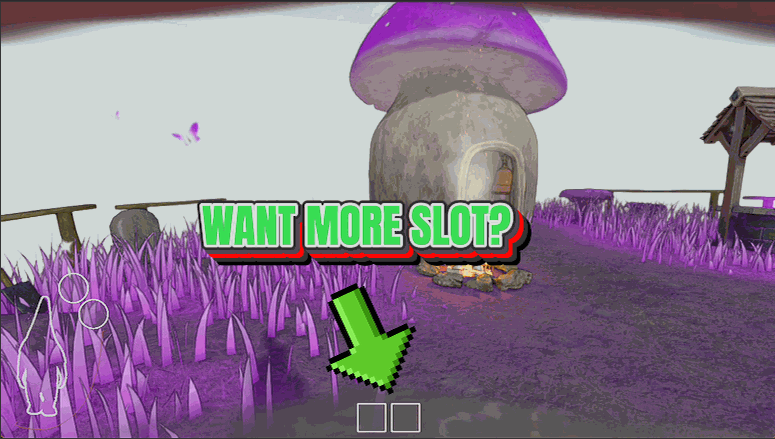
Deep Pockets
Carry the full six-slot loot bag from your very first house, no tracking down the in-game backpack first, so you make far fewer trips back to the burrow.
/BurglinGnomesLawnNinja1.png)
Lawn Ninja (Never Spotted)
The owners, the cat, the dog and every critter in the house simply never see you. Noise is still noise, though.
/BurglinGnomesGardenOrnament1.png)
Garden Ornament (Unbreakable Gnome)
Nothing in the house can put your gnome down. No traps, no dogs, no shears, no last-second dash for the vortex.



























































































































































































