Want more mods for Cat Quest? Explore our entire collection!
Fat Stacks
"Make it rain gold coins, meow."
How do I install Fat Stacks?
Download the free ProjectMods desktop app, then install Fat Stacks for Cat Quest in one click.
</>What does Fat Stacks do?
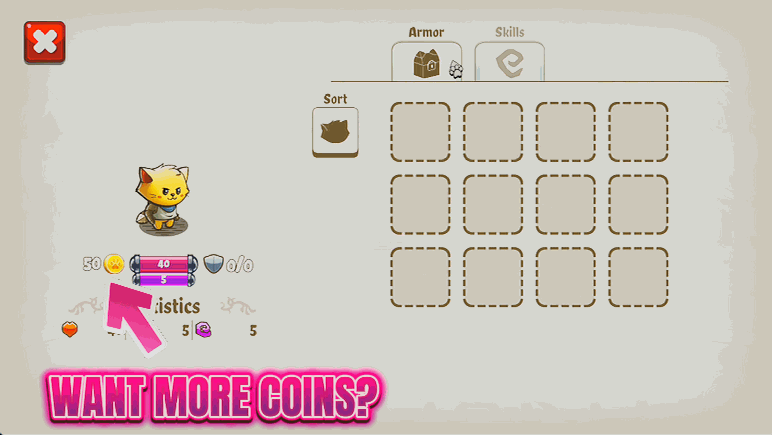
Gear and spell upgrades in Felingard aren't cheap, and grinding gold from the same enemies gets old fast. Fat Stacks hands you a wallet that fills on demand, so you can shop for the fun stuff instead of farming for it. Set an amount, then tap Give Gold or Give Gems as many times as you like. Buy that pricey sword you've been eyeing, pour coins into upgrading your favourite spells, or kit out a whole new build in one shopping spree. Feel like starting over? One button wipes your wallet back to zero. Ideal for players who love the build-crafting side of Cat Quest more than the money grind, or anyone catching a fresh save up to the gear they actually want to play with.
</>What is Fat Stacks?
Fat Stacks makes it rain in Cat Quest. One button adds gold, one adds gems, and one wipes the wallet clean, so you decide how much coin your cat carries. Buy the gear you want, pour money into spell upgrades, or set up a build fast. A mod from ProjectMods, the community-first PC mod manager for 400+ games.
</>Common questions about Fat Stacks
What does Fat Stacks do in Cat Quest?
Fat Stacks tops up your money in Cat Quest whenever you want it. You set an amount, then press Give Gold to add coins or Give Gems to add gems, dropping the currency straight into your wallet so you can spend it right away on gear, weapons, and spell upgrades. A separate Reset Wallet button empties both back to zero if you want a clean slate. Think of it as a tap you turn on when you would rather build your cat than farm enemies for coin. It is quick, it is repeatable, and it lets you shape exactly how rich your run feels at any moment.
How do the Give Gold and Give Gems buttons work?
Both buttons pull from the same Amount setting in Fat Stacks. Type the number you want, then press Give Gold to add that many coins to your Cat Quest wallet, or Give Gems to add that many gems instead. Press either button again to add the amount a second time, stacking as high as you like across repeated presses. This split lets you manage the two currencies separately, loading up on gold for gear and shop purchases while topping up gems for the upgrades that need them. Because each press adds a fixed amount you chose, there is no guesswork, you always know exactly how much richer your cat just got.
What does the Amount setting control in Fat Stacks?
The Amount setting is the size of each payout in Fat Stacks. Whatever number you enter is exactly how much gold or gems gets added to your Cat Quest wallet the next time you press Give Gold or Give Gems. Set a small figure for a modest top-up when you are just short of a purchase, or a large one to go from broke to loaded in a single press. You can change it any time between presses, so you might add a big lump of gold, lower the amount, then trickle in a precise number of gems. It keeps you in full control of your spending money.
What does Reset Wallet do, and is it safe?
Reset Wallet sets both your gold and your gems back to zero in Cat Quest. It is there for when you have been experimenting with Fat Stacks and want a clean starting point, or you deliberately want the challenge of rebuilding your fortune from nothing. It only touches your two currencies, so your gear, spells, level, and story progress all stay exactly as they were, nothing about your character is lost. If you reset by accident, just press Give Gold or Give Gems to refill to whatever amount you like. Because the effect is limited to money and fully reversible, there is no lasting harm in pressing it.
Why would I use Fat Stacks in Cat Quest?
Fat Stacks is for players who would rather spend their Cat Quest time adventuring than grinding for coins. If you have your eye on a pricey weapon or want to max a favorite spell early, a quick top-up gets you there without hours of farming. It is great for New Game Plus runs, where re-earning every coin can feel like a chore, and for setting up a specific build to test in combat. Because you control the Amount and can Reset Wallet at will, you can also try an extravagant shopping spree, then wipe back to a lean budget if you want the challenge again.
What options does Fat Stacks include?
Give Gems
Add the amount above to your gems.
Reset Wallet
Set your gold and gems back to zero.
Amount
How much to add each time you press Give.
Give Gold
Add the amount above to your gold.
Fat Stacks is a Cat Quest mod from ProjectMods that tops up your gold and gems on demand, so you can splurge on gear and spell upgrades without grinding for coin.
System Requirements
What features does Fat Stacks include?
- Set an amount and tap Give Gold as many times as you like to fill your coin purse
- Top up gems the same way, ready for the pricier gear and upgrades across Felingard
- Splurge on new weapons, armor and spell upgrades without farming the same enemies for hours
- Hit Reset Wallet to drop your gold and gems back to zero for a clean start
Best For
- Players who love theory-crafting builds and want to buy gear freely instead of grinding coins
- Catching a fresh save up to the weapon or spell upgrades you actually want to play with
- Kitting out a whole new outfit in one shopping spree instead of saving up piece by piece
- Experimenting with expensive upgrades to see what's worth it before committing on a real run
More Mods for Cat Quest
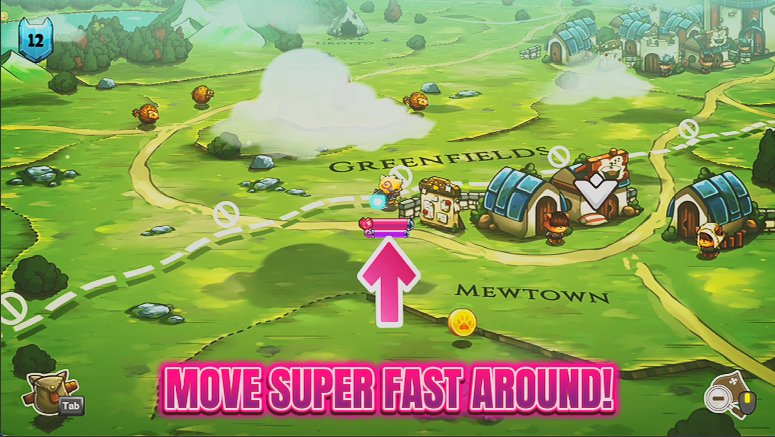
Zoomies
Crank your overworld move speed and blast across the map. Skip the long treks between dungeons, or just enjoy zooming past every enemy on the road.
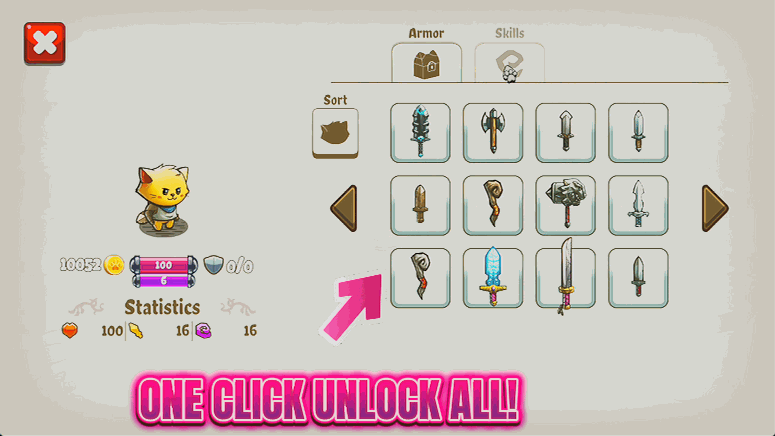
Full Wardrobe
Add every weapon and armor piece in Cat Quest to your collection at once. Mix and match the perfect outfit, or just enjoy owning the whole set.
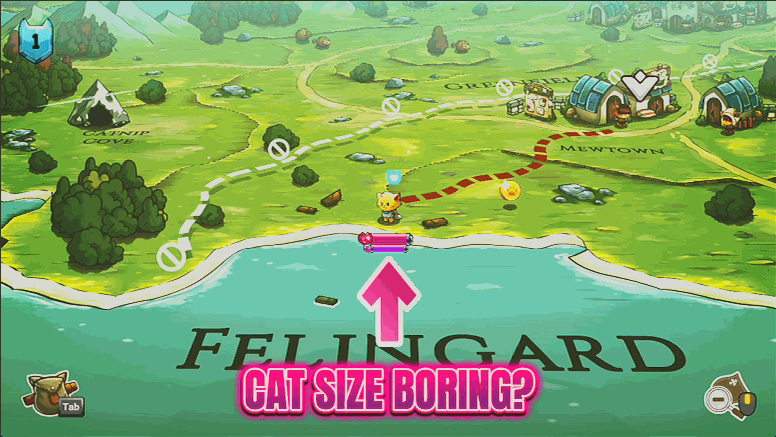
Big Cat, Lil Cat
Resize your hero cat on the overworld, from a tiny pocket kitten to a map-filling colossus. Pure silliness for screenshots and a fresh way to see Felingard.