Want more mods for Clone Drone in the Danger Zone? Explore our entire collection!
Arsenal (Weapon Ability Giver)
"Your whole loadout, one click away."
/CloneDroneInTheDangerZoneArsenalWeaponAbilityGiver1.png)
How do I install Arsenal (Weapon Ability Giver)?
Download the free ProjectMods desktop app, then install Arsenal (Weapon Ability Giver) for Clone Drone in the Danger Zone in one click.
</>What does Arsenal (Weapon Ability Giver) do?
Normally you build your Clone Drone loadout one upgrade at a time, hoping the picks you want show up at the station. Arsenal skips the wait. Every button hands you a weapon or ability instantly on your living robot. Grab the sword, bow, or hammer for the classics. Want chaos? Take the EMP hammer, fire grenades, flame breath, or the energy laser and go to town. Feeling squishy? Bolt on a full set of armour. Missing your favourite move? Give yourself the kick. Everything appears on your robot right away, ready to swing, shoot, or breathe fire. Stack as many as you like for a walking arsenal that would take a dozen perfect upgrade rolls to earn the normal way. Built for sandbox mayhem, testing wild weapon combos, and content where you need the perfect toolkit on cue instead of grinding for it. Jump into a fight, then press a button and gear up.
</>What is Arsenal (Weapon Ability Giver)?
Clone Drone in the Danger Zone makes you earn a loadout one upgrade roll at a time. Arsenal skips the wait - every button hands you a weapon or ability instantly, from sword, bow and hammer to EMP hammer, fire grenades, flame breath and full armour. Stack as many as you like for sandbox mayhem, weapon-combo testing and creator content. Free from ProjectMods, a community-first modding platform.
</>Common questions about Arsenal (Weapon Ability Giver)
What does Arsenal do in Clone Drone in the Danger Zone?
Arsenal hands you any weapon or ability in Clone Drone in the Danger Zone the instant you want it. Instead of waiting for the right upgrade to roll at the station, you press a button and it appears on your robot right away - sword, bow, hammer, EMP hammer, fire grenades, flame breath, energy laser, full armour or the kick. Everything is ready to swing, shoot or breathe fire immediately, and you can stack as many as you like for a walking arsenal that would normally take a dozen perfect upgrade rolls to earn.
Which weapons and abilities can Arsenal give me?
Arsenal covers the full toolkit in Clone Drone in the Danger Zone. Grab the classics - sword, bow, or hammer - for straightforward fights. Want chaos? Take the EMP hammer, fire grenades, flame breath, or the energy laser and go wild. Feeling squishy? Bolt on a full set of armour. Missing a favourite move? Give yourself the kick. Each one appears on your living robot instantly, ready to use, and there is no cooldown on handing them out. Combine several at once and you become a one-robot armoury built for whatever the arena throws at you.
Can I stack multiple weapons and abilities at once with Arsenal?
Yes. Arsenal has no limit on how many pieces of gear you carry at once in Clone Drone in the Danger Zone. Give yourself the sword, then add the bow, then the energy laser, then full armour - they all stack on the same robot. This lets you build combinations the game would never hand you naturally, like a fully armoured fighter carrying every ranged and melee option at the same time. It is ideal for testing wild weapon combos, since you can assemble any loadout in seconds and see how the pieces play together before an important run or a video.
How do I use Arsenal's weapon buttons in Clone Drone?
Each weapon and ability in Arsenal has its own button in the ProjectMods options panel. Jump into a fight in Clone Drone in the Danger Zone, open the panel, and press the button for whatever you want - the item drops onto your living robot immediately, no menu diving or upgrade station required. There is no cost and no cooldown, so you can gear up before a wave starts or mid-fight when a robot has you cornered. Press another button to add more, and keep stacking until your loadout looks the way you want it.
Why would I use Arsenal instead of earning upgrades?
Arsenal is built for the moments when grinding upgrade rolls gets in the way of the fun in Clone Drone in the Danger Zone. Use it for sandbox mayhem where you just want to smash around with every weapon, for testing wild combos before you commit to a real run, or for content where you need the perfect toolkit on cue instead of hoping the station offers it. It pairs naturally with Skill Unlocker and Point Machine from ProjectMods if you also want the upgrade tree wide open. Toggle it off any time to go back to earning your gear the normal way.
What options does Arsenal (Weapon Ability Giver) include?
Give Kick
Hand yourself the kick move instantly.
Give Flame Breath
Hand yourself the flame breath ability instantly.
Give Energy Laser
Hand yourself the energy laser ability instantly.
Give Full Armour
Bolt a full set of armour onto your robot instantly.
Give Bow
Hand yourself the bow instantly.
Give Fire Grenade
Hand yourself fire grenades instantly.
Give Hammer
Hand yourself the hammer instantly.
Give Sword
Hand yourself the sword upgrade instantly.
Give EMP Hammer
Hand yourself the electric EMP hammer that stuns on hit.
Arsenal, a ProjectMods mod for Clone Drone in the Danger Zone, hands you any weapon or ability on demand - sword, bow, hammer, EMP hammer, fire grenades, flame breath, energy laser or full armour - so you gear up mid-fight instead of grinding upgrade rolls.
System Requirements
What features does Arsenal (Weapon Ability Giver) include?
- Grab the classics instantly - sword, bow, or hammer land on your robot the moment you press the button
- Go for chaos with the EMP hammer, fire grenades, flame breath, or energy laser whenever the mood strikes
- Bolt on a full set of armour when you feel squishy, or hand yourself the kick if you are missing it
- Stack as many weapons and abilities as you like for a walking arsenal no upgrade run could match
- Everything appears ready to swing, shoot, or breathe fire - no station visit, no waiting on lucky rolls
Best For
- Sandbox players who want every toy in the box at once instead of praying for the right upgrade to roll
- Creators setting up a specific weapon combo for a clip without grinding a whole run to get there
- Anyone testing which wild pairing hits hardest - flame breath plus energy laser, EMP hammer plus armour, whatever
- Jumping into a fight underarmed and gearing up on the spot the second things get hairy
More Mods for Clone Drone in the Danger Zone
/CloneDroneInTheDangerZoneRobotSummonerHugeOrTiny1.png)
Robot Summoner
Pick any robot from the game's whole roster and drop it into the arena. Send it in fighting on your side or as fresh competition, and make it pocket-sized or towering.
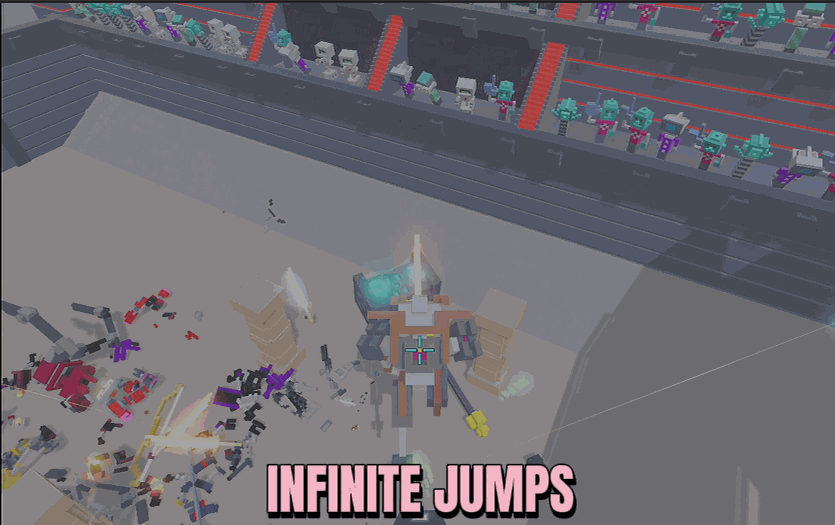
Infinite Jump Speed
Keep jumping in mid-air as many times as you like, then dial in exactly how high each hop launches you and how fast your robot runs.
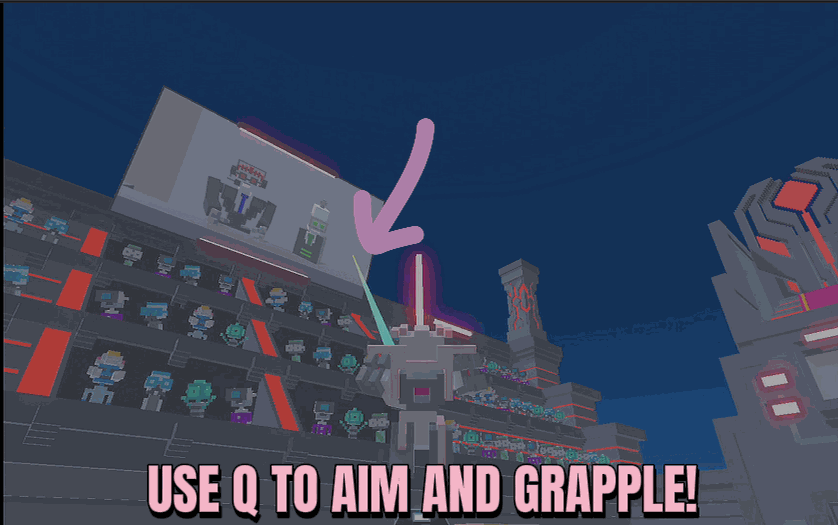
Spider Bot
Hold Q to fire a web line at whatever you're aiming at and get reeled straight toward it - set how far it reaches and how fast you fly.







