Want more mods for Clone Drone in the Danger Zone? Explore our entire collection!
Robot Summoner
"Call in any robot in the game - on your side or against you."
/CloneDroneInTheDangerZoneRobotSummonerHugeOrTiny1.png)
How do I install Robot Summoner?
Download the free ProjectMods desktop app, then install Robot Summoner for Clone Drone in the Danger Zone in one click.
</>What does Robot Summoner do?
Ever wanted to throw a Fire Raptor, a Spidertron, and three Swordsmen into the same arena just to see what happens? Robot Summoner gives you the keys to the whole cast. Press Refresh List once you're in a match, pick your robot, and drop it in front of you. Flip Summon As Ally and it fights for you instead of coming after you - handy when you want a bodyguard, an escort through a rough level, or a two-robot tag team. Leave it off and you've got instant extra competition for a tougher, more chaotic run. The size slider takes any robot from knee-high to arena-filling. Summon a giant Hammerbot for a boss moment, or a swarm of tiny sword-bots for comedy. Great for stunts, thumbnails, and just messing around in the danger zone.
</>What is Robot Summoner?
Ever wanted a Fire Raptor, a Spidertron and three Swordsmen at once? Robot Summoner gives you the whole Clone Drone in the Danger Zone cast: press Refresh List, pick a robot, and drop it in front of you. Flip Summon As Ally and it fights for you; leave it off for extra competition. A size slider takes any robot from knee-high to arena-filling. From ProjectMods, a community-first modding platform.
</>Common questions about Robot Summoner
What does Robot Summoner do in Clone Drone in the Danger Zone?
Robot Summoner gives you the keys to the whole cast of Clone Drone in the Danger Zone. Once you are in a match, press Refresh List to load the roster, pick any robot, and drop it into the arena in front of you. You decide which side it is on and how big it is, so you can throw a Fire Raptor, a Spidertron and a few Swordsmen into the same fight just to see what happens. It is built for creating your own scenarios - bodyguards, tougher waves, or pure chaos - rather than fighting only the robots the level hands you.
What does the Summon As Ally option do?
Summon As Ally decides whose side a spawned robot is on in Clone Drone in the Danger Zone. Flip it on and the robot you summon fights for you instead of coming after you - handy when you want a bodyguard, an escort through a rough level, or a two-robot tag team against a wave. Leave it off and the summoned robot joins the enemy side, giving you instant extra competition for a tougher, more chaotic run. Because it is a simple toggle you set before summoning, you can mix allies and enemies in the same arena - call in a giant ally, then some enemy bots to test it against.
Can Robot Summoner change the size of the robots it spawns?
Yes - Robot Summoner includes a size slider that takes any robot from knee-high to arena-filling in Clone Drone in the Danger Zone. Summon a giant Hammerbot for a boss-sized moment, or a swarm of tiny sword-bots for comedy. The slider works across the whole roster, so you can mix scales in one scene: a towering ally guarding you while pint-sized enemies scurry underfoot. That control is a big part of what makes it useful for thumbnails and stunts, where the drama often comes from the size contrast. Set the slider before you summon, and each robot arrives at exactly the scale you picked.
Why is the robot list empty until I press Refresh List?
The list needs the current match loaded before it can fill in, so in Clone Drone in the Danger Zone you press Refresh List once you are actually in a level. That pulls in the roster of robots available to summon, after which you can pick one and drop it in front of you. If the list looks empty when you first open the panel, that is the cue to hit Refresh List rather than a sign anything is wrong. Once it is populated, choose your robot, set whether it is an ally with Summon As Ally, pick a size, and press Summon Robot to place it.
Why would I use Robot Summoner in Clone Drone?
Robot Summoner is for building your own fights in Clone Drone in the Danger Zone instead of taking what the level gives you. Summon an ally as a bodyguard through a rough stretch, stack extra enemies for a harder run, or stage a wild matchup purely for stunts, thumbnails and messing around. The size slider and ally toggle make it a genuine scene-building toy. It pairs perfectly with Raptor Rider and Size Matters from ProjectMods when you want a full cast and total control over scale. Refresh the list, pick your robots, and set the stage however you like.
What options does Robot Summoner include?
Summon As Ally
Summon the robot on your side instead of against you.
Robot Size
How big the summoned robot is.
Summon Robot
Drop the selected robot into the arena.
Refresh List
Scan the game for every robot you can summon. Press this first, in-game.
Select Robot
Pick which robot to summon.
With Robot Summoner from ProjectMods, you can drop any robot from the Clone Drone in the Danger Zone roster into the arena - as an ally or fresh competition, sized from knee-high to arena-filling.
System Requirements
What features does Robot Summoner include?
- Press Refresh List, pick any robot from the whole cast, and drop it into the arena in front of you
- Flip Summon As Ally so it fights for you as a bodyguard, or leave it off for instant extra competition
- Drag the size slider to take any robot from knee-high to arena-filling
- Mix a giant Hammerbot boss moment with a swarm of tiny sword-bots for pure chaos
Best For
- Throwing a Fire Raptor, a Spidertron, and three Swordsmen into one arena just to see what happens
- Escorting yourself through a rough level with a summoned ally watching your back
- Building a giant-robot boss fight or a comedy swarm of tiny bots for a thumbnail
- Cranking up the difficulty on purpose by stacking extra enemies into a chaotic run
More Mods for Clone Drone in the Danger Zone
/CloneDroneInTheDangerZonePointMachineSkillPoints1.png)
Point Machine (Skill Points)
Give yourself skill points instantly. No grinding, no waiting, just upgrades.
/CloneDroneInTheDangerZoneTitaniumNoDamage1.png)
Titanium (No Damage)
Turn your robot into an unbreakable titanium frame. Swords, spears, hammers, fire, lasers and lava all leave you standing without a scratch.
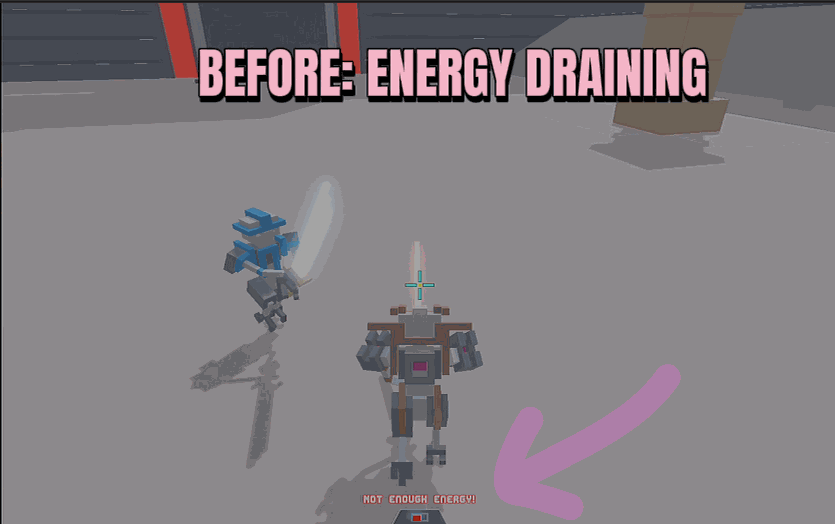
Unlimited Energy
Your energy meter never drains. Jetpack, lasers, dashes and specials all fire as much as you want, forever.







