Want more mods for Clone Drone in the Danger Zone? Explore our entire collection!
Bounce Back (Deflection)
"Swat every arrow out of the air and fire it right back."
/CloneDroneInTheDangerZoneBounceBackDeflection1.png)
How do I install Bounce Back (Deflection)?
Download the free ProjectMods desktop app, then install Bounce Back (Deflection) for Clone Drone in the Danger Zone in one click.
</>What does Bounce Back (Deflection) do?
Deflecting arrows in Clone Drone is one of the most satisfying moves in the game, but it only works when a shot comes at you dead-on and you're facing the right way. Bounce Back fixes that. Turn on 360 Deflections and it no longer matters where the arrow comes from. Front, side, or a sneaky shot from behind, your sword swats it away. Panic swings become clean parries and archer squads stop feeling like a firing line. Flip on Deflect To Enemies and every arrow you knock away goes hunting. Instead of scattering off at a random angle, it streaks toward the nearest bot, so a wave of archers ends up shooting itself to pieces while you barely lift a finger. Run either switch on its own or both together for full archer-shredding chaos. Turn them off any time to go back to earning your parries the honest way. Note: this sharpens the deflect you already have, so you'll want the arrow-blocking sword upgrade equipped to see it shine.
</>What is Bounce Back (Deflection)?
Deflecting arrows in Clone Drone in the Danger Zone only works when a shot comes at you dead-on. Bounce Back removes that limit: turn on 360 Deflections and arrows from any angle get swatted away, then flip on Deflect To Enemies to send each one hunting the nearest bot. Run either switch alone or both for full archer-shredding chaos. From ProjectMods, a community-first modding platform.
</>Common questions about Bounce Back (Deflection)
What does Bounce Back do in Clone Drone in the Danger Zone?
Bounce Back upgrades the arrow deflection you already have in Clone Drone in the Danger Zone. Normally a deflect only works when a shot comes at you dead-on and you are facing the right way. Bounce Back has two switches: 360 Deflections lets your sword swat arrows away no matter where they come from - front, side, or a sneaky shot from behind - and Deflect To Enemies makes every arrow you knock away streak toward the nearest bot instead of scattering. Together they turn a wave of archers into a firing squad shooting itself to pieces.
What do the 360 Deflections and Deflect To Enemies switches do?
They are the two halves of Bounce Back in Clone Drone in the Danger Zone. 360 Deflections is the defensive half - it drops the requirement to be facing an incoming arrow, so panic swings become clean parries and archer squads stop feeling like a firing line. Deflect To Enemies is the offensive half - instead of an arrow bouncing off at a random angle, it homes in on the nearest robot. Run 360 Deflections alone to survive better, Deflect To Enemies alone to punish archers, or both together so every incoming volley comes right back at whoever sent it.
Do I still need the arrow-blocking sword upgrade for Bounce Back?
Yes - Bounce Back sharpens the deflect you already have in Clone Drone in the Danger Zone, so you will want the arrow-blocking sword upgrade equipped to see it shine. The mod widens the angle you can deflect from and redirects the bounced arrows, but it builds on the game's existing parry rather than inventing a new one from nothing. If you jump into a run without that upgrade, pick it up at the station and the two switches immediately have something to work with. With it equipped, every arrow in the arena becomes ammo you can fling back.
Can I use just one Bounce Back switch instead of both?
Absolutely. Bounce Back's two switches in Clone Drone in the Danger Zone are independent, so you mix them to taste. Turn on only 360 Deflections when you want cleaner defence against archer waves but still enjoy scattering arrows the normal way. Turn on only Deflect To Enemies when you are already good at facing shots and just want your parries to fight back. Flip both on for full archer-shredding chaos where you barely lift a finger and the enemy wave dismantles itself. Turn either switch off any time to go back to earning your parries the honest way.
Why would I use Bounce Back in Clone Drone?
Archer squads are one of the most annoying threats in Clone Drone in the Danger Zone, and Bounce Back flips that pressure around. Use it when a level buries you under crossfire from multiple angles, when you want to feel like a deflection master without perfect timing, or for content where a wave of archers dramatically shoots itself apart. It pairs well with Titanium from ProjectMods if you want to shrug off the shots you miss while the rest come bouncing back. Toggle it off whenever you would rather earn your parries the hard way.
What options does Bounce Back (Deflection) include?
Deflect To Enemies
Send deflected shots streaking straight back at the nearest enemy.
360 Deflections
Deflect arrows and attacks from any direction, not just head-on.
In Clone Drone in the Danger Zone, Bounce Back from ProjectMods lets you deflect arrows from any direction - front, side or behind - and send each one streaking back at the nearest enemy, turning archer squads into their own firing line.
System Requirements
What features does Bounce Back (Deflection) include?
- Turn on 360 Deflections and arrows from any direction get swatted away - front, side, or a sneaky shot from behind
- Flip on Deflect To Enemies so every arrow you knock back hunts down the nearest bot instead of scattering off randomly
- Run either switch alone or stack both for full archer-shredding chaos where the firing line turns on itself
- Toggle it all off any time to go back to earning your parries dead-on the honest way
Best For
- Players sick of archer squads feeling like a firing line who want panic swings to turn into clean parries
- Turning a room full of bowbots into their own worst enemy for a satisfying hands-off clip
- Sharpening a deflect-focused build when you already have the arrow-blocking sword and want it to actually shine
- Learning the timing of deflections without needing to line up perfectly square to every incoming shot
More Mods for Clone Drone in the Danger Zone
Spider Bot
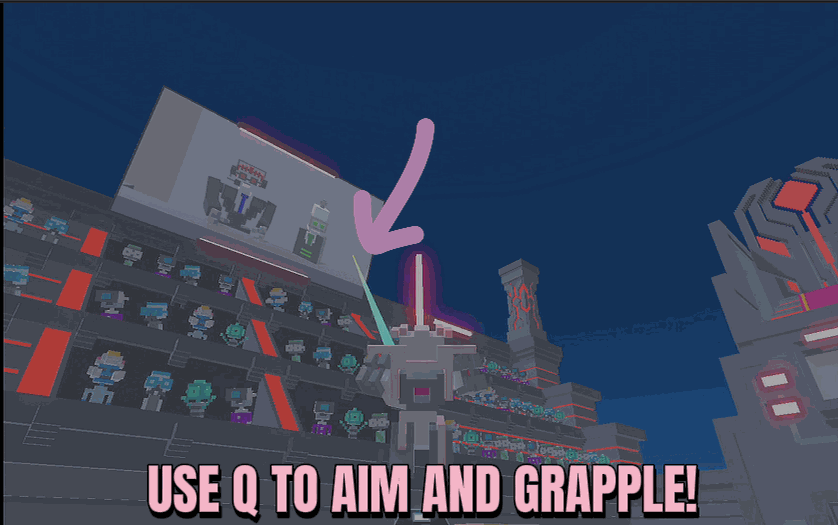
Hold Q to fire a web line at whatever you're aiming at and get reeled straight toward it - set how far it reaches and how fast you fly.
/CloneDroneInTheDangerZoneGhostModeNoClip1.png)
Ghost Mode (No Clip)
Lift off and fly your robot in any direction, then switch on no-clip to drift straight through walls, floors, and the whole arena.
Unlimited Energy
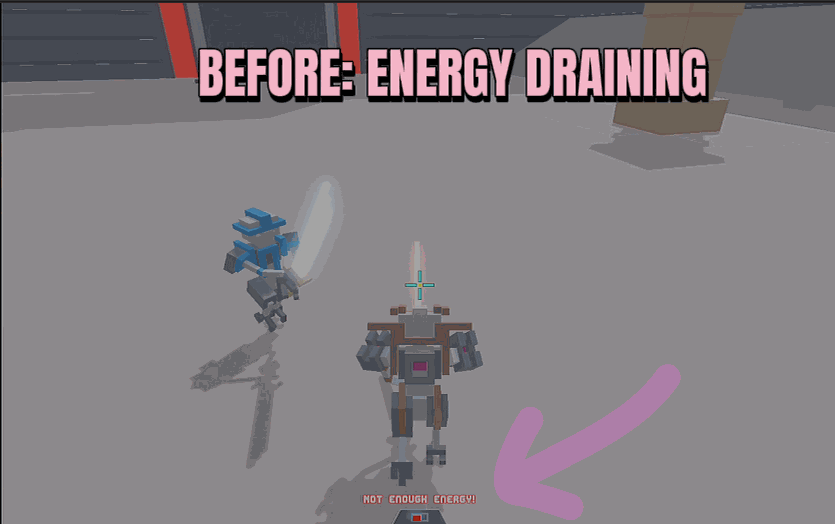
Your energy meter never drains. Jetpack, lasers, dashes and specials all fire as much as you want, forever.







