Want more mods for Clothing Store Simulator? Explore our entire collection!
Anywhere Goes
"Put the mannequin exactly where you pictured it, not where the game allows."
How do I install Anywhere Goes?
Download the free ProjectMods desktop app, then install Anywhere Goes for Clothing Store Simulator in one click.
</>What does Anywhere Goes do?
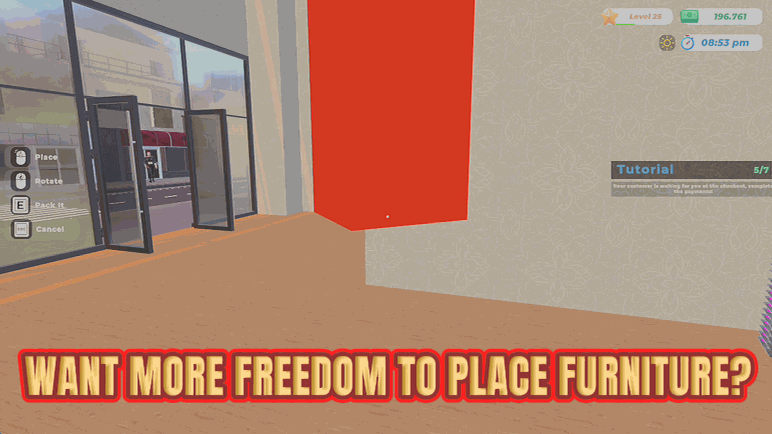
Every shop builder eventually runs into the red outline. You know exactly where the display should go, and the game politely refuses. Anywhere Goes gets rid of the refusal. With it on, whatever you are carrying can be placed wherever you are pointing. Tuck a rail into an awkward corner, line mannequins up against a wall the game thinks is too close, float a display exactly where the light hits it. The shop you design is the shop you get. It only affects the item you are currently moving, so nothing already placed is disturbed. Turn it off and the normal placement rules come straight back for everything you position after that.
</>What is Anywhere Goes?
Anywhere Goes hands you the shop floor in Clothing Store Simulator. Whatever you are carrying goes wherever you point, so rails tuck into awkward corners and mannequins line up against walls the game thinks are too tight. Only the piece in your hands is affected, and switching it off brings the normal rules straight back. From ProjectMods, the community-first PC mod manager for 400+ games.
</>Common questions about Anywhere Goes
What does Anywhere Goes do in Clothing Store Simulator?
Anywhere Goes removes the placement limits on furniture you are carrying in Clothing Store Simulator, so a rail, mannequin, display or fixture goes exactly where you are pointing instead of only where the game normally allows. That red outline telling you a spot is not permitted stops getting in the way. You can tuck a rail into an awkward corner, line mannequins along a wall the game thinks is too tight, or float a display where the lighting looks best. It only affects the piece you are currently holding, so everything already down stays put. It is a premium mod from ProjectMods, the community-first PC mod manager for 400+ games.
How does placing shop furniture change with Anywhere Goes turned on?
With Anywhere Goes on, placement follows your aim rather than the game's rules. Pick up a display, point at the floor, wall or corner you want it in, and it drops there. Pieces can sit closer together than usual, land in spots the game would normally refuse, and line up the way you pictured the layout rather than the way the placement grid pictured it. Nothing else about the furniture changes; it is still the same rail or mannequin doing its normal job in your Clothing Store Simulator shop. You are simply the one deciding where it lives, corner by corner.
Does Anywhere Goes move furniture I have already placed?
No. Anywhere Goes only affects the item you are carrying right now in Clothing Store Simulator. Anything already sitting on your shop floor is left exactly where you put it, so switching the mod on mid-playthrough will not rearrange your store or shuffle your displays around. If you want an existing piece moved into a spot the game would normally refuse, pick it up first and then place it again with the mod on. Turn the mod off and the standard placement rules return for everything you position from that point onward, while the pieces you already tucked into odd corners stay where they are.
What does the Enabled toggle do?
Enabled is the master switch for Anywhere Goes. Leave it on and every piece of furniture you carry in Clothing Store Simulator can be put down wherever you are pointing. Switch it off and the game's normal placement rules come straight back for anything you position after that, red outline and all. There is nothing else to configure, so you can flip it on for a build session and off again when you want the game deciding what fits. It is worth toggling mid-session too, if you want no limits at all while designing one corner and normal behaviour for the rest of the shop.
Why would I want to place shop furniture outside the normal rules?
Because the layout in your head rarely matches the one the game will let you build. Anywhere Goes is for players who treat Clothing Store Simulator as a shop-design sandbox: squeezing an extra rail into a dead corner, pushing mannequins tight against a window so passers-by see them, angling a display so it frames the till, or filling that awkward gap by the changing rooms that nothing officially fits into. It is also useful for screenshots and shop tours, where one well-placed fixture sells the whole room. If you would rather build to the game's plan, flip it off.
What options does Anywhere Goes include?
Enabled
Master switch. Turn off to bring the normal placement rules back.
Anywhere Goes is a premium Clothing Store Simulator mod from ProjectMods that removes the placement limits on furniture you are carrying, so rails, mannequins and displays go exactly where you point instead of only where the game normally allows.
System Requirements
What features does Anywhere Goes include?
- Places whatever you are carrying wherever you are pointing, red outline or no red outline
- Tucks rails into awkward corners and lines mannequins flush against walls the game calls too close
- Affects only the item in your hands, so nothing you already positioned gets disturbed
- Brings the normal placement rules straight back for anything you place after switching it off
Best For
- Shop designers who have the layout clear in their head and keep getting refused by the placement grid
- Filling the dead space behind the till or beside the changing rooms where nothing was ever meant to fit
- Screenshot runs where a mannequin needs to sit exactly under the spotlight, not roughly near it
- Turning a cramped starter store into something that actually flows before you pay for more floor space
More Mods for Clothing Store Simulator
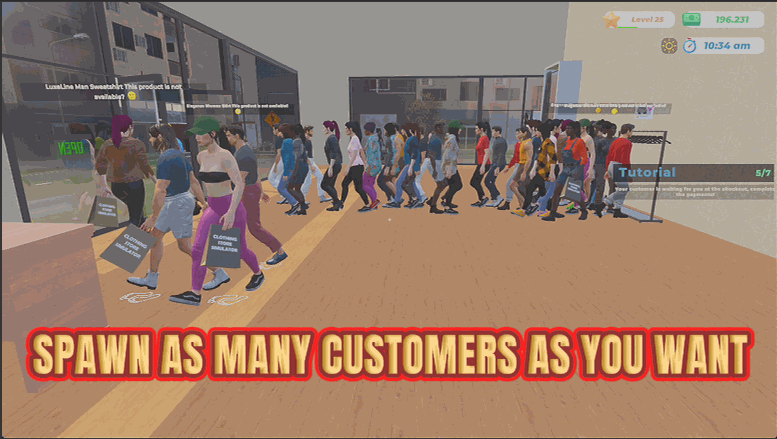
Rush Hour
Spawns however many customers you want, on demand. Press it once for a trickle or hammer it for a full-on Boxing Day crush.
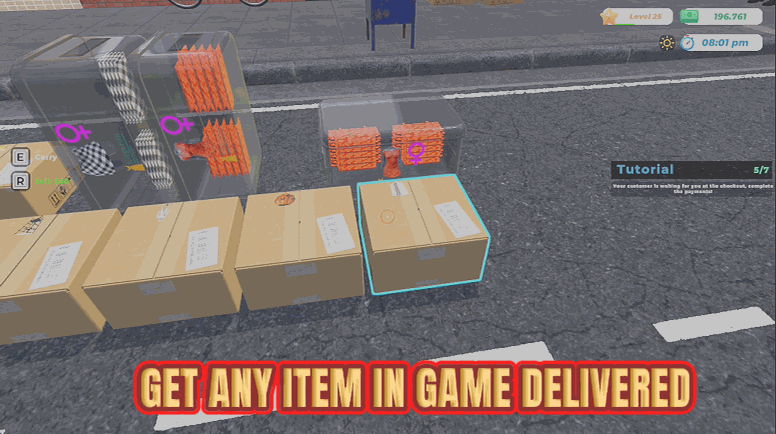
Bottomless Backroom
Pick any garment from a searchable list and have real boxes of it delivered straight away. No supplier menu, no waiting, no bill.
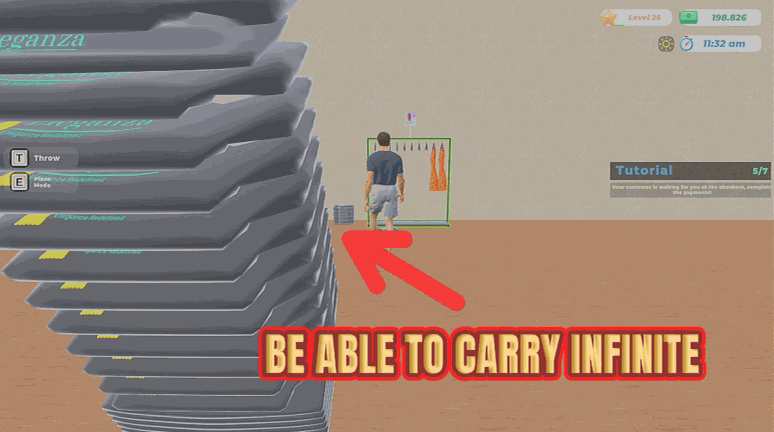
Pack Mule
Massively increases how many garments you can carry at once, cutting restock trips to the back room.