Want more mods for Content Warning? Explore our entire collection!
Time Lord (Set Day)
"Jump instantly to any day from 1 to 30 and shape the pace of your entire run."
/ContentWarningTimeLordSetDay1.jpg)
How do I install Time Lord (Set Day)?
Download the free ProjectMods desktop app, then install Time Lord (Set Day) for Content Warning in one click.
</>What does Time Lord (Set Day) do?
Time Lord lets you set the current Content Warning run to any day from 1 through 30. Choose the number you want, press Set Day, and the calendar updates immediately instead of advancing one dive at a time. Jump ahead to practise high-pressure late-game sessions, return to an earlier point in the run, or prepare a specific day for filming, testing, or custom challenges. It removes the need to replay every previous day just to reach the part of the progression you want. The day is controlled by the lobby host, so the mod works best in solo play or when you are hosting. Once changed, the selected day syncs across the active session.
</>What is Time Lord (Set Day)?
Time Lord is a Content Warning progression mod that sets the active run to any day from 1 to 30. Hosts can skip early progression, revisit earlier days, practise later challenges, and prepare specific run states without advancing through the calendar normally.
</>Common questions about Time Lord (Set Day)
Which days can I select?
You can set the active run to any day from 1 through 30.
Does the selected day apply to everyone in multiplayer?
Yes. When the lobby host changes the day, the new value syncs across the active session.
What options does Time Lord (Set Day) include?
Day
Which day you want to land on. Day 1 is the very start; higher days bring bigger quotas and rougher nights.
Set Day
Jump the current run to the day you picked above. Host only - whoever started the game controls the calendar.
Choose any day from 1 to 30 and move the current run there immediately, either forward or backward.
System Requirements
What features does Time Lord (Set Day) include?
- Set the active run instantly to any day from 1 through 30.
- Move progression forward or backward and sync the selected day across the host's lobby.
Best For
- Jump directly into later, higher-pressure days without replaying the early run.
- Return to a specific day for practice, filming, testing, or custom challenges.
More Mods for Content Warning
/ContentWarningFilmDirectorUnlimitedFilm1.png)
Film Director (Unlimited Film)
Your camera never runs out of film. Keep the tape rolling on every scare, scream, and stunt for as long as you want.
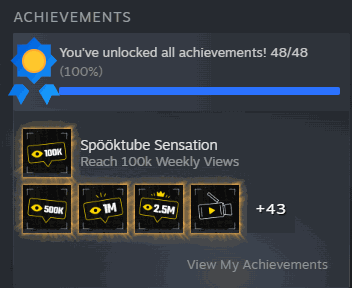
Achievement Unlocker
Pop every single Steam achievement in Content Warning with one button. Instantly go from a fresh account to a full 100 percent completion.
/ContentWarningSpotlightONSuperBright1.png)
Spotlight ON! (Super Bright)
Turn your dinky flashlight into a blazing floodlight. Light up whole caves and rooms so the dark has nowhere left to hide.







