Want more mods for Fallout Shelter? Explore our entire collection!
Master Blueprint (Unlock All Rooms)
"Skipping the population requirements like a true government contractor."
/FalloutShelterMasterBlueprintUnlockAllRooms1.png)
How do I install Master Blueprint (Unlock All Rooms)?
Download the free ProjectMods desktop app, then install Master Blueprint (Unlock All Rooms) for Fallout Shelter in one click.
</>What does Master Blueprint (Unlock All Rooms) do?
Normally you need a certain number of dwellers before the game trusts you with anything fancier than a living quarters. That's cute, but you're the Overseer, not an intern. Master Blueprint unlocks every single room type in one click — nuclear reactors, Nuka-Cola plants, weight rooms, you name it. Just make sure you're loaded into your vault first, because even we can't unlock rooms that don't exist yet. Build the vault of your dreams on day one, no grind required.
</>What is Master Blueprint (Unlock All Rooms)?
Master Blueprint takes the population-gated room list in Fallout Shelter and opens the entire menu in one click. Nuclear reactors, Nuka-Cola plants, weight rooms, science labs, theme rooms — every buildable room type becomes available regardless of your dweller count. Designed for layout planners and content creators who want their full kit on day one. Free with one-click install from the ProjectMods desktop app, part of a community-first catalog of 1,600+ mods across 400+ PC games.
</>Common questions about Master Blueprint (Unlock All Rooms)
What does Master Blueprint do in Fallout Shelter?
Master Blueprint is a Fallout Shelter mod from ProjectMods that removes the population requirements on every buildable room. Normally the game gates rooms behind dweller-count milestones — you can't build a nuclear reactor until you've got dozens of dwellers, you can't build a weight room without enough population, and so on. Master Blueprint flips all of those gates open in a single action. After you press Unlock All Rooms, every room type appears in your build menu the same way it would once your population caught up. Build the vault you actually want on day one, not the one the game's gating system says you've earned. Free, one-click install.
How do I use the Unlock All Rooms action?
Load into your Fallout Shelter vault first, then press the Unlock All Rooms action in the Master Blueprint mod card. The unlocks apply immediately to your current save — you can open the build menu and place any room type right away. The action is one-shot per save: once a room category is unlocked, it stays unlocked until you toggle the mod off. You don't need to press Unlock All Rooms again on subsequent play sessions for the same vault. Note that you can't run the unlock from the main menu — the mod needs a loaded vault to know which save file to apply the changes to. Loading screen, press button, build everything.
Does Master Blueprint unlock rooms in the build menu only, or also their upgrades?
Master Blueprint unlocks the base room types — the entry-level versions of every buildable room in Fallout Shelter. Room upgrades (turning a level 1 diner into a level 2 or level 3 diner) still follow the game's normal cost and dweller-count rules, because those upgrades are tied to specific resource investment, not the initial population gate. So you'll have the full build menu available, but you'll still need caps to actually place rooms and upgrade them through the standard tiers. Combine Master Blueprint with Supply Drop (also on ProjectMods) if you want to build out a fully maxed-out dream vault on day one without grinding caps.
Will Master Blueprint break my save or future scripted unlocks?
No. Master Blueprint applies the room unlocks to your save in the same way Fallout Shelter applies them when you hit the population milestone naturally — just earlier. The game's other systems (objectives, achievements, dweller AI) keep running normally because they don't depend on room-list state, they depend on what rooms you actually built. Toggling the mod off doesn't strip rooms you already placed; it just reverts the build menu to whatever the game thinks your current population should see. Your save is fully compatible with vanilla after, and if you load it with the mod off, you'll see your built rooms intact alongside whatever the population gate would normally allow.
Why would I use Master Blueprint instead of grinding for population?
Master Blueprint is for players who already know what their dream vault looks like and don't want to grind 100+ dwellers before they're allowed to build a nuclear reactor. Common use cases: layout planners who want to test floor arrangements with the full room kit, streamers and YouTubers shooting a build-tour video on a fresh vault, returning players doing a themed run (all-science vault, max-defense vault), or anyone who finds the population gates more annoying than rewarding. Free, one-click install from ProjectMods' Fallout Shelter catalog, fully reversible — toggle off and the build menu returns to vanilla pacing.
What options does Master Blueprint (Unlock All Rooms) include?
Unlock All Rooms
Unlocks every single room type in the game so you can build whatever you want. Make sure you're loaded into your vault first!
Master Blueprint is a free Fallout Shelter mod from ProjectMods that unlocks every buildable room type in your vault with a single button press, removing all population-count requirements so you can build any room from the start.
System Requirements
What features does Master Blueprint (Unlock All Rooms) include?
- Single Unlock All Rooms action removes the population requirement on every buildable room type
- Nuclear reactors, Nuka-Cola plants, weight rooms, science labs — every category opens at once
- Applies to your current loaded vault save, persists across play sessions
- Room upgrades still follow the game's normal resource costs so progression still matters
- Toggle off any time — already-built rooms stay, the build menu reverts to vanilla pacing
Best For
- Layout planners testing floor arrangements with the full room kit instead of slowly unlocking
- Streamers and YouTubers shooting a fresh-vault build-tour video without dweller-count grinding
- Returning players doing a themed run like all-science vault or max-defense vault on day one
- Players who already finished the unlock progression once and don't want to repeat it
- Content creators staging quick layout tutorials that need access to every room category
More Mods for Fallout Shelter
/FalloutShelterSupplyDropInfiniteResource1.jpg)
Supply Drop (Infinite Resource)
Instantly add caps, energy, food, or water to your vault in any amount you want — pick a number, press the button, done.
/FalloutShelterTrophyHoarderAllAchievements1.png)
Trophy Hoarder (All Achievements)
Instantly unlock any or all Steam achievements in Fallout Shelter. Pick one from the list or grab the whole collection in a single click — no grinding required.
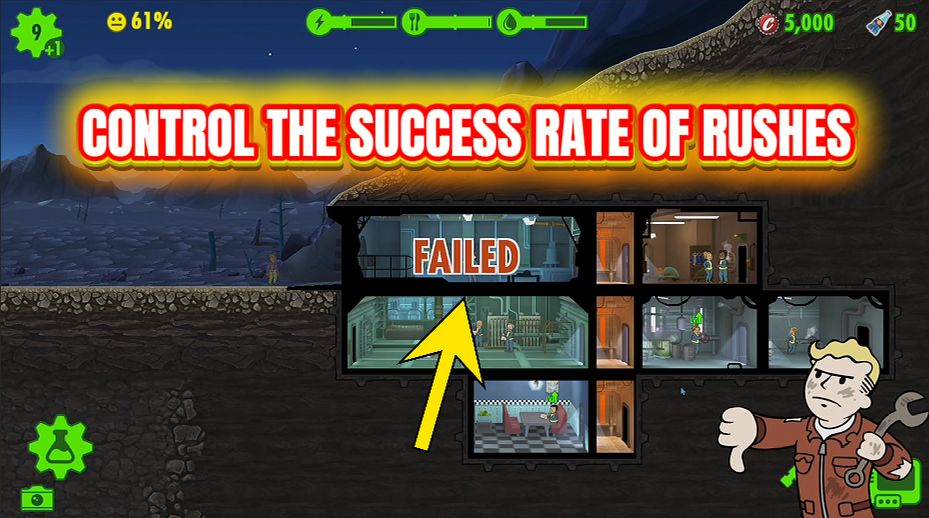
Rush Hour
Take full control of room rushing — set your own fail chance, multiply XP rewards, and stack bonus caps on every successful rush.







