Want more mods for Farm Together 2? Explore our entire collection!
Farm Fortune
"Fill your wallet with coins, bills, and medals in one click."

How do I install Farm Fortune?
Download the free ProjectMods desktop app, then install Farm Fortune for Farm Together 2 in one click.
</>What does Farm Fortune do?
Stop grinding for cash and start building the farm you actually want. Farm Fortune gives you full control over all three of your currencies — coins, bills, and medals. Dial in exactly how much of each you'd like, then press Give Money to drop it straight into your wallet. Want a clean slate? Reset Money zeroes everything back out. Whether you're bankrolling a brand-new farm, splurging on that expensive building, or stocking up on medals for premium goodies, you decide the pace. Works best in single-player or as the host.
</>What is Farm Fortune?
Coins, bills, and medals — Farm Fortune hands you all three on your terms. Dial in an amount for each, press Give Money, and it lands in your Farm Together 2 wallet; Reset Money clears the lot for a fresh start. From ProjectMods, the community-first PC mod manager and desktop app for 400+ games including Supermarket Together, Two Point Hospital, and Wobbly Life.
</>Common questions about Farm Fortune
What does Farm Fortune do in Farm Together 2?
Farm Fortune gives you direct control over all three Farm Together 2 currencies — coins, bills, and medals. Set the amount you want for each one, press Give Money, and that much drops straight into your wallet. There's no grinding and no waiting on a harvest to sell. If you'd rather start clean, Reset Money puts all three back to zero in a single press. It's built for players who want to spend their session designing and building rather than farming the same field over and over for the money to afford one more barn. Farm Fortune is part of the Farm Together 2 mod collection in ProjectMods, the community-first PC mod manager.
How do the Give Money and Reset Money buttons actually work?
Give Money and Reset Money are one-press actions, and the three number boxes above them decide what each one is worth. Type a figure into Coins, Bills, and Medals — any combination, including leaving one at zero if you only want the other two — then press Give Money. Farm Together 2 adds exactly those amounts to what you already have; it doesn't overwrite your balance, so you can press it again to stack more on top. Reset Money ignores the boxes entirely and drops all three currencies to zero. Between the two, you can land on any balance you like: reset to zero, then give yourself the exact number you had in mind.
Does Farm Fortune behave the same when I'm farming with friends?
Farm Fortune works best in single-player, or when you're the host of the farm. Farm Together 2 lets the host's farm run the show, so if you drop into someone else's farm as a guest, currency you add for yourself may not stick the way it does at home. Playing solo, or hosting and inviting friends over, is where you'll get exactly what you asked for. Farming with a friend and want you both flush? The cleanest route is for each of you to top up on your own farm before you meet up. Nothing else about Farm Fortune changes between solo and co-op — the boxes and buttons behave identically.
How much can I give myself in one press?
As high as you like — the Coins, Bills, and Medals boxes take whatever number you type, and Give Money hands over that exact amount. There's no ceiling forcing you into small top-ups. That said, big round numbers are usually the smart play. Give yourself what you need for the next stretch of farm rather than an absurd figure you'll never spend, and Farm Together 2's counters stay readable while your sense of progress stays intact. If you overshoot, Reset Money wipes all three back to zero so you can dial in something sensible and press Give Money again. Small top-ups and huge windfalls both work; the mod doesn't care which you choose.
Why would I use Farm Fortune on a brand-new farm?
A fresh Farm Together 2 farm is the single best time to use Farm Fortune. Starting out, almost everything you want costs money you don't have yet, so the first few hours are spent planting the same cheap crop to afford one more plot. Top up your coins, bills, and medals at the start and that whole phase disappears — you go straight to laying out the farm you pictured, buying the buildings you actually like, and picking crops because they look good rather than because they're the only ones you can afford. Farm Fortune is equally handy mid-save when one expensive building is the only thing standing between you and a finished design.
What options does Farm Fortune include?
Reset Money
Set your coins, bills, and medals back to zero.
Coins
How many coins to add when you press Give Money.
Give Money
Add the amounts above to your wallet.
Bills
How many bills to add when you press Give Money.
Medals
How many medals to add when you press Give Money.
Farm Fortune tops up all three of your Farm Together 2 currencies on demand. Set how many coins, bills, and medals you want, press Give Money, and they land in your wallet; Reset Money zeroes all three out again. Farm Fortune is in the ProjectMods app, the community-first PC mod manager.
System Requirements
What features does Farm Fortune include?
- Set exact amounts of coins, bills, and medals, then hit Give Money to drop them straight into your wallet.
- Top up all three currencies at once, or fill in just the one you're actually short on.
- Wipe the slate with Reset Money, which drops your coins, bills, and medals back to zero.
- Bankroll that expensive building or premium decoration the moment you decide you want it.
- Dial in a number, press Give Money, adjust, press again — top up as often as you like.
Best For
- Fresh-farm starters who want their dream layout down on day one instead of saving up for it.
- Players staring at a medal-priced item they've wanted for weeks who'd rather just buy the thing.
- Decorators treating the game as a building sandbox who don't want price tags dictating the design.
- Video makers filming a build showcase who need funds ready before the camera rolls, not twenty hours in.
- Anyone who overshot a top-up and wants Reset Money to zero things out before starting again.
More Mods for Farm Together 2
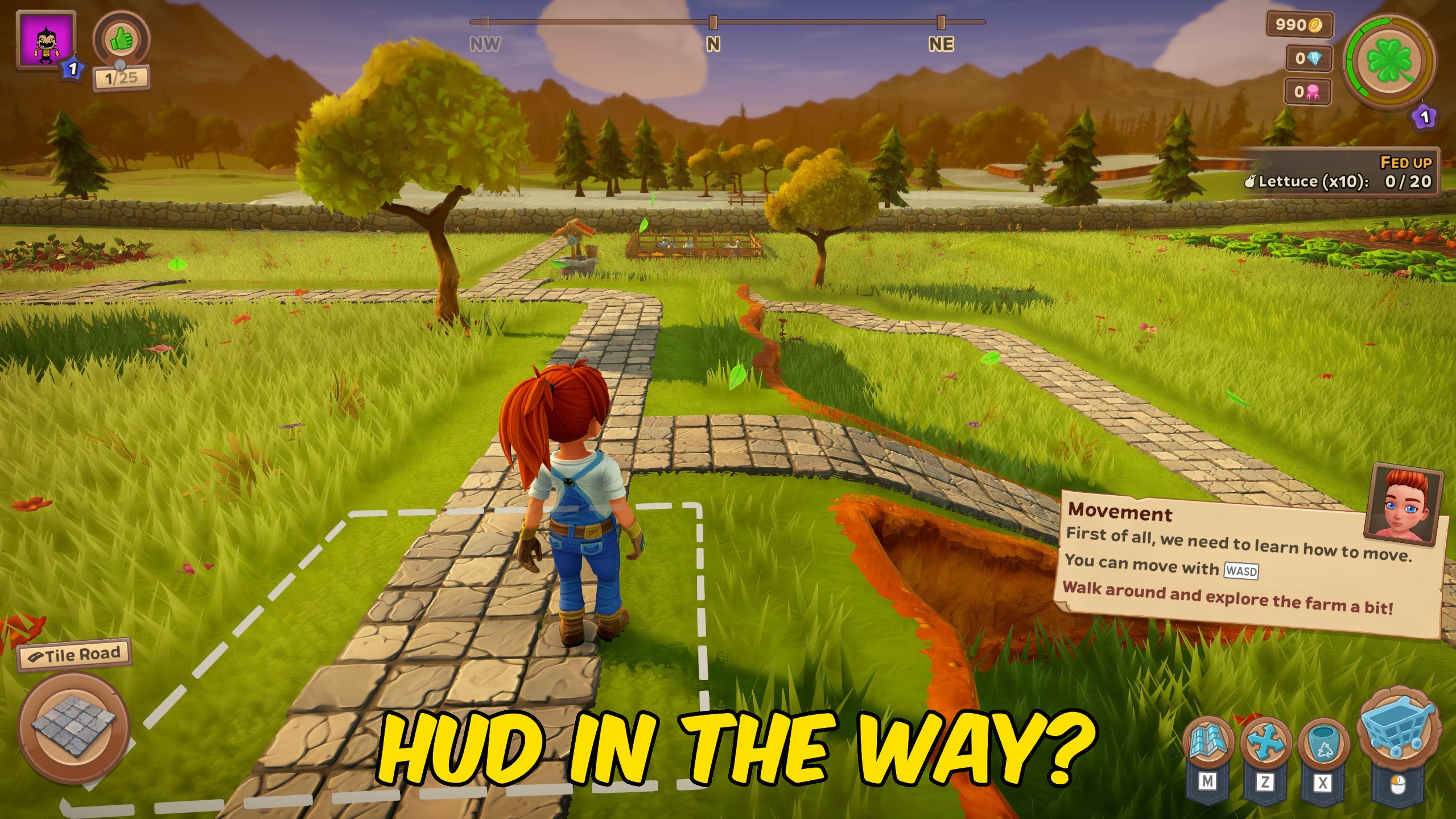
Clean View
Sweep away the buttons, bars, and pop-ups so nothing sits between you and your farm. Flip it on for a clean shot, flip it off to get back to playing.

Trophy Sweep
Instantly claim every award and trophy in Farm Together 2 with a single press. No more chasing the last few you missed.

Green Thumb
Tired of waiting on your crops? Hit one button and everything ripens fast — fields you've already planted are ready to harvest now, and everything you sow from here grows in a blink.







