Want more mods for Gold Mining Simulator? Explore our entire collection!
Gold Radar
"Know what's under your boots before you dig."
How do I install Gold Radar?
Download the free ProjectMods desktop app, then install Gold Radar for Gold Mining Simulator in one click.
</>What does Gold Radar do?
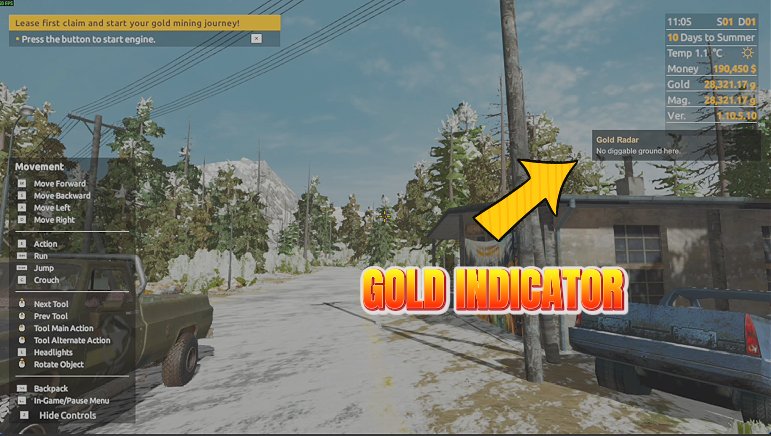
Drill results and the Gold Map only tell you so much, and a dig in the wrong spot costs time and fuel. Gold Radar hands you a reading of the exact spot you're on. Switch on the Gold Radar option and a small panel on the right of the screen rates the gold left in the ground right under you, or under the machine you drive: Rich (top 10% of that ground's spots that still hold gold), Good (top 30%), Fair (top 60%), Low or None left. Under the rating, "Richest layer: X to Y m down" tells you how far to go. It updates 4 times a second. The rating compares spots within the same ground, so even a poor parcel has its own Rich spots. Each layer is 0.5 m deep on most parcels and 1 m on the 40 m deep grounds, and the ground's spread is surveyed again every 2 minutes as you dig. The panel hides while the game is paused or the map or tablet is open, and switching it off simply removes it. In Leaderboard saves the radar stays off.
</>What is Gold Radar?
Gold Radar adds a small reading panel to Gold Mining Simulator. With the Gold Radar option on, it rates the spot under you or your machine as Rich, Good, Fair, Low or None left and gives the depth of its richest layer. It reads the ground only: it never fills in the Gold Map, adds gold, counts as a drilling or shows grams or ounces, it rates one spot rather than a whole parcel, and it's off in Leaderboard saves.
</>Common questions about Gold Radar
What does Gold Radar do in Gold Mining Simulator?
It tells you how good the spot you're on is, compared with the rest of that same ground. It reads only the spot under you, so it doesn't point you toward gold elsewhere or show the whole parcel at once: you walk or drive and watch the rating change. It works in a loaded save, over a parcel's mining ground.
Why does a poor parcel still show Rich spots?
Ratings compare spots within one ground, not across parcels. Rich means the top 10% of that ground's spots that still hold gold, so every parcel has its own Rich spots however much gold it holds overall. Gold Radar shows ratings and depths only, never an amount in grams or ounces, so it can't tell you how two parcels compare.
Does Gold Radar fill in my Gold Map or count as a drilling?
No. Gold Radar only reads the ground. It never fills in or reveals anything on the game's Gold Map, doesn't count as a drilling and adds no gold, nuggets or drill results, so your map holds only what you earned.
Why does the panel say "surveying this ground..." or "No diggable ground here."?
"surveying this ground..." shows for a moment on the first reading of a new ground, while the mod rates the whole of it. "No diggable ground here." means the ground under you isn't a parcel's mining ground, so there's nothing to rate. Step back onto your parcel and the rating returns within a quarter of a second.
Why is the radar panel missing in my Leaderboard save?
Gold Radar stays off in Leaderboard saves so leaderboard runs stay fair. The panel stays hidden there, and a note on screen says so once per save rather than every time you load in. Open a normal save and the panel shows as usual whenever the Gold Radar option is on.
What options does Gold Radar include?
Gold Radar
Shows a small panel on the right of your screen that rates the gold left in the ground under you, or under the machine you're driving, against the rest of that ground: Rich (top 10%), Good (top 30%), Fair (top 60%), Low or None left. It also says how deep the richest layer sits, in metres. It updates four times a second and hides while the game is paused or the map or tablet is open. Off by default; off hides the panel. Stays off in Leaderboard saves.
Gold Radar is a ProjectMods mod for Gold Mining Simulator that rates the gold left right under you against the rest of that ground and shows its richest layer's depth, without revealing the Gold Map, giving gram amounts or running in Leaderboard saves.
System Requirements
What features does Gold Radar include?
- Five ratings, Rich, Good, Fair, Low and None left, ranked against the other spots in the same ground that still hold gold.
- A "Richest layer" line gives the depth range in metres where that spot's gold is thickest.
- Climb into a machine and the reading follows the ground under it instead of under you.
- Each parcel's ground is read as 100 x 100 spots and 40 depth layers, rated again every 2 minutes as you dig it out.
Best For
- You've just bought a new parcel and don't know where to start, so switch on Gold Radar and walk the ground until the panel reads Rich.
- Your machine has cleared the top of a spot and you're unsure whether to keep going, so check the Richest layer line before the next cut.
- You'd rather not spend on Order Drills for every corner of a parcel, so read the radar first and save the drills for spots rated Good or better.
- A spot that read Rich this morning now reads Fair after a long dig, so move along to the next Rich spot the panel finds.
More Mods for Gold Mining Simulator
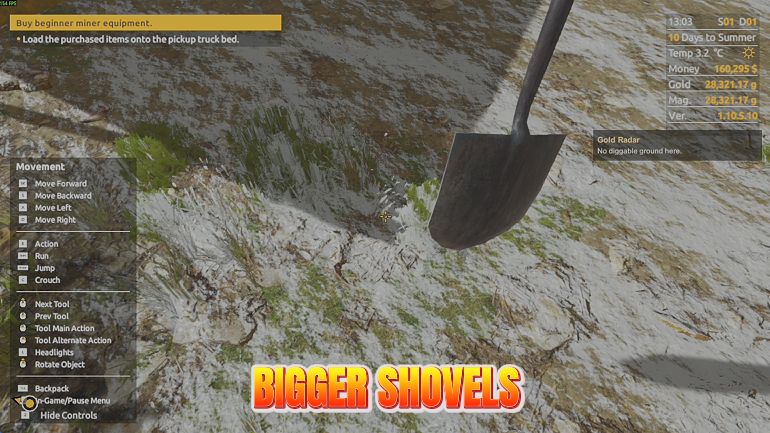
Bigger Buckets & Shovels
Make your shovel hold up to 10 times as much dirt per scoop, and machine buckets, the Bucket and wash plant hoppers up to 5 times, each with its own switch and percent. No extra gold per dirt, and not for Leaderboard mode saves.
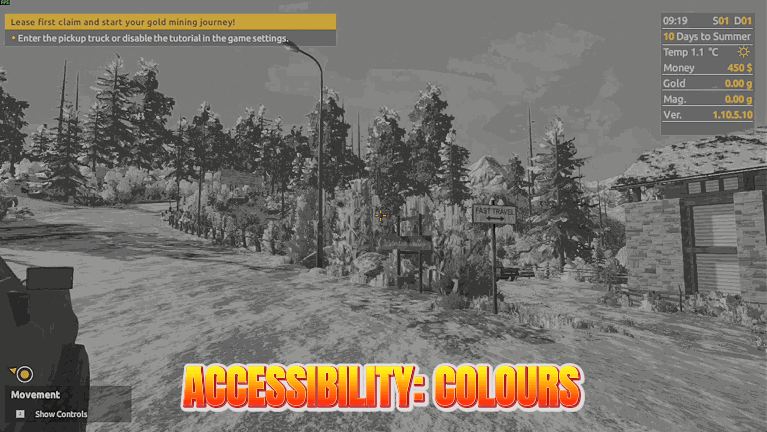
Accessibility
Adds a colour filter with four modes, high contrast, brightness and text up to twice the size to Gold Mining Simulator, plus a steady view when dynamite goes off. It only changes what's on your screen, never your save.
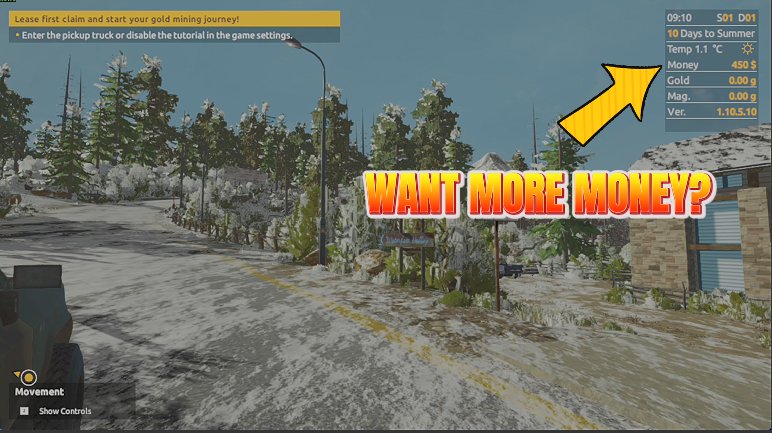
Give Money
Adds the cash you choose to your Money with one press, up to $10,000,000 at a time, or sets it to exactly $0. Works in a loaded save, not in Leaderboard saves.