Want more mods for Hollow Knight: Silksong? Explore our entire collection!
Field Tinker (Equip Tools Anywhere)
"Rework your loadout anywhere — no bench required."
How do I install Field Tinker (Equip Tools Anywhere)?
Download the free ProjectMods desktop app, then install Field Tinker (Equip Tools Anywhere) for Hollow Knight: Silksong in one click.
</>What does Field Tinker (Equip Tools Anywhere) do?
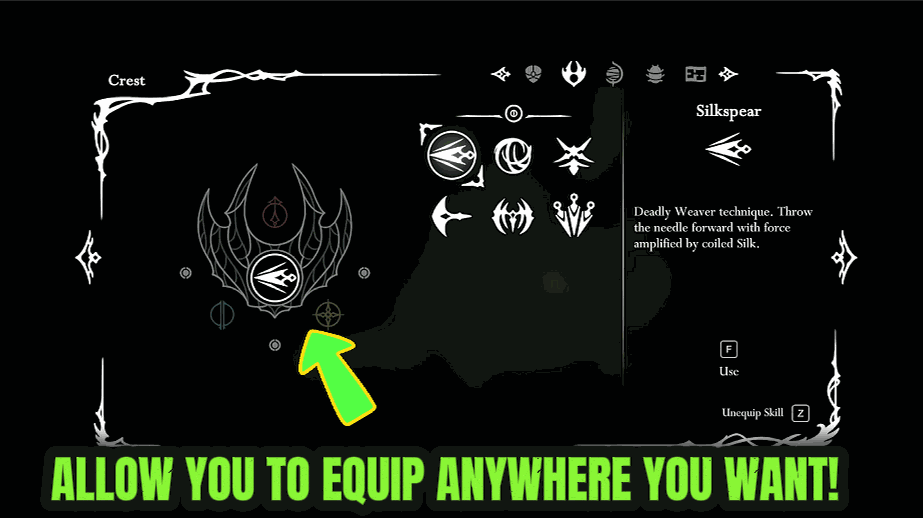
In Silksong you normally have to be resting at a bench to rearrange your Tools or switch Crests. That means every time a new area, platforming stretch, or boss throws a different problem at you, it is a long walk back to safety just to change your kit. Field Tinker removes that restriction. With it turned on, you can open your inventory and freely re-slot Tools or pick a whole new Crest right where you are standing — in the middle of exploration, just outside a boss fog gate, or deep in hostile territory. Tune your build for the fight in front of you, then keep moving. Flip it off any time to go back to the normal bench-only rules. It is a pure convenience toggle: it does not hand you anything you have not already unlocked, it just lets you rearrange what you own on the spot.
</>What is Field Tinker (Equip Tools Anywhere)?
Field Tinker lets you re-slot Tools and swap Crests anywhere in Hollow Knight: Silksong — mid-exploration, outside a boss gate, or deep in hostile territory — instead of trekking back to a bench. It's a pure convenience toggle that only rearranges gear you already own, so you can tune your build for the fight in front of you and keep moving. A free mod from ProjectMods.
</>Common questions about Field Tinker (Equip Tools Anywhere)
What does Field Tinker do in Hollow Knight: Silksong?
Field Tinker removes the bench requirement for changing your loadout in Hollow Knight: Silksong. Normally you have to be resting at a bench to rearrange your Tools or switch to a different Crest, which means a long walk back to safety every time a new area or boss demands a different kit. With this ProjectMods mod on, you just open your inventory wherever you are and freely re-slot Tools or pick a whole new Crest on the spot. It's a pure convenience toggle: it doesn't give you anything you haven't already unlocked, it only lets you rearrange what you own. Flip it off to restore the normal bench-only rules.
Can I change both Tools and Crests with Field Tinker, or just Tools?
Both. Field Tinker unlocks on-the-spot editing for your Tool slots and your equipped Crest in Hollow Knight: Silksong. You can pull a Tool you're not using and drop in one that suits the next challenge, or switch to an entirely different Crest that reshapes Hornet's whole kit — all without a bench in sight. This matters because Crests change how your loadout is built in the first place, so being able to swap them in the field means you can completely re-plan your approach right before a fight. The mod doesn't unlock any Tools or Crests for you; it simply lets you rearrange everything you've already earned wherever you happen to be standing.
Can I use Field Tinker right outside a boss fog gate?
Yes, that's one of the best moments for it. In Hollow Knight: Silksong you often don't know exactly what a boss demands until you've seen it fight, and normally adjusting afterward means backtracking to a bench and re-crossing the area. With Field Tinker on, you can stand just outside the fog gate, open your inventory, and tune your Tools and Crest for that specific matchup, then step through. If a first attempt teaches you something, retreat a step, re-slot, and try again immediately. It works anywhere the inventory opens: exploration, platforming stretches, or deep in hostile territory. It only rearranges gear you own, so it's convenience, not a power boost.
Is Field Tinker always on, or can I turn it off?
Field Tinker is a single on/off toggle in the ProjectMods launcher. While it's on, you can re-slot Tools and change Crests anywhere in Hollow Knight: Silksong; flip it off and the game returns to its normal rule where you must be resting at a bench to change your kit. There's nothing to configure beyond that switch. Because it only affects where you're allowed to edit your loadout — not what's in it — turning it off never removes anything you rearranged; your current setup stays exactly as you left it. That makes it safe to toggle mid-run whenever you want the vanilla bench discipline back, for example during a self-imposed challenge.
Why would I want to equip Tools anywhere in Silksong?
Because backtracking to a bench for one Tool swap kills momentum in Hollow Knight: Silksong. Field Tinker is for players who like to adapt on the fly: switch to a mobility-focused kit for a platforming stretch, then rework it for the boss waiting at the end, all without hiking back to safety. Speed-focused and exploration-heavy players get the most out of it, since Pharloom is full of moments where the right tool or Crest would help but the nearest bench is far away. It pairs well with other ProjectMods convenience mods for a smoother run. And it stays honest — you only rearrange what you've unlocked, so the challenge of earning gear is untouched.
What options does Field Tinker (Equip Tools Anywhere) include?
Enabled
Turn on to rearrange your equipped Tools and switch Crests anywhere, not just while resting at a bench.
Field Tinker is a ProjectMods mod for Hollow Knight: Silksong that lets you re-slot Tools and change Crests wherever you're standing, instead of walking all the way back to a bench every time you want a new setup.
System Requirements
What features does Field Tinker (Equip Tools Anywhere) include?
- Re-slot your Tools and swap Crests right where you're standing, no bench needed
- Open your inventory and rebuild your whole loadout mid-exploration or just outside a boss gate
- Only lets you rearrange what you already own — nothing is handed to you
- Flip it off any time to go back to the normal bench-only rules
- Cuts out the long walk back to safety every time an area throws a new problem at you
Best For
- Players stuck on a boss who want to tweak their Crest and Tools without hiking back to the last bench
- Explorers hitting a fresh platforming stretch that calls for a different kit on the spot
- Streamers adjusting their build live while chat suggests loadouts, no downtime
- Anyone deep in hostile territory who realises the wrong Tools are equipped and wants a fix now
More Mods for Hollow Knight: Silksong
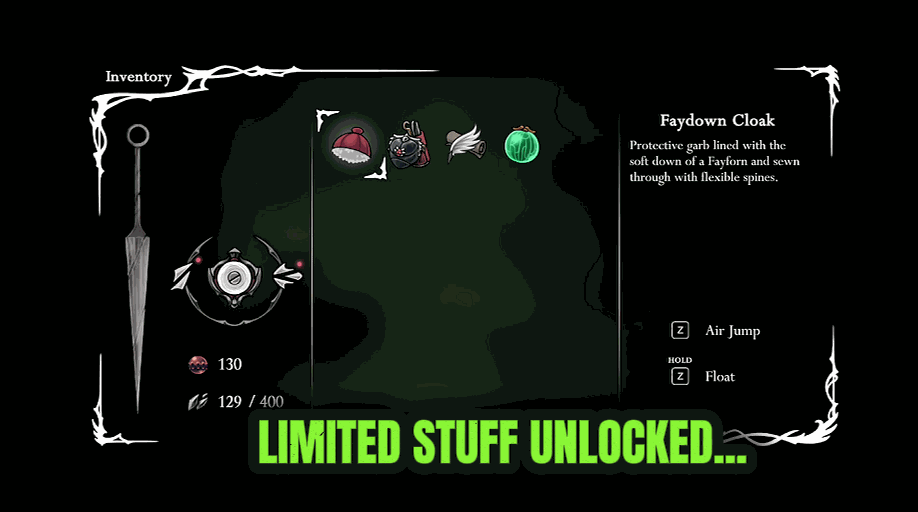
The Full Weave (Unlock Everything)
The ultimate unlock: grants every Tool and Crest, switches on all of Hornet's movement and silk abilities, and tops up the collectables your save is tracking, all in one press.

One-Hit Hornet (Instant Kills)
Turn Hornet's nail into a one-hit finisher. Any enemy you land a real hit on goes down instantly. Flip it off anytime to go back to a fair fight.

Shard Stash (Give Shell Shards)
Top up your Shell Shards whenever you want, then wipe them back to zero with one tap. Pick the amount and stop grinding for spending money.







