Want more mods for Hollow Knight: Silksong? Explore our entire collection!
Menu Maestro (All Menu Styles)
"Every title-screen look, unlocked in one tap."
/HollowKnightSilksongMenuMaestro1.png)
How do I install Menu Maestro (All Menu Styles)?
Download the free ProjectMods desktop app, then install Menu Maestro (All Menu Styles) for Hollow Knight: Silksong in one click.
</>What does Menu Maestro (All Menu Styles) do?
Silksong changes the look and mood of its title screen as you hit big milestones, and a few of the best styles are locked behind full completion or tough special runs. Menu Maestro hands you the whole collection right away. Run Unlock All Menu Styles and every title-screen look becomes available to choose from, so you can set the vibe you like best without grinding out the requirements first. For the unlock to see the full list, trigger it while you are on the title screen. Once unlocked, the styles stay unlocked and you can switch between them whenever you want from the menu.
</>What is Menu Maestro (All Menu Styles)?
Menu Maestro unlocks every title-screen menu style in Hollow Knight: Silksong right away, including the looks normally gated behind full completion or tough special runs. Trigger it on the title screen and pick whichever vibe you like, then switch between them from the menu whenever you want. No grinding out the requirements first. A free mod from ProjectMods.
</>Common questions about Menu Maestro (All Menu Styles)
What does Menu Maestro do in Hollow Knight: Silksong?
Menu Maestro unlocks the full collection of title-screen menu styles in Hollow Knight: Silksong. As you hit big milestones, the game changes the look and mood of its title screen, and a few of the best styles are locked behind full completion or tough special runs. This ProjectMods mod hands you the whole set right away, so you can set the vibe you like best without grinding out the requirements. Once they're unlocked, the styles stay unlocked, and you can switch between them from the menu whenever you want. It's a purely cosmetic mod for the title screen — it doesn't touch your saves or your gameplay, just gives you every look to choose from.
Does Menu Maestro include the styles locked behind full completion?
Yes, that's the main draw. Some title-screen styles in Hollow Knight: Silksong only appear after you've fully completed the game or cleared demanding special conditions, which most players never see. Menu Maestro unlocks those alongside all the standard milestone styles, so the entire collection is available regardless of how far you've progressed. You don't have to earn a single one the hard way. This makes it perfect if you love a particular late-game look but don't want to grind toward full completion just to set your title screen to it. Every style the game ships becomes a menu option, and the choice is yours from the moment you run the unlock.
Why should I trigger Menu Maestro on the title screen?
For the unlock to reveal the full list, run Menu Maestro while you're on the title screen in Hollow Knight: Silksong. That's the screen the styles apply to, so triggering it there lets the whole collection register and show up as selectable options. If you run it elsewhere you may not see every style populate correctly. Once you've unlocked them from the title screen, they stay unlocked permanently, so this is a one-time step — you don't have to repeat it each session. After that, switching between looks is just a normal menu choice. Think of the title-screen trigger as flipping on the full gallery; browsing and picking from it happens any time afterward.
Can I switch between menu styles after unlocking them?
Yes. Once Menu Maestro has unlocked the collection, every title-screen style in Hollow Knight: Silksong becomes a normal menu option you can switch between whenever you like. There's no limit and nothing to re-trigger — pick one look today, change your mind tomorrow, and swap freely. The mod's job is just opening up the full set; choosing which one is active is handled through the game's own menu, exactly as if you'd earned them all. Because it's purely cosmetic, changing styles has no effect on your progress, saves, or gameplay. It's a set-the-vibe feature: whatever mood you want your title screen to carry that day, the option is right there.
Why would I use Menu Maestro instead of unlocking styles normally?
Menu Maestro is for players who want the title-screen looks without the grind in Hollow Knight: Silksong. Several styles are locked behind full completion or brutal special runs that many people will never finish, so if you simply love a particular vibe, this mod hands it to you now. It's also great for content creators and streamers who want a specific look on screen for a video or stream without having to prove they've fully completed the game first. Since it's cosmetic and reversible, there's no downside to your progress. If earning each style as a badge of honour is part of the fun for you, leave it off — this is the shortcut for everyone else.
What options does Menu Maestro (All Menu Styles) include?
Unlock All Menu Styles
Unlock every title-screen menu style at once. Run this while on the title screen so it can find them all.
Menu Maestro is a ProjectMods mod for Hollow Knight: Silksong that unlocks every title-screen menu style at once, including the ones normally earned only by finishing the game or clearing special conditions.
System Requirements
What features does Menu Maestro (All Menu Styles) include?
- Unlocks every title-screen menu style at once, including the completion- and challenge-locked ones
- Set the title-screen vibe you like best without grinding out the requirements
- Styles stay unlocked once you've grabbed them — switch between them any time from the menu
- For the full list to show up, trigger it while you're on the title screen
Best For
- Players who want the fancy endgame title-screen look without a full completion run first
- Content creators who want a specific menu style on screen for their video intro or thumbnail
- Collectors who like their game looking finished and want every style available to pick from
- Anyone curious about the styles locked behind tough special conditions they'd rather not repeat
More Mods for Hollow Knight: Silksong

Unbreakable (Infinite Health)
Keep your health topped up no matter what hits you. Explore, take on bosses, and try risky routes without ever getting knocked back to a bench.
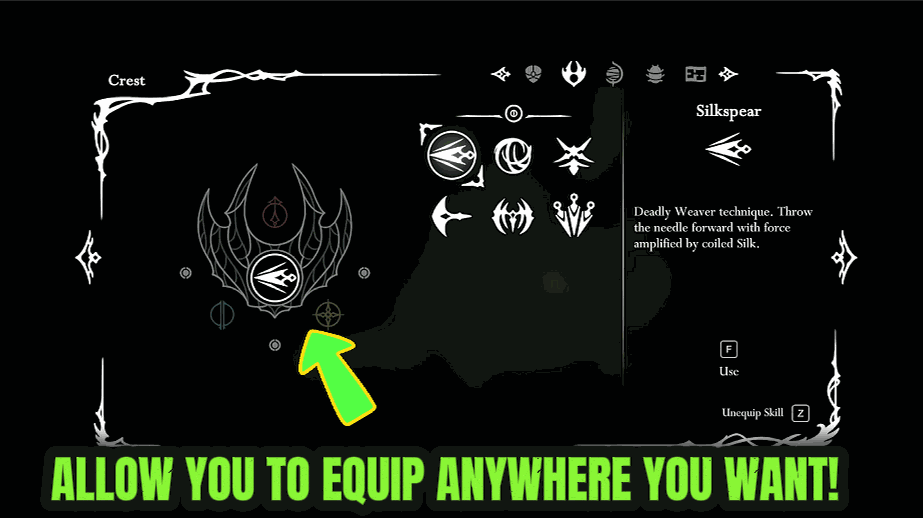
Field Tinker (Equip Tools Anywhere)
Swap your equipped Tools and change Crests wherever you are, instead of trekking all the way back to a bench every time you want a different setup.
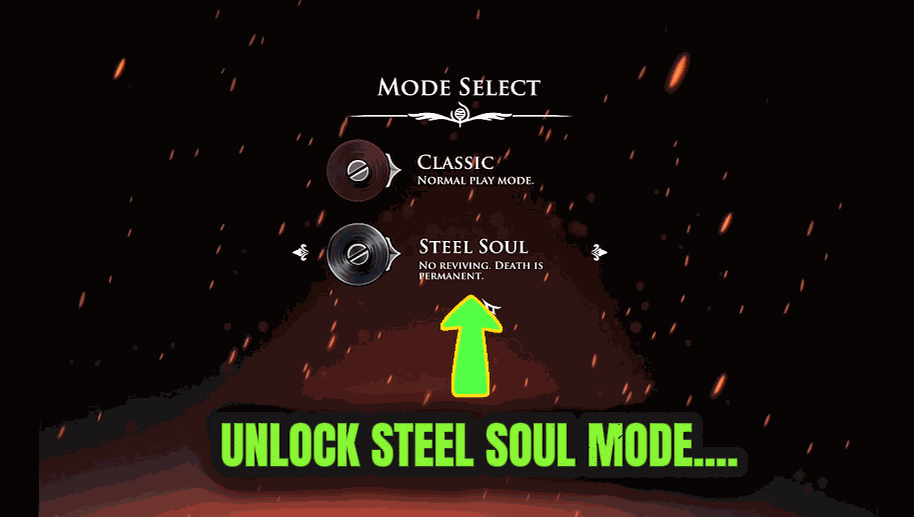
Steel Heart (Unlock Steel Soul)
Makes Steel Soul mode selectable from the start, so you can begin a hardcore permadeath run without finishing the game first. Your existing saves are left completely untouched.







