Want more mods for Military Base Tidy Up? Explore our entire collection!
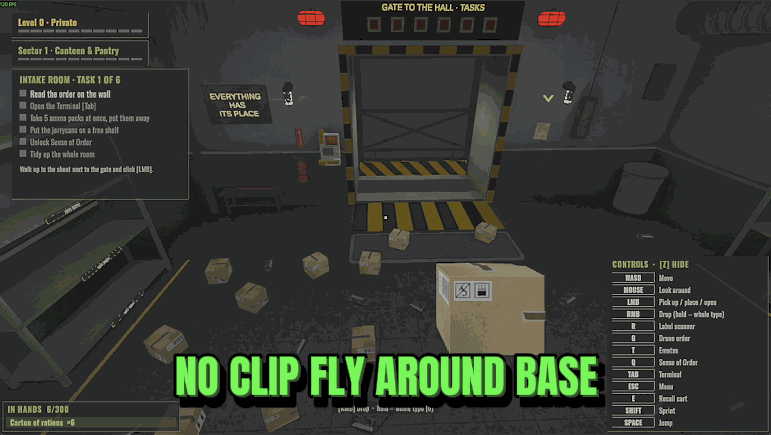
Fly & Noclip
"Take off over the base. Walls optional."
How do I install Fly & Noclip?
Download the free ProjectMods desktop app, then install Fly & Noclip for Military Base Tidy Up in one click.
</>What does Fly & Noclip do?
A tidy-up stalls on the one stray item wedged behind a wall or under a floor, and walking the long way round to every corner eats your time. Fly & Noclip gives you flight and a way through solid rooms. Switch on Fly Enabled and you fly where you look: your move keys carry you along, Jump rises and Crouch sinks. Fly Speed sets the pace from 1 to 100 metres per second (12 by default), and holding Sprint switches to Shift Speed, from 1 to 300 (36 by default). Noclip works on its own. Switching it on starts flying too, and nothing solid stops you. Switch it off and you're lifted out of anything you're inside, then set on the floor below if Noclip was your only flying switch. With both off, the game's own gravity, crouch and walking speed (skills and gear included) come back. The keys are the game's own bindings, so rebinds and a gamepad work too.
</>What is Fly & Noclip?
Fly & Noclip adds flight to Military Base Tidy Up for every player, host or guest. Fly Enabled lifts you off the floor and steers by where you look, Fly Speed and Shift Speed set the pace, and Noclip lets you drift through anything solid. It has no hotkey of its own and follows your game bindings. It never carries a pushed cart along, and turning it off sets you back on solid floor.
</>Common questions about Fly & Noclip
What does Fly & Noclip do in Military Base Tidy Up?
It lets you leave the floor and fly through the base in whatever direction you look, and with Noclip you also pass through solid walls. Fly Enabled and Noclip are separate switches, so you can fly with walls still stopping you, or switch on Noclip alone. It works in any loaded level, on the base or in Sector Zero, but not in menus or loading screens.
Why does flying stop when I push a cart?
Flying pauses while you push a cart, and take-off waits until you let go. The cart never comes along with you, so leave it where it is, fly to the spot and walk back for it later. Flying also holds still while a window, an emote or the pause menu has the controls, and carries on once they close.
What happens if the game saves while I'm inside a wall?
The save stores the floor spot you'd be lifted out onto, so loading it never starts you inside the walls. A save made while flying in open air starts you at that spot in the air, and you drop to the floor. Nothing else of the mod's goes into your save.
Can I change the keys for flying?
There's no separate key to set: flying uses the game's own bindings for moving, Jump, Crouch and Sprint. Rebind those in the game's controls and flight follows, and a gamepad works the same way. Starting and stopping flight is done from Fly Enabled or Noclip in the launcher.
What options does Fly & Noclip include?
Shift Speed
Flying speed in metres per second while you hold Sprint (Shift), from 1 to 300. 36 by default.
Fly Speed
Flying speed in metres per second, from 1 to 100. 12 by default.
Noclip
You fly through walls, floors and the ground. It works on its own: switching it on starts flying too, with the same keys and speeds. Off: walls stop you again, and you're lifted out of anything you're inside first; if you were flying only through Noclip, you're set on the floor below.
Fly Enabled
You fly where you look: your move keys (W A S D) take you along, Jump (Space) rises, Crouch (Ctrl) sinks, and holding Sprint (Shift) flies at Shift Speed. Off (with Noclip off too): walking and gravity come back where you are.
Fly & Noclip is a ProjectMods mod for Military Base Tidy Up that lets you fly where you look at a speed you set and pass through solid walls with Noclip; it needs a loaded level and pauses while you push a cart.
System Requirements
What features does Fly & Noclip include?
- Fly Enabled steers you by where you look, with Jump to climb and Crouch to drop.
- Holding Sprint swaps Fly Speed for Shift Speed, so a slow drift and a fast dash sit on the same keys.
- Noclip works by itself and takes you through walls, floors and the ground.
- Turning Noclip off lifts you up to 60 m out of whatever you're inside and looks up to 80 m down for a floor to land on.
- Each player flies their own character, and friends see you in the air.
Best For
- The sector is nearly done but one item is hiding behind a wall, so switch on Noclip and drift from room to room until you spot it.
- Crossing Sector Zero on foot takes a while, so switch on Fly Enabled, set Shift Speed to 100 and hold Sprint for the long stretches.
- You keep flying back to the same storeroom, so mark it with the Teleport mod's Save Spot and take off from there.
More Mods for Military Base Tidy Up
No Cooldowns & Stronger Vacuum
Use the Vacuum and Sense of Order back to back with no wait, and make each Vacuum pull take up to 5x the items from up to 3x the range. You need both bought in the shop first.
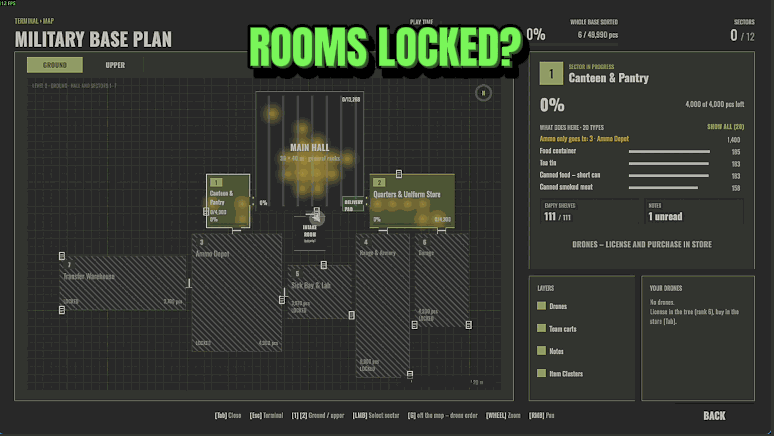
Unlock All Areas
Opens every sector door whatever your level so you can tidy anywhere, and unlocks Sector Zero (GAME PLUS) on the main menu without finishing the Base. The doors aren't saved; Sector Zero stays unlocked.
Better Drones
Multiplies your drones' Cargo Hold, Engines speed and Radar range: up to 5x the items per trip and 3x the speed and spotting distance. Works when you host or play solo.







