Want more mods for Military Base Tidy Up? Explore our entire collection!
Unlock All Areas
"Every door open. No promotion needed."
How do I install Unlock All Areas?
Download the free ProjectMods desktop app, then install Unlock All Areas for Military Base Tidy Up in one click.
</>What does Unlock All Areas do?
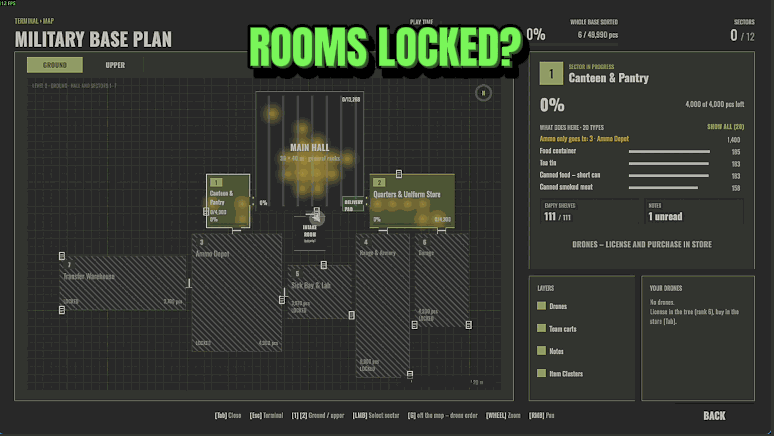
Sectors open as you get promoted, so the rooms you want to tidy can sit behind a LOCKED label for a good while. Unlock All Areas hands you the whole base. Switch on Open All Sector Doors (default off) and every locked sector's door rolls open at once, whatever your level. Your drones and the map count those sectors as open too, and while the switch is on it opens them again after every level load. Unlock Sector Zero Now unlocks the GAME PLUS night shift on the main menu without finishing the Base. Press it on the main menu and the GAME PLUS tile shows at once; press it in a save and the tile is there the next time you open the main menu. It stays unlocked. Switch Open All Sector Doors off and sectors your level hasn't reached show LOCKED again, while doors already open stay open until you load the save again.
</>What is Unlock All Areas?
Unlock All Areas removes the level gate on Military Base Tidy Up's sectors. Open All Sector Doors rolls every locked door open, and your drones and the map follow along. Unlock Sector Zero Now puts the GAME PLUS tile on the main menu before you finish the Base. It never raises your level, finishes sectors, unlocks skills or shop items, or carries your Base character into Sector Zero.
</>Common questions about Unlock All Areas
What does Unlock All Areas do in Military Base Tidy Up?
It opens every sector door straight away, whatever your level, and can unlock Sector Zero before you finish the Base. The doors come from a switch you can turn off again; the Sector Zero unlock is a one-time button that stays.
Why are doors still open after I switched it off?
A sector door can't close again once it has opened. Switching Open All Sector Doors off brings back the LOCKED labels, and drones and the map treat those sectors as locked again, but the open doors stay open until you load the save again.
Does it change my save?
Not through the doors. They aren't saved, so a save loaded without the mod has its normal locked sectors, and your level and rank never change. Unlock Sector Zero Now is different: it is kept in the game's progress, the same unlock that finishing the Base gives, so Sector Zero stays unlocked for good.
Does my Base character carry into Sector Zero?
No. A Sector Zero unlocked this way starts without a carried-over character, so it has none of your Base skills or SV. Unlock All Skills and Give Vouchers can fill that gap on the new map if you want a running start.
Who needs the mod in an online game?
Each player runs their own copy. Open All Sector Doors works on the machine of whoever installs it, so each player's doors follow their own copy of the level rules, and a guest's doors don't change the host's drones. Unlock Sector Zero Now unlocks it for whoever presses it, host or guest.
What options does Unlock All Areas include?
Open All Sector Doors
Opens every sector door at once, whatever your level, so you can tidy anywhere; your drones and the map treat every sector as open too. Off (default): sectors your level hasn't reached show as locked again, but doors that are already open stay open until you load the save again.
Unlock Sector Zero Now
Unlocks Sector Zero, the GAME PLUS night shift, without finishing the Base first. It starts without a carried-over character (no skills or supply vouchers from the Base). It stays unlocked.
Unlock All Areas is a ProjectMods mod for Military Base Tidy Up that opens every sector door at any level and unlocks Sector Zero early; it never raises your rank, and Sector Zero starts without your Base skills or SV.
System Requirements
What features does Unlock All Areas include?
- Open All Sector Doors opens every locked sector at once, whatever your level, and reopens them after each level load while it is on.
- Drones and the map work every sector while the switch is on.
- Unlock Sector Zero Now adds the GAME PLUS tile before the Base is done, and the unlock is kept just like the one finishing the Base gives.
- The doors are never written to your save, so loading it without the mod brings back its normal locked sectors.
Best For
- You want to tidy the far end of the base before your next promotion, so switch on Open All Sector Doors and walk straight in.
- You want a look at the night shift before the Base is done, so press Unlock Sector Zero Now on the main menu and pick the GAME PLUS tile.
- You are hosting and want your drones working in every sector, so switch on Open All Sector Doors on your own machine, since the host's drones follow the host's doors.
- You started Sector Zero early and want skills there too, so pair this with Unlock All Skills, which covers all 51 nodes on that map.
More Mods for Military Base Tidy Up
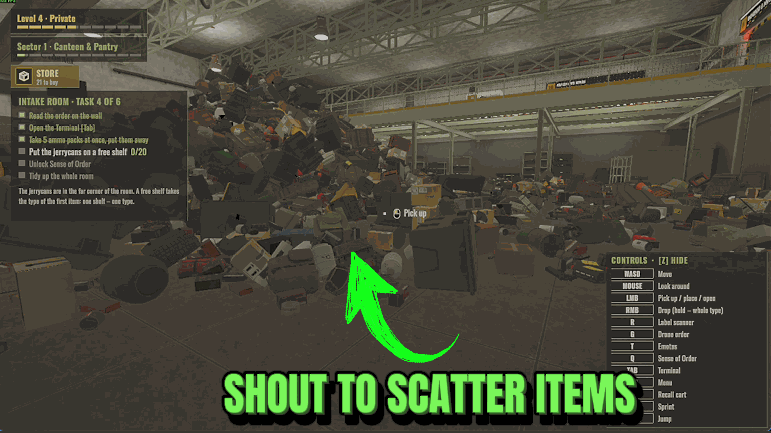
Shout To Scatter Items
Turns on the Sergeant's Shout: press K to blast loose items within 6.5 m out of your way, or press Shout Now in the launcher. 20 seconds of rest between shouts.

More Players
Raises the player limit of games you host from 4 to as many as 8, you included. Only the host needs it; friends join with your game code as usual.
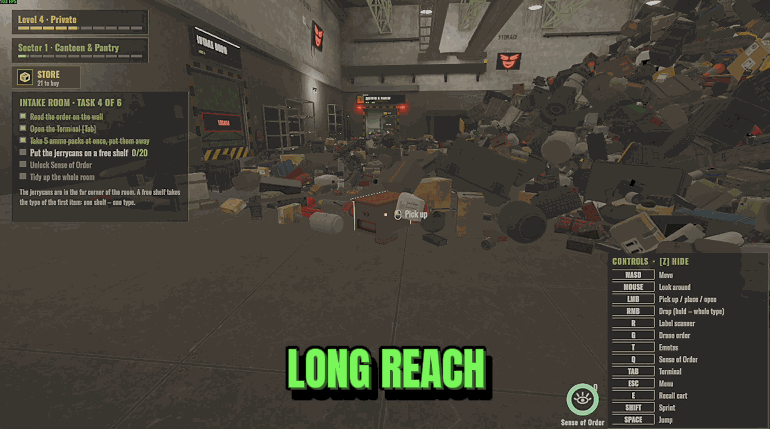
Faster Placing & Longer Reach
Hold the button to place and pick up items at up to 5x your normal pace, as fast as one item every 0.02 seconds, and reach items and shelves up to 4x farther. Each half has its own switch.







