Want more mods for Military Base Tidy Up? Explore our entire collection!
More Players
"Four was cosy. Eight gets the base clean."
</>What does More Players do?
A base takes a lot of tidying, and the game stops letting friends in at four. More Players hands you a bigger crew. Switch on More Players Enabled before you host, or while your game is already open, and the limit jumps to Max Players: anything from 4 (the normal limit) up to 8, you included, default 8. Your friends join the way they always do, through the game code or a Steam invite, and they install nothing. Check Lobby Size posts a message in the launcher with the limit you asked for, the one in effect, and how many players are in your game right now. Some things stay sized for four. The menu still says "Up to 4 players", the team still tops out at 4 drones, and the 4 marker colours repeat for players 5 to 8. Switching More Players Enabled off brings the limit back to 4, or to however many people are already in, and nobody gets removed.
How do I install More Players?
Download the free ProjectMods desktop app, then install More Players for Military Base Tidy Up in one click.
</>What is More Players?
More Players raises the player cap on games you host in Military Base Tidy Up. Switch on More Players Enabled and pick Max Players between 4 and 8 (default 8); an open game resizes straight away, never below the people already in it. Guests need nothing and still join with the game code. It never adds drones or carts for bigger groups, and the in-game text still reads "Up to 4 players".
</>Common questions about More Players
What does More Players do in Military Base Tidy Up?
It lets the games you host take up to 8 players, you included, instead of the usual 4. You pick the number with Max Players, and your friends need nothing extra to join. Players 5 to 8 can appear at the same spawn spot as someone else when they arrive.
Why does the menu still say "Up to 4 players"?
That text is fixed in the game, so it stays the same with the mod on. The game's message for a full game also still reads "The game is full (4 players).", whatever limit you set. The real limit is the one Check Lobby Size reports.
What happens to players 5 to 8 if I switch it off mid-game?
Nobody is removed. Your open game shrinks back to 4, or to the number of players already in it if that's more, so it simply stops taking new people until enough leave. Lowering Max Players while hosting works the same way. The player limit isn't saved, so each time you host it follows your current settings.
Do bigger groups get more drones or carts?
No. The team still has at most 4 drones, since Drone Fleet goes up to 4, and there are 4 carts of each type. The 4 marker colours repeat for players 5 to 8, so two players can share a colour. If a bigger crew runs short, Better Drones can make each of those 4 drones carry more per trip, and Better Carts can make each cart hold more items, so the same kit covers more ground.
What if Check Lobby Size says the limit couldn't be raised?
A game update has changed something More Players needs, so your game stays at the normal 4 players. Hosting and joining still work as usual, only without the bigger limit, until the mod is updated. Press Check Lobby Size again after hosting to see the limit your game really has.
What options does More Players include?
Max Players
How many players your game takes, you included: from 4 (the game's normal limit) to 8, default 8.
Check Lobby Size
Tells you how many players your hosted game takes right now and how many are in it, so you can check before you invite friends.
More Players Enabled
Games you host take up to Max Players players, you included. Switch it on before you host, or while hosting: your open game grows at once. Only the host needs More Players; friends still join with your game code. Off: back to the normal limit of 4, and nobody already in is removed.
More Players is a ProjectMods mod for Military Base Tidy Up that lets games you host take up to 8 players instead of 4, with only the host running it; the game's menus still say "Up to 4 players" and the team keeps 4 drones.
System Requirements
What features does More Players include?
- Max Players sets the limit anywhere from 4 to 8, counting you, and starts at 8.
- Changing it while hosting resizes your open game on the spot, never below the number of players already in it.
- Only the host needs the mod; guests install nothing extra.
- Check Lobby Size reports the limit you asked for, the limit in effect and how many players your game holds now.
- Switching it off returns the limit to 4 without kicking anyone.
Best For
- Six friends want in on one base, so set Max Players to 6 before you host and everyone fits in a single game.
- A seventh friend comes online mid-session, so raise Max Players while hosting and your open game makes room right away.
- Before you send the code around, press Check Lobby Size and the launcher tells you whether the bigger limit took.
- Eight people share only 4 drones, so pair it with Better Drones and raise Drone Capacity Multiplier so each drone hauls more per trip.
More Mods for Military Base Tidy Up
Bigger Hands
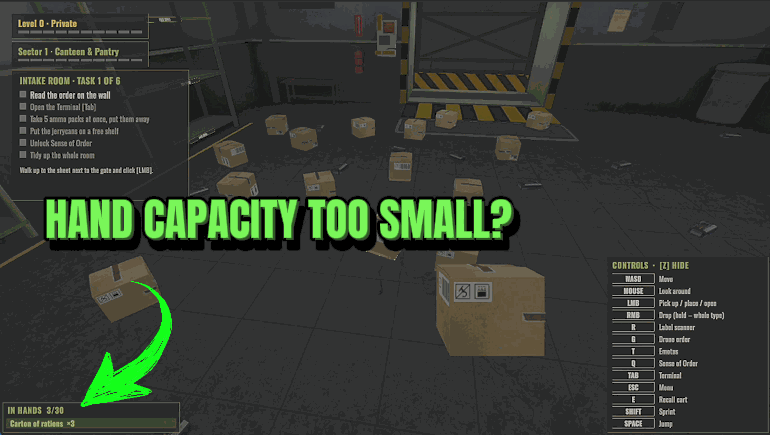
Carry up to 1000 items in your hands instead of the game's 30 to 150, and stack items of any kind and size together. In co-op the guest and the host both need it switched on.
Auto Tidy
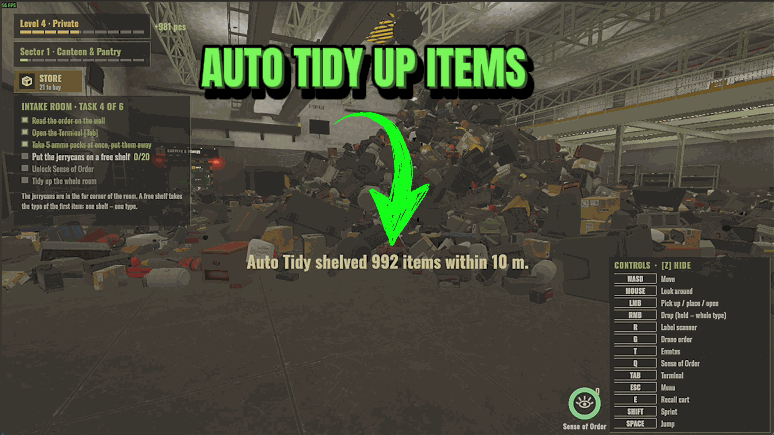
Four buttons that shelve items for you, from what you hold up to the whole unlocked base, on racks the game allows, with the same XP and supply vouchers as by hand. Host or solo play only.

Endless Light
In Sector Zero your flashlight battery, placed Portable lamps and lightsticks stop running out, each on its own switch. It keeps the charge you have rather than refilling it.







