Want more mods for Minecraft Dungeons II? Explore our entire collection!
Quick Salvage
"Salvage the whole pile. Keep what you're wearing."
</>What does Quick Salvage do?
Breaking down old gear one piece at a time after every run is slow, and the inventory fills straight back up. Quick Salvage hands you a single button for the lot. Set Salvage Up To Rarity to the highest rarity you're willing to lose: Common, the default, takes only Common gear, Rare adds Rare pieces, Special adds Special, and Unique takes every rarity. Press Salvage Now and every weapon, armor piece and artifact at or below that line goes at once, for the game's own salvage reward in Emeralds, with a reply counting how many went. Equipped and locked items always stay, and so does anything the game itself won't salvage, along with any item the mod can't sort into weapons, armor or artifacts. Talismans, enchantment books, capes and pets are never touched, and the town merchant's stock is left alone too. Only player 1's inventory gets cleared. Between presses the mod does nothing at all, so there's no setting to put back when you switch it off.
How do I install Quick Salvage?
Download the free ProjectMods desktop app, then install Quick Salvage for Minecraft Dungeons II in one click.
</>What is Quick Salvage?
Quick Salvage empties spare gear out of player 1's inventory. Choose Salvage Up To Rarity, from Common to Unique, then press Salvage Now and every piece at or below it is salvaged for the game's normal reward. It never touches equipped or locked items, talismans, enchantment books, capes, pets or the town merchant's stock, and with an online hero it does nothing at all.
</>Common questions about Quick Salvage
What does Quick Salvage do in Minecraft Dungeons II?
It salvages a whole batch of your gear in one press, paid just as if you had salvaged each piece yourself. Press Salvage Now in the launcher once your hero is loaded into the world; from the main menu or a loading screen there's nothing for it to work on yet.
How do I keep a good piece safe when salvaging up to Unique?
Equip it or lock it in the game before you press. With Salvage Up To Rarity on Unique, rarity protects nothing, so those two are what keep a weapon, armor piece or artifact in your inventory. Set the ceiling lower and rarer gear is safe by rarity alone: at Special every Unique piece is spared, and at Rare every Special piece as well.
Can I get a salvaged item back?
No. Once salvaged, an item is gone from your hero, the reward is added, and the game saves both. If the piece is on Give Item's list, that mod can add it again, with new power and enchantments rolled by the game.
Whose inventory gets salvaged in couch co-op?
Only player 1's. Partners on the same PC keep every item, so each of them sorts their own gear. The button needs an offline hero: online heroes are run and saved by the game's servers, so with one loaded nothing is salvaged and the reply says online heroes stay as they are.
Why did the reply ask me to check my inventory?
It sent the salvage but couldn't read your inventory back afterwards, so it has no count to give you. Open your inventory in the game and look at what's left: whatever went was salvaged the game's normal way, with the usual reward.
What options does Quick Salvage include?
Salvage Up To Rarity
The highest rarity Salvage Now breaks down: Common salvages only Common gear, Rare salvages Common and Rare, and so on up to Unique. Default: Common.
Salvage Now
Salvages every weapon, armor piece and artifact in your inventory at or below the chosen rarity, for the game's own salvage reward, and tells you how many went and what you got. Equipped, favourited and locked items always stay, and so do talismans, enchantment books, capes and pets. Player 1's inventory, offline heroes only. Salvaged items don't come back.
Quick Salvage is a ProjectMods mod for Minecraft Dungeons II that salvages your unwanted gear up to a rarity you set in a single press, for offline heroes, and never touches what you've equipped or locked.
System Requirements
What features does Quick Salvage include?
- Salvage Up To Rarity sets a ceiling: Common clears only Commons, and each step up through Rare, Special and Unique adds that rarity too.
- Salvage Now sweeps every eligible piece in one press and pays the same reward the game gives when you salvage by hand.
- Gear you wear or lock is always kept, whatever the ceiling.
Best For
- A long run has left your inventory stuffed with Common drops, so keep Salvage Up To Rarity on Common and press Salvage Now before you head out again.
- Your hero has outgrown everything below Special, so set Salvage Up To Rarity to Rare and one press sweeps out every Common and Rare piece you aren't wearing.
- You're saving Emeralds for a Special gear piece from the town merchant, so salvage your spares up to Rare first and spend the reward there.
- Better Loot Odds' More Drops Percent and Double Drops are filling your inventory faster than you can sort it, so lock the keepers and run Salvage Now up to Special.
More Mods for Minecraft Dungeons II
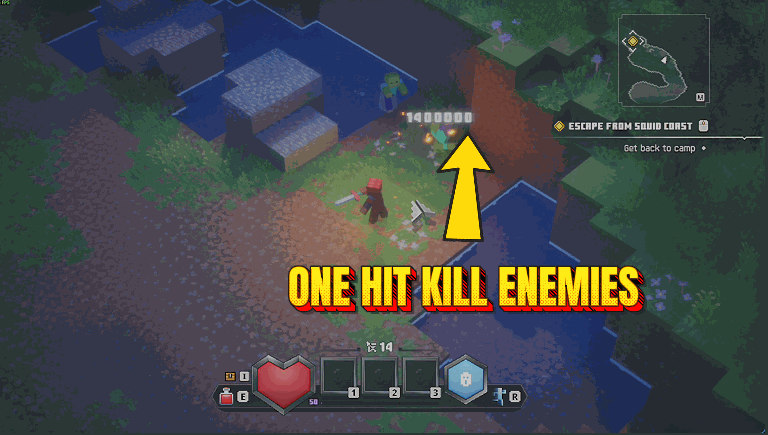
Damage Boost & One-Hit Kills
Set your hero's damage from 10 to 1000 percent, drop enemies in one hit with One-Hit Kills, push critical-hit chance to 100 percent and tune attack speed between 50 and 300 percent.
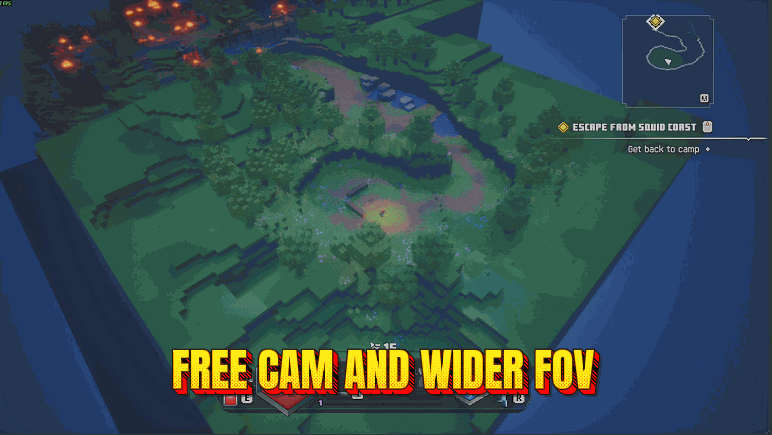
Camera Zoom & Angle
Sets the camera anywhere from half to twice its usual distance, tilts it from a low 20 degrees to a near top-down 85, and narrows or widens the view, each setting on its own.
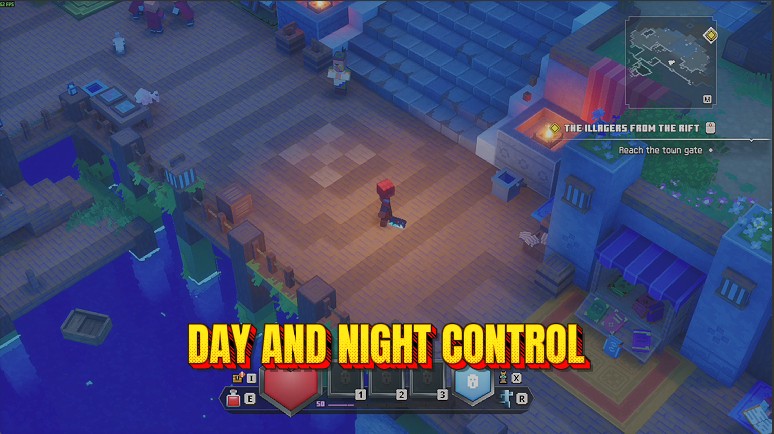
Day & Night Control
Set Time Of Day to Day or Night and the clock holds there, stop it at any hour with Freeze Time, or run each full cycle from 10 to 1000 percent of its normal length.







