Want more mods for Muse Dash? Explore our entire collection!
Level Rush
"Skip straight to the number you wanted."
How do I install Level Rush?
Download the free ProjectMods desktop app, then install Level Rush for Muse Dash in one click.
</>What does Level Rush do?
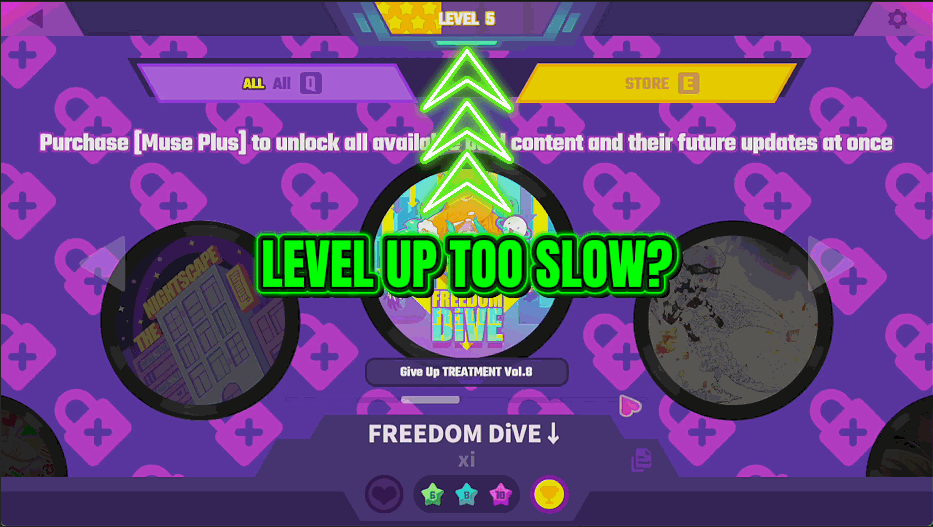
Your player level in Muse Dash gates a slice of the rewards and takes a long time to climb if you play in short bursts. Level Rush lets you simply set it. Pick the number you want, press the button, and the mod reports the real before and after so you can see exactly what changed rather than taking it on trust. Use it to catch up after a break, to jump to where a friend already is, or to reach a level-gated reward without a fortnight of nightly sessions. It pairs naturally with XP Overdrive if you would rather earn the climb quickly than skip it outright. Either way your songs, scores and roster are left alone, only the level number moves.
</>What is Level Rush?
Player level in Muse Dash gates a slice of the rewards and climbs slowly if you play in short bursts. Level Rush simply sets it: pick a number up to 9999, press once, and read the real before and after. Songs, scores and your roster are left alone. From ProjectMods, the community-first PC mod manager for 400+ games.
</>Common questions about Level Rush
What does Level Rush do in Muse Dash?
Level Rush sets your Muse Dash player level to whatever number you choose, anywhere from 1 to 9999. You pick the level on a slider, press Set Level, and the mod reports the real before and after values so you can see exactly what changed rather than taking it on trust. Nothing else moves, so your songs, your scores, your ranks and your character roster are all left exactly as they were. It is useful for catching up after a long break, matching where a friend already is, or reaching a level-gated reward without weeks of nightly sessions.
What is the difference between the Level slider and the Set Level button?
The Level slider is just the number you want; nothing happens while you drag it. Set Level is the action that applies it, and it is the button that actually changes your Muse Dash player level. That split is deliberate, because you can settle on a figure without half-applying it, then commit once. When you press Set Level, the mod tells you the level you were on and the level you are on now, so a value that did not take is obvious immediately. If you want a different number afterwards, move the slider and press Set Level again.
Can I set my Muse Dash level lower than it is now?
Yes. Level Rush sets the level to the number on the slider rather than only adding to it, so you can move down as well as up, which is handy if you overshot or if you want your profile to sit at a specific figure. Either direction, the mod reports the before and after so you can see exactly where you landed. What it will not do is undo anything else on the way: songs you have opened, scores you have set and characters you have unlocked all stay unlocked, because the level number is the only thing this mod touches.
Does setting my level unlock the rewards attached to those levels?
Level Rush moves the level number itself; what Muse Dash then hands you depends on how the game treats level-gated content on your save. Anything that simply checks your current level should open up once the number is high enough. Rewards the game gives out at the exact moment you level up are a different matter, because you did not pass through those levels in the usual way. If a specific unlock is what you are after, it is worth checking after you set the level rather than assuming, and Full Roster or Full Setlist are the direct route for characters and songs.
Should I use Level Rush or XP Overdrive?
Level Rush skips the climb; XP Overdrive speeds it up. Use Level Rush when you want to be at a number now, whether that is catching up after months away, matching a friend, or reaching a level-gated reward tonight. Use XP Overdrive when you would rather still earn the levels but not at the normal Muse Dash pace, because it multiplies what each run awards while you play as usual. The two do different jobs, so it is worth thinking about which one you actually want: a one-off jump, or a faster climb every time you play. They do not conflict either, so you can switch between them whenever your plans change.
What options does Level Rush include?
Set Level
Sets your player level to the number above and reports the change.
Level
The player level to set.
Level Rush, from ProjectMods, sets your Muse Dash player level to any number between 1 and 9999 and reports the real before and after, leaving your songs, scores and roster exactly as they were.
System Requirements
What features does Level Rush include?
- Sets your player level to any number you pick, anywhere from 1 up to 9999
- Reports the real before and after so you can see exactly what moved
- Leaves your songs, scores and roster untouched, only the level number changes
- Runs as a one-press action, so there is nothing to leave switched on during a song
- Pairs with XP Overdrive if you would rather earn the climb quickly than skip it outright
Best For
- Coming back after months away and not fancying the climb back to where you left off
- Reaching a level-gated reward tonight instead of across a fortnight of short sessions
- Rebuilding a profile after a fresh install so the number matches the hours you have really put in
- Checking what a level reward actually gives you before deciding whether it is worth chasing
- Creators who need a high-level profile on screen for a video without grinding one first