Want more mods for Overcooked? Explore our entire collection!
Wall of Fame
"Every trophy on the shelf, none of the grind."
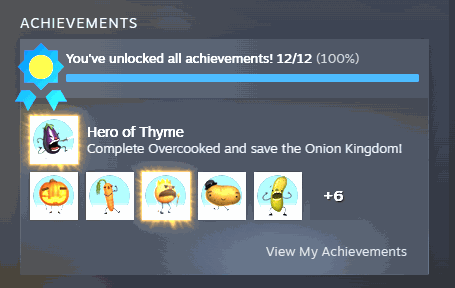
How do I install Wall of Fame?
Download the free ProjectMods desktop app, then install Wall of Fame for Overcooked in one click.
</>What does Wall of Fame do?
Some Overcooked trophies ask for things a normal kitchen run will never give you. Clearing a whole world without dropping a plate, surviving the chapters most people quit halfway through, finishing modes that need three friends on the couch at the same time. Wall of Fame hands you the shelf. Pull up the list of every trophy the game tracks, pick out the exact one standing between you and a complete set, and claim it. Or skip the choosing entirely and light up all of them at once. Changed your mind? Wipe the shelf clean and start the chase over from zero. The list comes straight from your own account, so anything added to the game later shows up here too.
</>What is Wall of Fame?
Some Overcooked trophies ask for runs a normal kitchen night will never hand you. Wall of Fame loads the full list the game tracks, lets you pick the exact one you are missing and claim it, or lights up the whole shelf at once. Changed your mind? Wipe it clean. Free mod from ProjectMods, the community-first PC mod manager for 400+ games.
</>Common questions about Wall of Fame
What does Wall of Fame do in Overcooked?
Wall of Fame lets you fill out your Overcooked trophy shelf whenever you like. It loads the full list of trophies the game tracks, lets you pick the exact one standing between you and a complete set, and claims it for you. If you would rather not choose, one button lights up the entire shelf at once. There is also an option to wipe every trophy and start the chase over from zero. The list comes straight from your own account, so anything added to the game later shows up in the dropdown too.
Why is the trophy dropdown empty when I first load in?
Because the list only fills in when you ask for it. Press Refresh Trophy List first and every trophy the game tracks appears in the dropdown underneath. Overcooked pulls your trophy data from your account when the game starts, and it does not always arrive right away, so Wall of Fame waits and builds the list on your command rather than showing you something stale or half empty. If the list ever looks out of date after you have earned something the normal way, press Refresh Trophy List again and it rebuilds from what your account says right now. It is the one button to press before anything else.
What is the difference between claiming one trophy and lighting up the whole shelf?
Earn Selected Trophy claims exactly the one you picked in the dropdown, which is what you want when you are one or two short of a complete Overcooked set and know precisely which ones are missing. Earn Every Trophy skips the choosing entirely and awards the lot in one press. Plenty of players start with the selective route, because a shelf where every trophy arrived at once tells you nothing about what you actually did. The selective approach keeps the trophies you genuinely earned meaningful while clearing out the handful that need four people on a couch.
Can I undo it if I change my mind?
Yes. Wipe All Trophies clears the entire Overcooked shelf and puts you back at zero, so nothing you do with Wall of Fame is permanent. That makes it safe to experiment. Light everything up to see the complete set, then wipe it and go back to chasing them properly if the empty shelf turns out to be more motivating. It is also useful if you want a fresh run at the game with a clean record. Just be deliberate with it, because the wipe covers every trophy on the shelf, including the ones you earned legitimately before installing anything.
Which Overcooked trophies are worth claiming with Wall of Fame?
The ones a normal kitchen night will never realistically give you. Overcooked asks for things like clearing a whole world without dropping a plate, surviving the chapters most people abandon halfway through, and finishing modes that need three other people sat on the same couch at the same time. Those are the trophies that stay stubbornly grey on an otherwise complete profile. Wall of Fame lets you close out the local multiplayer ones you have nobody to play with, or the perfection runs you have already proved you can nearly do, without touching the trophies you still want to earn honestly.
What options does Wall of Fame include?
Refresh Trophy List
Load every trophy the game tracks into the list below. Press this first.
Earn Selected Trophy
Claim the trophy you picked above.
Earn Every Trophy
Light up the whole shelf at once.
Select Trophy
Choose which trophy you want to claim.
Wipe All Trophies
Clear the shelf and start the chase over from zero.
Wall of Fame lets you claim any Overcooked trophy the game tracks, light up the entire shelf at once, or wipe it clean and start the chase over. A free mod from ProjectMods.
System Requirements
What features does Wall of Fame include?
- Pull up every trophy the game tracks in one list, then pick the exact one you are missing
- Claim a single trophy from the dropdown, or light up the entire shelf in one press
- Wipe the shelf clean whenever you want and start the whole chase over from zero
- The list comes straight from your own account, so anything added to the game later shows up too
Best For
- Sitting one trophy short of a complete set because it wants three friends on the couch
- Completionists facing a trophy that asks for a flawless run through an entire world
- Coming back years later with no interest in replaying chapters you already finished once
- Clearing the shelf deliberately so you can chase the full list again on a fresh playthrough
More Mods for Overcooked
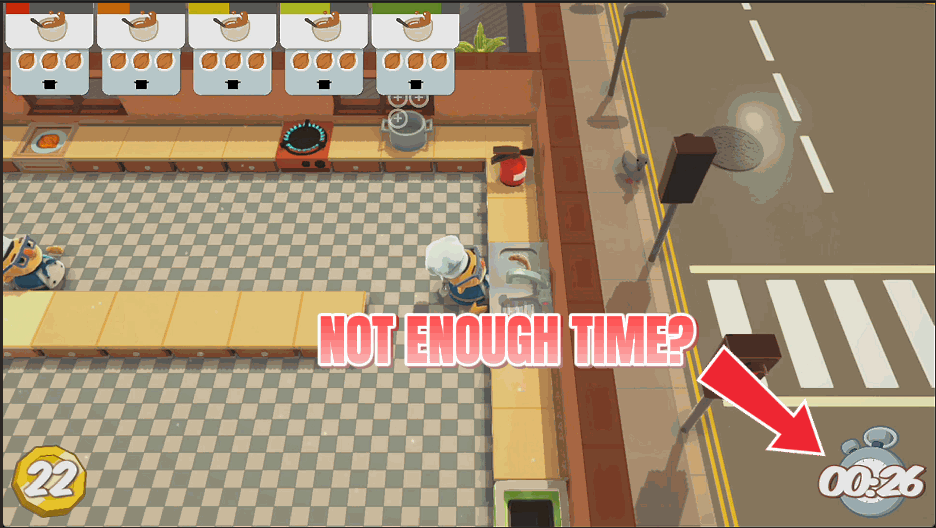
Freeze the Clock
Stop the level timer dead so you can cook without a countdown breathing down your neck. Or just top it up with a couple of extra minutes.
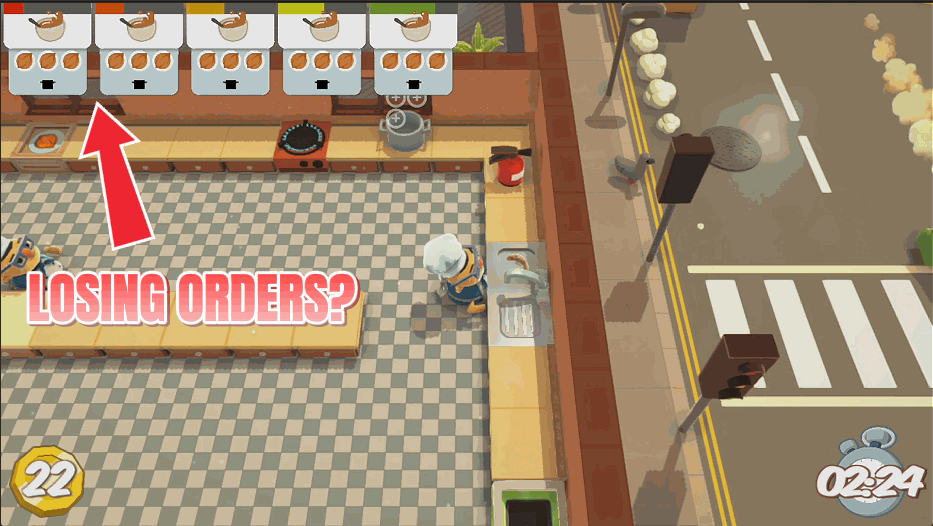
Zen Diners
Give every order a much longer fuse so tickets stop expiring while the soup is still simmering.
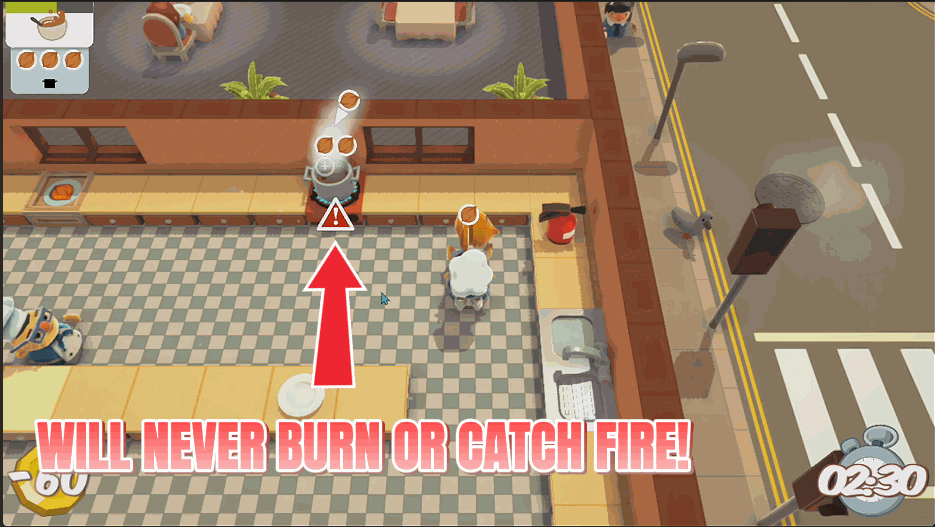
Fire Marshal
Douse every fire in the kitchen instantly, or stop things catching alight in the first place. Your run survives the burnt onions.



























































































































































































