Want more mods for Raft? Explore our entire collection!
Gravity Defying Builds
"Supports? Where we're going, we don't need supports."
How do I install Gravity Defying Builds?
Download the free ProjectMods desktop app, then install Gravity Defying Builds for Raft in one click.
</>What does Gravity Defying Builds do?
Raft's building system requires supports. Want a second floor? Build pillars. Want to extend your deck? Need foundations underneath. It's realistic. It's also annoying when you just want to build something cool. Gravity Defying Builds removes this restriction entirely. Floors float. Walkways extend into thin air. Your raft can become an impossible architectural marvel that would make engineers cry. The game still thinks everything is stable, so nothing will collapse. Build massive platforms, create floating observation decks, or construct gravity-defying staircases. The structural integrity police have been dismissed. Your raft no longer obeys the laws of physics. Build whatever impossible structure your heart desires.
</>What is Gravity Defying Builds?
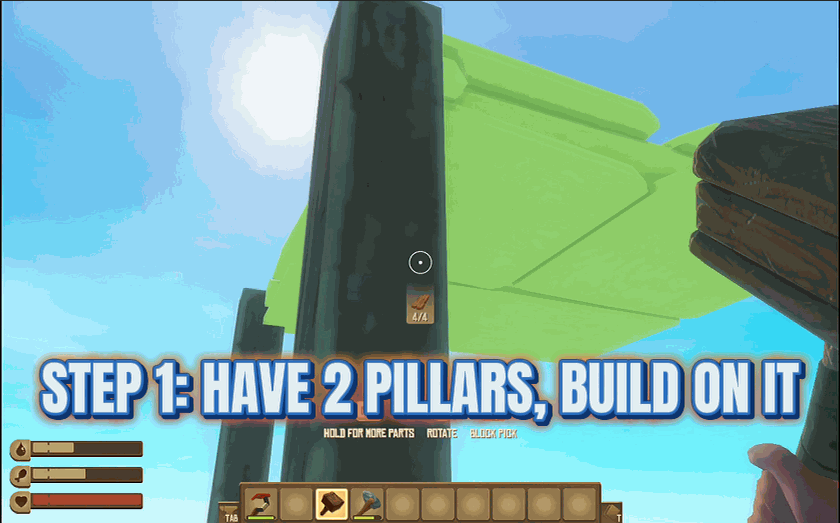
Raft's vanilla building system enforces pillars and supports for everything above the first foundation, which is realistic but kills creative builds. Gravity Defying Builds removes the structural integrity rule entirely. Place one pillar to anchor your first floor, then build outwards with no supports needed — extended walkways into open ocean, floating second-storey decks, gravity-defying staircases. Auto Remove Pillars cleans up the temporary supports after 5 seconds, and Remove All Pillars wipes every pillar in one click for that pure-floating-platform look. Built in-house by ProjectMods, the community-first game modding platform and desktop app.
</>Common questions about Gravity Defying Builds
What does Gravity Defying Builds do in Raft?
It removes the pillar requirement from Raft's building system. Normally you can't extend a floor or add a second storey without supports underneath — Gravity Defying Builds skips that check, so floors, walkways, and platforms can float in mid-air with nothing holding them up. The game still treats everything as structurally stable, so nothing collapses. Toggle Support Free Build Mode in the ProjectMods options panel, place one starter pillar to seed your first floor, and from there build whatever floating architecture you want. Built specifically for creative players who think Raft's vanilla physics get in the way of cool builds.
How do I use Gravity Defying Builds for floating second-storey builds?
Place at least one pillar first — that's how Raft seeds the floor. Once your first floor is up, enable Support Free Build Mode in the ProjectMods options panel and you can extend the second storey, third storey, walkways, and decks without any further supports. Turn on Auto Remove Pillars and the temporary starter pillars vanish after 5 seconds, leaving a clean floating-platform look. Or use the Remove All Pillars action to delete every pillar on the raft instantly for a fully floating build. Massive observation decks, impossible staircases, deck overhangs out into open ocean — all on the table.
Will my floating builds collapse or fall apart in Raft?
No. Gravity Defying Builds tells Raft to treat your structures as fully stable regardless of whether they have supports, so nothing collapses, sags, or falls into the ocean. Floors stay where you placed them, walkways extend into mid-air permanently, and platforms float indefinitely. You can save and reload — the mod's structural override stays consistent, so your impossible architecture survives across sessions. Useful for ambitious build projects where vanilla Raft would refuse to let you place the next piece.
Can I remove every pillar on my raft at once?
Yes. The Remove All Pillars action in Gravity Defying Builds wipes every pillar on your raft in one click. Useful when you've finished a big build, want the clean floating look without supports cluttering the view, or just need to refresh your design. Pair it with the Auto Remove Pillars toggle if you want pillars to disappear automatically as you build, instead of cleaning up at the end. Either way, the floors and walkways stay floating exactly where you placed them — only the supports go.
Why would I want to build without supports in Raft?
Three reasons. Creative freedom — Raft's vanilla support rule blocks the kind of impossible architecture (floating decks, sky bridges, cantilevered platforms) that makes builds visually interesting. Performance and clarity — strip the structural pillars out of a finished build and the raft looks cleaner without supports cluttering the view. Content creation — floating builds film better and screenshot better, especially for showcase videos and YouTube tour content. Gravity Defying Builds from ProjectMods is built for players who care more about the build looking cool than physics being respected.
What options does Gravity Defying Builds include?
Remove All Pillars!
Instantly remove all pillars from your raft!
Auto Remove Pillars
Automatically removes pillars after 5 seconds so your floors float!
Support Free Build Mode
NOTE: You need to add a few pillar first to get the option to appear, once the first floor is built no more pillar is needed, turn on auto-destruct and the pillars will automatically disappear in 10 secs. Build floors and walkways without needing pillars underneath!
Gravity Defying Builds is a Raft mod from ProjectMods that removes the pillar requirement so floors, walkways, and platforms float without supports. Place a pillar to seed the first floor, then toggle Auto Remove Pillars to make supports vanish after 5 seconds — or hit Remove All Pillars to wipe every support on the raft instantly. Build whatever impossible structure you want; nothing collapses.
System Requirements
What features does Gravity Defying Builds include?
- Floors, walkways, and platforms float with no supports needed. Build sky bridges all you want.
- One-click button removes every pillar on your raft instantly for that clean floating look.
- Auto-remove timer cleans up starter pillars after 5 seconds so you keep building, not babysitting.
Best For
- Massive showcase builds with cantilevered decks and impossible architecture.
- Creative servers and co-op builds where vanilla physics get in the way of the design.
- Streamers and YouTubers filming Raft builds that need to look unique on camera.
More Mods for Raft
/RaftSharkWhispererPeacefulSharks1.png)
Shark Whisperer (Peaceful Sharks)
Make sharks completely harmless to your raft and yourself because sometimes you just want to build in peace.

Unbreakable Tools
Your tools never break or lose durability because constantly remaking axes is nobody's idea of fun.
Weather Control
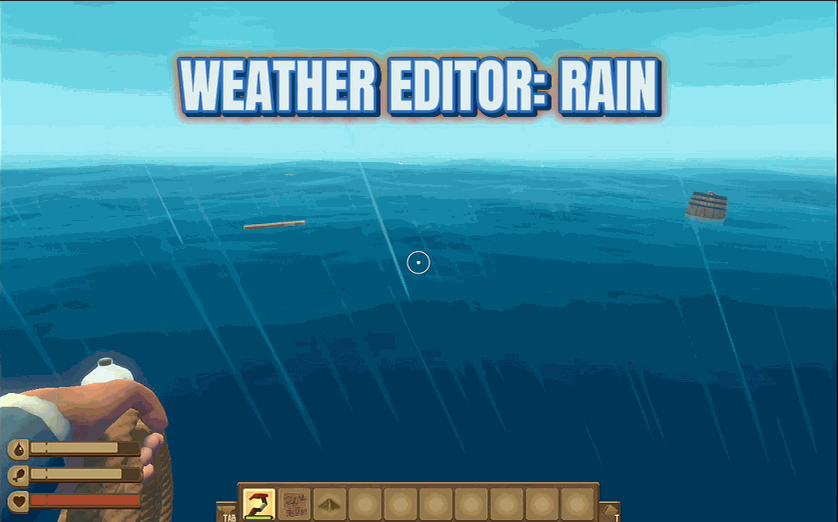
Control the weather, remove fog, and see to the edge of the world because nature answers to you now.







