Want more mods for Raft? Explore our entire collection!
Weather Control
"Forecast: Whatever you want it to be."
How do I install Weather Control?
Download the free ProjectMods desktop app, then install Weather Control for Raft in one click.
</>What does Weather Control do?
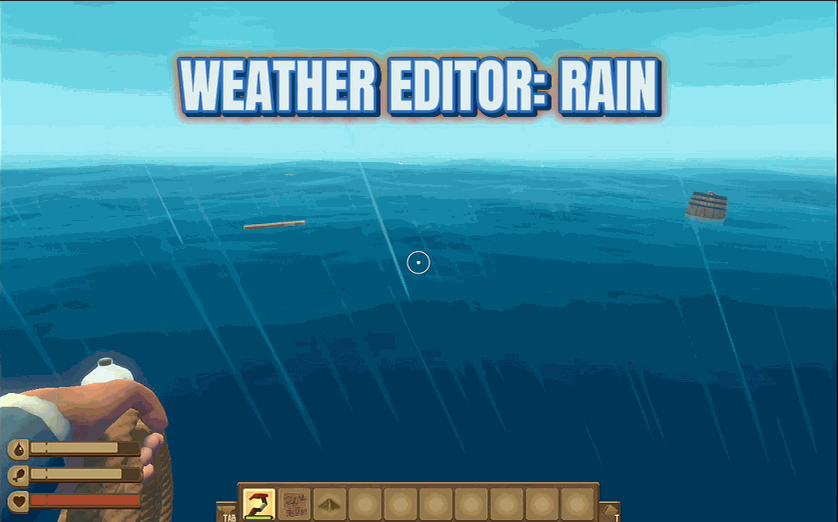
The ocean is unpredictable. One minute it's calm, the next you're riding massive waves while rain pelts your face. Atmospheric? Sure. Convenient? Not when you're trying to spot that island on the horizon. Weather God puts you in charge of the elements. Want clear skies? Done. Prefer dramatic storms for the aesthetic? Also done. Toggle through every weather type the game has to offer and set it with a button press. But that's not all. Disable the fog entirely and suddenly you can see forever. Crank up the view distance and spot islands, sharks, and debris from ridiculous distances. The game wasn't designed for this level of visibility, but your eyes will thank you. Poseidon is on vacation. You're running things now.
</>What is Weather Control?
Raft's weather system is atmospheric but unpredictable — one moment calm, the next you're riding storm waves with rain blocking the horizon. Weather Control hands you the dials. The Weather Type dropdown lists every weather state Raft supports (sunny, rainy, storms, calm waves, dramatic skies); pick one and hit Set Weather. Disable Fog wipes the haze that normally limits visibility. View Distance slides from 1 (claustrophobic) to 9999 (absurd) so you can spot islands, sharks, and debris from miles away — the game wasn't designed for that level of visibility, but your eyes will appreciate it. Built in-house by ProjectMods, the community-first game modding platform and desktop app.
</>Common questions about Weather Control
What does Weather Control do in Raft?
It hands you control of Raft's weather and visibility systems. The Weather Type dropdown in the ProjectMods options panel lists every weather state the game supports (run Refresh Weather List first if it's empty), and the Set Weather action applies your choice instantly. Disable Fog wipes the atmospheric haze that limits visibility, and the View Distance slider extends how far you can see from the vanilla 400 to a maximum of 9999. Reset View Distance brings you back to vanilla. Built specifically for content creators who want consistent weather, builders who hate working in storms, and explorers who want to spot islands from far away.
Can I disable fog in Raft for clear horizons?
Yes — that's one of Weather Control's main features. Toggle Disable Fog in the ProjectMods options panel and the atmospheric haze that limits Raft's draw distance vanishes. You can see the entire ocean in crisp detail, spot islands and shark fins from absurd distances, and frame screenshots that look more like marketing renders than gameplay shots. Combine with cranked View Distance for maximum visibility — useful for exploration runs where the fog usually hides nearby content, and content creators filming wide ocean shots.
How far can I extend view distance in Raft?
Up to 9999 (vanilla is 400). The View Distance slider in Weather Control ranges 1-9999, so cranking it gives you visibility well beyond what Raft was designed for. You'll see islands as soon as they generate, spot sharks long before they reach your raft, and watch debris drift in from the horizon. Performance can dip on lower-spec hardware at extreme values — most players see good results around 1000-2000. Use Reset View Distance to snap back to vanilla 400 if your framerate complains or if you want the stock visual feel back.
Will Weather Control let me freeze weather in Raft?
Functionally yes — once you Set Weather to a specific type, it stays in that state until you change it again or until Raft's weather logic next ticks. For permanent locked weather, just leave the toggle on the type you want and don't run Refresh Weather List. Useful for content creation (locked sunny for build tours, locked storm for atmospheric horror shots) and ambient sessions (calm seas for chill drift runs). Pair with Sun Control from ProjectMods to also lock the time of day for full lighting control.
Why would I want to control the weather in Raft?
Three main reasons. Visibility — vanilla fog and limited view distance make it hard to spot islands and plan exploration; clearing both turns the ocean into an open, navigable space. Atmosphere — content creators want specific weather for specific shots (storms for drama, sunny for tutorials), and Weather Control delivers that on demand. Quality of life — building during storms is annoying, and locking sunny weather makes long build sessions feel better. Weather Control from ProjectMods covers all three.
What options does Weather Control include?
Refresh Weather List
Updates the weather list. Use if options are missing!
Reset View Distance
Sets view distance back to normal (400).
Weather Type
Pick what weather you want - sunny, rainy, big waves, etc!
Set Weather!
Changes the weather to whatever you picked!
View Distance
How far you can see. Higher = see islands from further away!
Disable Fog
Removes the foggy haze so you can see clearly!
Weather Control is a Raft mod from ProjectMods that lets you pick the weather, kill the fog, and extend view distance. Use the Weather Type dropdown (refresh list, then pick sunny/rainy/storms/calm), hit Set Weather, toggle Disable Fog for clear horizons, and slide View Distance from 1 to 9999 to see islands and sharks from absurd distances. Reset View Distance returns to vanilla 400.
System Requirements
What features does Weather Control include?
- Pick any weather and apply it instantly. Sunny, storm, calm — your call.
- Disable Fog for crisp horizons. Crank View Distance to 9999 for absurd visibility.
- Lock the conditions for long build sessions, content shots, or ambient drift runs.
Best For
- Content creators who need consistent weather across a long filming session.
- Builders who want clear sunny weather and skip Raft's atmospheric storm interruptions.
- Explorers who want to spot islands and sharks from the horizon, not 400 units away.
More Mods for Raft
/RaftImmortalSurvivalNeedsManagement2.png)
Immortal Survival (Needs Management)
Max out your health, oxygen, hunger, and thirst because managing survival meters is so last decade.
/RaftEndlessDriftRemoveLandmarks3.png)
Endless Drift (Remove Landmarks)
Stop landmarks from spawning and drift through an empty, endless ocean.
/RaftJAWSSharksGrow1.png)
JAWS (Sharks Grow)
Sharks grow bigger over time. Survive long enough and you'll be running from Godzilla's cousin.







