Want more mods for Raft? Explore our entire collection!
Speed & Gravity Editor
"Physics are just suggestions."
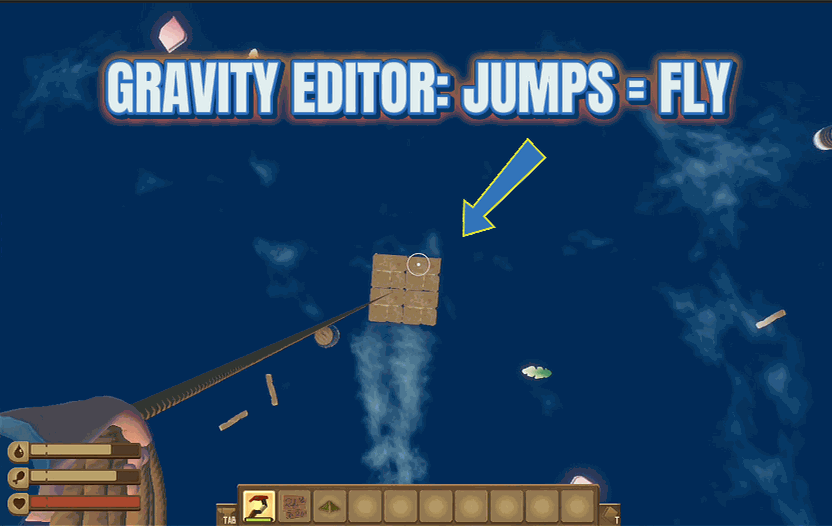
How do I install Speed & Gravity Editor?
Download the free ProjectMods desktop app, then install Speed & Gravity Editor for Raft in one click.
</>What does Speed & Gravity Editor do?
Moving around in Raft takes time. Walking to the other end of your massive raft? Takes forever. Swimming back from an island? Painfully slow. Falling off a tall structure? Actually that's pretty fast, but what if you want it faster? Or slower? Speed Tweaker lets you adjust every aspect of your movement. Crank up walking speed to zoom across your deck. Boost sprint speed for those emergency shark situations. Increase swim speed so the ocean feels less like molasses. And then there's gravity. Lower it for floaty moon jumps. Raise it for... well, for falling really fast if that's your thing. Each value has a default you can return to whenever you want. Your character now moves exactly how you want them to move. The laws of physics have been demoted to guidelines.
</>What is Speed & Gravity Editor?
Raft's default movement is fine, but it's also slow — walking across a big raft takes forever, swimming back from islands feels like molasses, and gravity is whatever Unity ships with. Speed & Gravity Editor turns every value into a slider. Tune walking, sprinting, swimming, and gravity independently. Tweak walking up for fast deck traversal, push swim speed to outrun sharks, lower gravity for floaty moon jumps and stylish builds, or raise it for snappy falls. Each slider snaps back to its default whenever you want vanilla Raft back. Built in-house by ProjectMods, the community-first game modding platform and desktop app.
</>Common questions about Speed & Gravity Editor
What does Speed & Gravity Editor do in Raft?
It adds four independent sliders for movement and physics: Walking Speed (default 3, range 0.5-50), Sprint Speed (default 6, range 1-100), Swim Speed (default 20, range 0.5-100), and Gravity (default 20, range 1-100). Each updates live in the ProjectMods options panel — change a value and your character moves at the new speed immediately, no restart needed. Built specifically for players who think Raft's default movement is too slow for big builds, or who want creative-mode floaty gravity for fun screenshots and acrobatics. Each slider has a default return value if the chaos gets too much.
Can I lower gravity for moon jumps in Raft?
Yes. Drop the Gravity slider in Speed & Gravity Editor below the default 20 (try 5 for floaty, 1 for full lunar) and your jumps gain massive air time. Combined with high Walking Speed, you can hop across an entire raft in two bounds. Useful for traversing big builds quickly, scenic content footage, and raft acrobatics. Crank gravity high (50-100) instead and falls become snappy and impactful — useful for cinematic moments where you want a hard landing or fast descent. Each gravity change applies live; no game restart.
How fast can I make swimming in Raft?
Up to 5x vanilla speed. The Swim Speed slider in Speed & Gravity Editor ranges 0.5-100 (default 20), so cranking it up to 100 turns your character into a torpedo. Useful for outpacing sharks during emergencies, fast travel between islands without using boats, and underwater exploration where vanilla swim speed is too slow to enjoy. Pair with the Immortal Survival mod from ProjectMods (infinite oxygen) for unlimited fast diving, or with Ghost Mode for full noclip flight as an alternative. The Swim Speed slider tunes only your character; sharks keep their normal speed.
Will Speed & Gravity Editor break my raft physics?
No — the sliders only affect your character, not the raft itself. Walking, sprinting, swimming, and your personal gravity change, but the raft's drift speed, structural physics, and shark behavior are untouched. So you can run around your raft like the Flash without anything else breaking. At extreme values (Walking Speed 50, Sprint Speed 100) movement becomes hard to control on small rafts, but the underlying systems stay stable. Use the default reset values if a setting feels too chaotic, or just dial the slider back live.
Why would I want to customize movement speed in Raft?
Three main reasons. Big rafts — vanilla walking speed makes traversing a 100-foundation build take forever; cranking Walking Speed makes a sprawling design actually liveable. Survival pressure — boosting Sprint Speed turns shark encounters from panic into recoverable moments. Content and screenshots — low gravity creates floaty cinematic shots, fast swim turns underwater footage from boring to dynamic. Speed & Gravity Editor from ProjectMods is built for players who want to fine-tune the feel of Raft instead of accepting the defaults.
What options does Speed & Gravity Editor include?
Sprint Speed
How fast you sprint when holding shift.
Walking Speed
How fast you walk. Higher = faster!
Swim Speed
How fast you swim in water.
Gravity
How hard gravity pulls you down. Higher = fall faster.
Speed & Gravity Editor is a Raft mod from ProjectMods that gives you four sliders for player movement: Walking Speed (0.5-50), Sprint Speed (1-100), Swim Speed (0.5-100), and Gravity (1-100). Crank walking to zoom across the deck, boost swim to outpace sharks, drop gravity to moon-jump across the raft, or raise gravity to fall like a brick. Each value has a default to return to whenever the chaos gets old.
System Requirements
What features does Speed & Gravity Editor include?
- Four sliders — walk, sprint, swim, gravity. Tune the feel of Raft from molasses to lightning.
- Lower gravity for moon jumps. Crank swim speed to outrun sharks. Big rafts get walkable.
- Each slider has a default to return to whenever the chaos gets too much.
Best For
- Big rafts where vanilla walking speed turns a quick errand into a 30-second slog.
- Stylish content creation — moon jumps, torpedo swims, and dynamic movement footage.
- Players who want Raft's feel tuned to their preference instead of accepting defaults.
More Mods for Raft
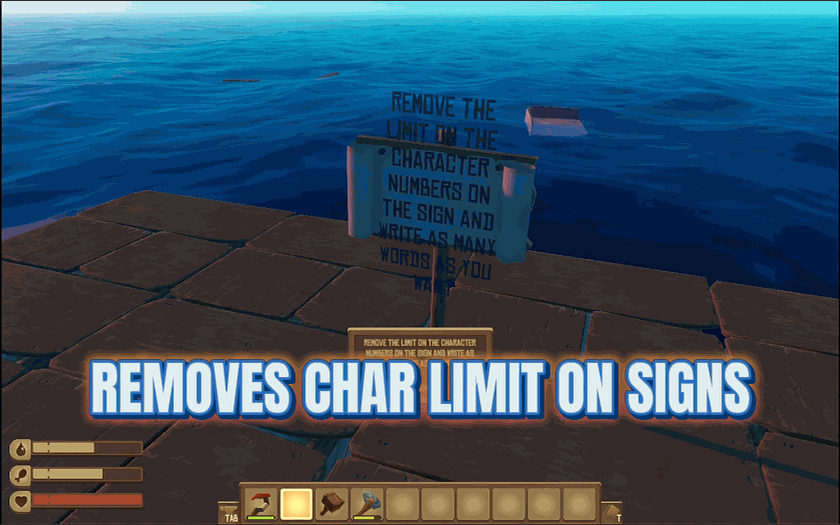
Novel On A Sign
Remove the text limit on signs and write as much as you want.
/RaftSharkWhispererPeacefulSharks1.png)
Shark Whisperer (Peaceful Sharks)
Make sharks completely harmless to your raft and yourself because sometimes you just want to build in peace.
/RaftEndlessDriftRemoveLandmarks3.png)
Endless Drift (Remove Landmarks)
Stop landmarks from spawning and drift through an empty, endless ocean.







