Want more mods for That's not my Neighbor? Explore our entire collection!
Faster Dialogue
"The text types slowly. It doesn't have to."
</>What does Faster Dialogue do?
Dialogue in That's not my Neighbor is typed out a letter at a time. A 60-character line takes 1.8 seconds to finish, then waits for your click. Faster Dialogue hands you the pace. Faster Text is on by default and runs at Text Speed Percent, which goes from 100 (normal) to 1000 and starts at 300, three times as fast. Instant Text drops the reveal altogether: each line appears whole. It works on its own and wins over Faster Text when both are on. Auto Advance, off by default, clicks the next-line arrow for you. Auto Advance Delay sets how long a finished line stays up first, from 0.2 to 5 seconds, starting at 1. Only the text changes. Voices, animations, walking and timers keep their normal speed. Switch Faster Text and Instant Text off and text returns to normal speed from the next line. Switch Auto Advance off and lines wait for your click again.
How do I install Faster Dialogue?
Download the free ProjectMods desktop app, then install Faster Dialogue for That's not my Neighbor in one click.
</>What is Faster Dialogue?
Faster Dialogue changes how quickly text is revealed in every dialogue box in the game. Faster Text uses Text Speed Percent (100 to 1000, default 300), Instant Text shows each line whole, and Auto Advance moves to the next line after Auto Advance Delay (0.2 to 5 seconds, default 1). It never skips dialogue, never makes choices or answers questions for you, and never speeds up voices, animations or timers.
</>Common questions about Faster Dialogue
What does Faster Dialogue do in That's not my Neighbor?
It speeds up how dialogue text appears on screen and can click on to the next line for you. Nothing is skipped: every line still shows, in order, and you still make every choice and give every answer yourself. The game itself keeps running at its normal speed.
How much time does Text Speed Percent save on a line?
At the default 300 percent, a 60-character line that normally needs 1.8 seconds appears in 0.6 seconds, and at the maximum of 1000 percent it takes 0.18 seconds. At 100 the speed is normal, and the setting only matters while Faster Text is on.
Why does Auto Advance stop on some lines?
Auto Advance only moves on from lines that show the next-line arrow. When the game holds a line without the arrow, it is waiting for you to do something, such as check documents, give an answer or make a choice, and that line stays until you act. The countdown also stops while the game is paused.
I changed the speed but the current line didn't get faster. Why?
A speed change applies from the next line shown. A line that is already appearing finishes at the speed it started with, so a change to Faster Text, Text Speed Percent or Instant Text made mid-line shows up one line later.
Does Auto Advance Delay change if the game is running at a different speed?
No. The delay is counted in real seconds, so a delay of 1 is one second on your clock even when the game's speed has been changed. Set 0.2 for the shortest wait or 5 for the longest, and it holds at any game speed.
What options does Faster Dialogue include?
Instant Text
Every line of dialogue appears whole at once. Works on its own and wins over Faster Text. Off by default.
Auto Advance Delay
How long a finished line stays on screen before Auto Advance moves on, in seconds. From 0.2 to 5, default 1.
Text Speed Percent
How fast dialogue text appears while Faster Text is on, as a percent of the normal speed: 100 is normal, 300 is three times as fast. From 100 to 1000, default 300.
Auto Advance
Moves on to the next line of dialogue by itself after the wait you set in Auto Advance Delay, so you don't have to click the arrow each time. Off by default.
Faster Text
Dialogue text appears faster, at the speed you set in Text Speed Percent. On by default.
Faster Dialogue is a ProjectMods mod for That's not my Neighbor that makes dialogue text appear up to 10 times faster or instantly and can advance to the next line by itself, without skipping any dialogue or speeding up the rest of the game.
System Requirements
What features does Faster Dialogue include?
- Text Speed Percent sets the reveal speed from 100 to 1000 percent in steps of 10, starting at 300.
- Instant Text shows every line whole the moment it appears and takes priority over Faster Text.
- Auto Advance moves on from a finished line after the wait set in Auto Advance Delay, adjustable in steps of 0.1.
- It works on every dialogue box in the game, including the phone and the Clown's card table.
Best For
- You're replaying Campaign Mode and know the lines, so switch on Instant Text and click through each visitor as fast as you can read.
- You like the typed-out look but find it slow. Leave Faster Text on and try Text Speed Percent at 200 for twice the normal pace.
- Your eyes are on the ID and today's list, so switch on Auto Advance with Auto Advance Delay at 1.5 and let the conversation move on while you compare documents.
- You want the quickest pace the mod offers: Instant Text on, Auto Advance on and Auto Advance Delay at 0.2. Each line shows whole and the next follows a fifth of a second later.
More Mods for That's not my Neighbor
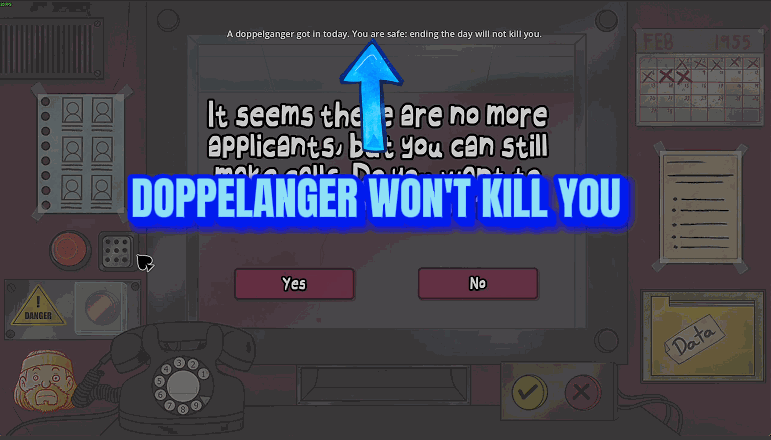
Doppelgangers Can't Kill You
Letting a doppelganger into the building no longer ends your run: Arcade, Campaign and Custom days close on the normal end screen, and a Nightmare shift carries on, past the mask ghost and one wrong call too many as well.
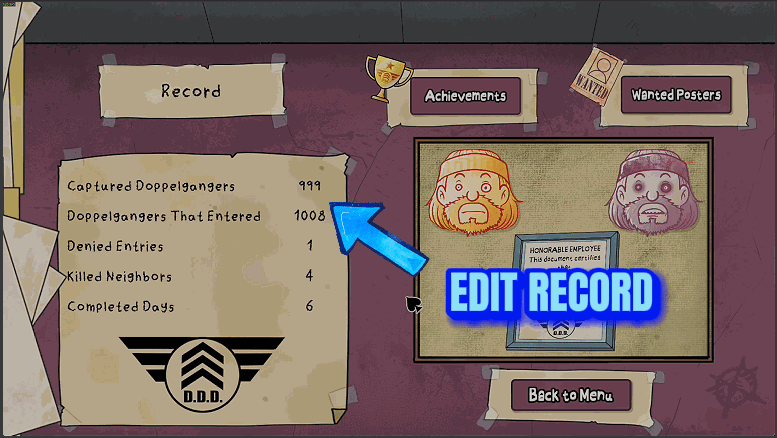
Records Editor
Set any of the five all-time totals on your Record screen, or the four counts of your current campaign, to a number from 0 to 9999, leave the others alone, or wipe the five totals back to zero.
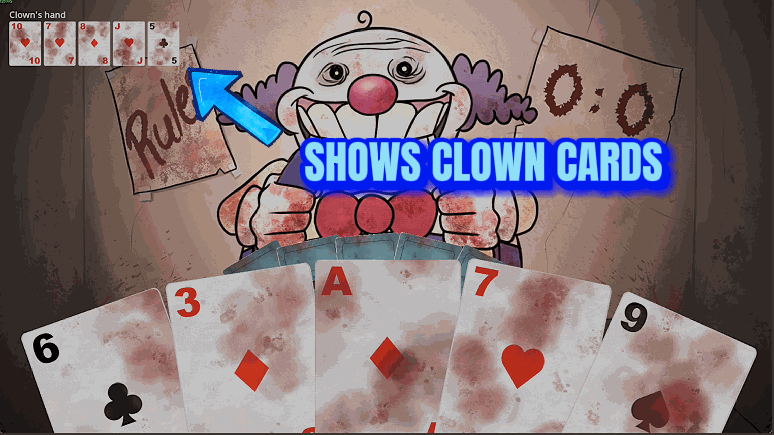
Clown Card Game Helper
Shows the cards the Clown is holding during his card game, and adds two buttons for your turn: one wins the current round, the other wins the whole best-of-3 game.