Want more mods for Wizard with a Gun? Explore our entire collection!
Wall of Fame
"Put the achievement you are missing up on the wall."
How do I install Wall of Fame?
Download the free ProjectMods desktop app, then install Wall of Fame for Wizard with a Gun in one click.
</>What does Wall of Fame do?
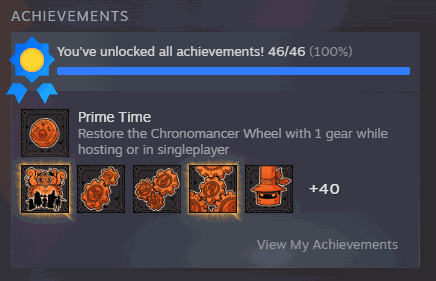
Some achievements in this game are a long grind and some are just bad luck. Wall of Fame puts the ones you are missing on the board, one at a time or the whole lot in a single press. Load into your save, press Refresh Achievement List once, and the menu above fills with every achievement under its proper name - no raw codes to decipher. Pick the one you want, press Unlock Selected Achievement, and it lands on your profile. Or skip the picking entirely and press Unlock Every Achievement. Both buttons check their own work. Instead of a cheerful "done" you get the real number read back off your own Steam record - "you are on 46 of 46 now" - so you always know exactly where you stand. Every achievement is handled on its own too, so one awkward entry can never take the rest of the list down with it. And if something is not ready yet, Wall of Fame tells you which thing rather than going quiet on you: Steam still catching up, or you still sitting on the title screen. Read this part before you press anything. Treat every unlock as permanent. This game gives you no way to take a single achievement back off your profile - the only undo it leaves is an all-or-nothing wipe that clears all forty-six achievements and every tracked stat for this game in one go, and that is far too blunt a thing to sit behind a button, so Wall of Fame simply does not ship one. Unlock the ones you actually want. Works on your own save in single-player and in co-op alike, since achievements sit on your Steam account rather than in the world.
</>What is Wall of Fame?
Wall of Fame puts the Wizard with a Gun achievements you are missing up on the board. Refresh the list to see every one under its proper name, unlock a single awkward entry or take the lot in one press, and read the confirmed number back off your own Steam record. A free mod from ProjectMods, which covers Valheim, Raft, Cult of the Lamb and 400+ other games.
</>Common questions about Wall of Fame
What does Wall of Fame do in Wizard with a Gun?
Wall of Fame unlocks the Wizard with a Gun Steam achievements you are missing, either one at a time or all at once. Load into your save, press Refresh Achievement List once, and the menu fills with every achievement under its proper name rather than a raw code. Pick the one you want and press Unlock Selected Achievement, or skip the picking and press Unlock Every Achievement. Both buttons check their own work afterwards and read the real number back off your own Steam record, so you always know exactly where you stand.
Can I unlock just one achievement instead of all of them?
Yes, and that is the point of the picker. Press Refresh Achievement List after you load into your save, choose the achievement you want from the dropdown by its real name, and press Unlock Selected Achievement. Wall of Fame handles every achievement on its own, so one awkward entry can never take the rest of the list down with it. That matters in Wizard with a Gun because most people only want the two or three that are pure grind or pure luck, and would much rather earn the others properly.
Can an unlocked achievement be taken back?
No, so treat every unlock as permanent. Wizard with a Gun gives no way to remove a single achievement from your profile. The only undo it leaves is an all-or-nothing wipe that clears all forty-six achievements and every tracked stat for this game in one go, and that is far too blunt a thing to sit behind a button, so Wall of Fame simply does not ship one. Unlock the ones you actually want, and if you are only after one or two, use the picker rather than the whole-list button.
What does it report after an unlock?
The real number, read off your own Steam record, rather than a cheerful done message. After a press, Wall of Fame tells you where you actually stand in your Wizard with a Gun list, as in you are on 46 of 46 now, so there is no guessing whether it landed. If something is not ready it names the reason instead of going quiet, whether that is Steam still catching up or you still sitting on the title screen. Because each achievement is handled separately, one stubborn entry never stops the others going through.
Why does the achievement list need refreshing before I pick?
Because the names come from your own game rather than a list baked into the mod. Press Refresh Achievement List once after you load into your save and Wall of Fame fills the dropdown with every achievement Wizard with a Gun has, under its proper name, and tells you how many you have already earned. Do that before you pick and you are always choosing from current information. It works the same in single-player and in co-op, since achievements sit on your Steam account rather than inside the world you happen to be playing.
What options does Wall of Fame include?
Select Achievement
Pick the achievement you want to unlock. Press Refresh Achievement List first to fill this menu with the real names from your own game.
Unlock Every Achievement
Takes the whole list in one press and reports the real number you ended up with, not a blind thumbs-up. This cannot be undone.
Refresh Achievement List
Fills the menu above with every achievement this game has, pulled straight from your own Steam record. Do this once after you load into your save, and it tells you how many you have already earned.
Unlock Selected Achievement
Unlocks just the one you picked above, then checks your profile and tells you whether Steam confirmed it. This cannot be undone.
Wall of Fame is a free ProjectMods mod for Wizard with a Gun that unlocks Steam achievements by their real names, one at a time or the whole list in a single press, and reads the confirmed count back to you.
System Requirements
What features does Wall of Fame include?
- Lists every achievement this game has under its proper name, read straight off your own Steam record.
- Unlocks the single one you picked, or takes the entire list in one press.
- Reads the real number back off your profile afterwards instead of giving you a cheerful thumbs-up.
- Treats every unlock as permanent - this game gives you no way to take a single one back off your profile.
- Names the reason when something is not ready, whether Steam is catching up or you are still on the title screen.
Best For
- The one achievement you are still missing after a hundred hours, purely because of bad luck.
- Completionists tidying up a list where the last few entries are a long grind, not a challenge.
- Checking how many you have already earned before deciding which gaps you actually want filled.
- Content creators who need the finished achievement wall on screen for a video without spending weeks grinding toward it.
- Taking only the two you genuinely want, since there is no way to hand a single one back.
More Mods for Wizard with a Gun
Doomsday Dial
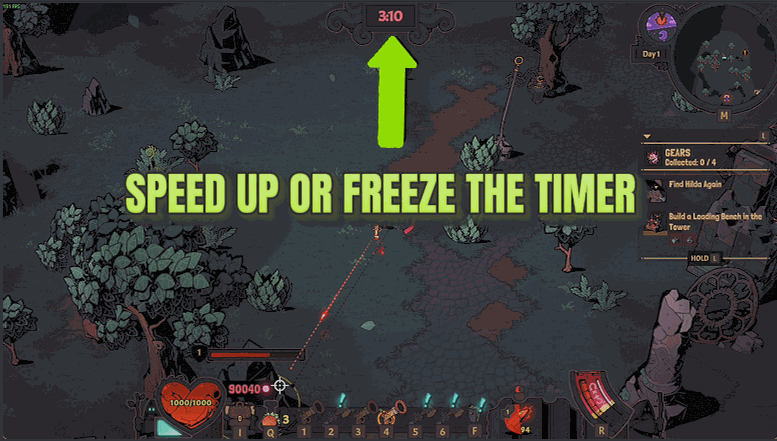
Slows, freezes or speeds up the Chaos countdown, so you decide when the apocalypse is allowed to arrive.
Endless Chamber
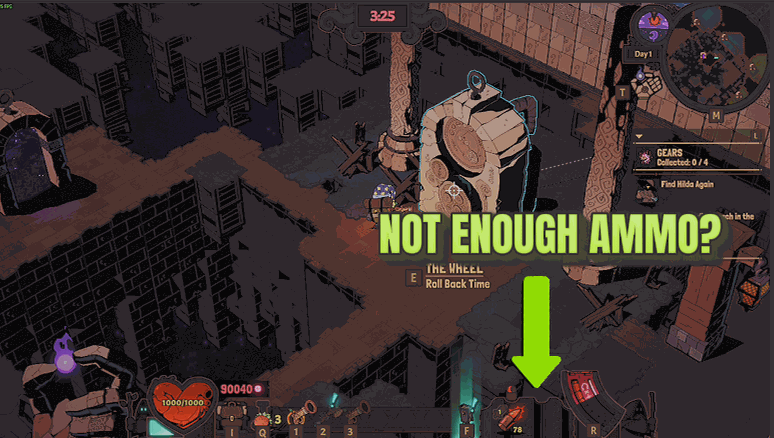
Endless Chamber stops your shots from drawing on your ammo supply, so one batch of bullets carries you through the whole apocalypse. Add Instant Reload and the wait on every reload shrinks to a blink.
Arcane Fortune
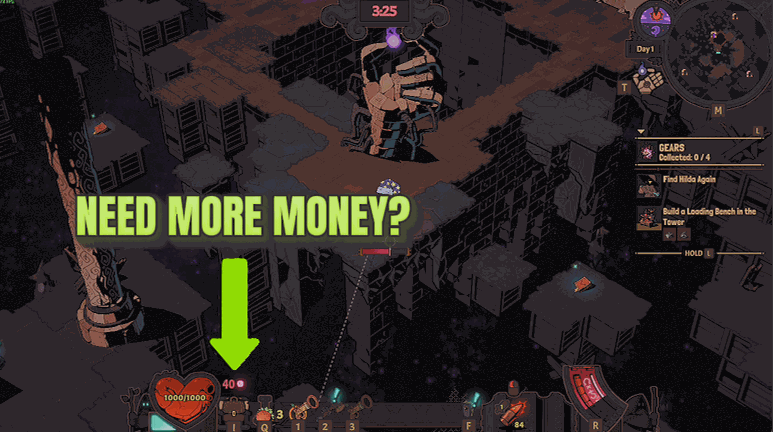
Pick an amount of Arcana and drop it straight on top of what you are carrying, with a second button to clear you back to zero. Every press shows your real balance before and after.







